EasyManua.ls Logo

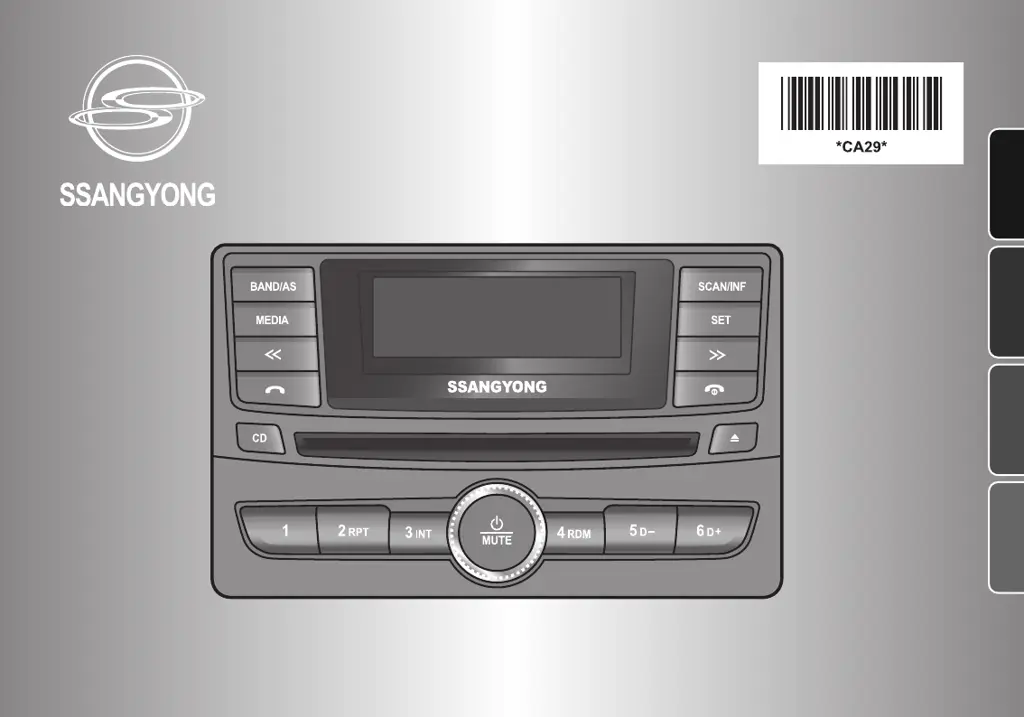
SSANGYONG AGC-9145BY - User Manual

SSANGYONG AGC-9145BY
116 pages
Go to English
Print Icon
To Next Page IconTo Next Page
Loading...
User Manual
Manual del usuariol
Manual do Usuário
MP3[WMA] CD Player with USB Host
AM/FM Radio with Bluetooth Hands-free
AGC-9146BA/WA
한글
English
Español
Português

Questions and Answers

Summary

Precautions - Safety and Handling

Safety Information

General warnings and cautions about fire, electric shock, laser exposure, and interference.

Handling Precautions for Safety

Guidelines for safe usage, cleaning, and button operation to prevent damage.

Precautions - Usage Guidelines

Safety Information

Advice for driving, car washing, parking, power supply, disc handling, and service.

Handling Precautions for Safety

Specific advice on non-standard power, cleaning agents, and button pressure.

Location of controls - Front View

Front Panel Controls

Description of the car audio system's front panel controls and their functions.

Location of controls - Display Window

Display Indicators Explained

Explanation of the display indicators for radio and media playback modes.

Location of controls - Rear View

Rear Connection Ports

Identification and description of the rear connection ports for antenna, AUX, USB, and I/O.

Getting Started - Unit Operation

Powering the Unit On;Off

Instructions for powering the audio unit on and off using the power button.

Adjusting Audio Volume

How to control the audio volume using the rotary dial.

Muting Sound Quickly

Method for temporarily silencing audio output using the mute button.

Getting Started - Audio Settings

Selecting Equalizer Style

Steps to choose audio equalization presets like EQ OFF, POP, ROCK, etc.

Setting Audio Sound

Instructions for adjusting bass, treble, balance, and fader levels.

Radio - Tuning

Tuning in Stations

Procedures for manual and automatic radio station tuning.

Storing Stations Manually

How to save favorite radio stations to preset numbers for quick access.

Radio - Presets

Storing Stations Automatically

Method for the unit to find and store the strongest available stations.

Listening to Preset Stations

How to recall stored radio stations using the preset number buttons.

MP3[WMA];CD Player - Playback Basics

Before Disc Playback

Information on compatible discs and playback precautions.

Loading Disc and Starting Playback

Steps to insert a disc and begin playback automatically.

Controlling Playback

How to navigate tracks, fast forward/rewind, and select folders.

MP3[WMA];CD Player - Advanced Features

Selecting Playback Modes

Options for repeat, intro, and random playback for tracks and folders.

Searching Music

How to find specific tracks by number or name using the scan/info button.

Showing Folder Information

Displaying current folder information and controlling the scroll function.

MP3[WMA];CD Player - Disc Types

Stopping Playback and Ejecting Disc

Procedures to stop playback and remove discs from the unit.

About CD-R;CD-RW

Details on CD-R/RW compatibility and potential playback issues.

About MP3;WMA

Information on MP3/WMA file format compatibility and limitations.

Bluetooth - Connection

Bluetooth Operation Overview

Overview of pairing, connection, and hands-free/music streaming functions.

Pairing Phone and Audio System

Step-by-step guide to pair a mobile phone with the car audio system.

Connecting Mobile Phone

How to establish a connection to the car audio system after pairing.

Bluetooth - Call Management

Making Call via Last Call

How to redial the last number using the call button.

Receiving Calls

Handling incoming calls, answering, and rejecting calls.

Ending Calls

Procedure to terminate an active call.

Adjusting Talk Volume

Controlling the volume level during a phone call.

Muting Talk Sound

Using the mute function for the microphone during a call.

Bluetooth - Audio Streaming

Transferring Calls

Switching audio between the car system and mobile phone during a call.

Listening to Music via Bluetooth

Streaming audio from a mobile phone to the car system via A2DP.

Bluetooth - Settings

Setting Bluetooth Mode

Configuring Bluetooth settings like pairing, device selection, and priority.

USB;AUX Player - USB

Playing a USB Device

Connecting and playing music from a USB drive.

USB Device Handling Precautions

Important warnings and advice for USB device connection and usage.

USB;AUX Player - AUX

Listening to Auxiliary Audio Equipment

Connecting and playing audio from external devices via the AUX input.

Steering Wheel Audio Control

Using Steering Wheel Controls

How to operate audio functions like volume, tuning, and calls from the steering wheel.

Troubleshooting - Common & Radio

Common Issues

General troubleshooting for sound issues like no sound or noise.

Radio Issues

Troubleshooting specific to radio reception, seeking, and preset storage.

Troubleshooting - Media

MP3[WMA];CD Player Issues

Solutions for playback errors, disc ejection, sound skipping, and disc unreadability.

Troubleshooting - USB

USB MP3[WMA] Player Issues

Troubleshooting for USB device connectivity and playback problems.

Specifications

General Section Specifications

Overall specifications like power supply, speaker impedance, weight, and dimensions.

Radio Section Specifications

Radio reception specifications including frequency range and sensitivity.

MP3[WMA];CD Section Specifications

Specifications for MP3/WMA/CD playback, including sampling frequency and distortion.

USB Section Specifications

Specifications related to USB playback, such as frequency response and dynamic range.

Bluetooth Section Specifications

Specifications for Bluetooth connectivity, including core specs and internal memory.

SSANGYONG AGC-9145BY Specifications

General IconGeneral
BrandSSANGYONG
ModelAGC-9145BY
CategoryCar Receiver
LanguageEnglish

Related product manuals