BASIC OPERATION
-14-
TFT MONITOR ADJUSTMENT
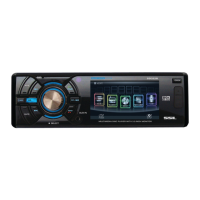
In disc playing , press the “SEL” knob
on the front panel to adjust the Audio/
Video item, using the VOL+/- knob to
adjust, the message will display on the
screen like following below:
REAR VIEW CAMERA
When connecting the rear view camera.
the mirror image of the rear view through
the rear view camera is automatically
displayed on the monitor when you
change the gear to the back position.
(Note : additional the monitor can not
display image .)
CONTRAST: 0 to 32
Adjust the contrast of the bright and dark
portion.
TINT: 0 to 32
Adjust the tint if the human skin color is
unnatural.
-Adjustable when “NTSC “ is selected for
“NTSC/PAL “ .
ADJUSTABLE ITEMS:
COLOR: 0 to 32
Adjust the color for the picture-lighter or
darker.
BRIGHT: 0 to 32
Adjust if the picture is too bright or
too dark.
FADE: F 0-10 to R 0-10
Adjust sound balance between front and
rear speakers .
TREBLE: -7 to +7
Adjust treble level .
BALANCE: R 0-10 to L 0-10 .
Adjust sound balance between left
and right speakers .
BASS: -7 to +7
Adjust bass level .
VOLUME: 0 to 40
Adjust volume level .
SETTING AUDIO MODE
In any mode , longer press “SEL” button
on the front panel, the “LOUDNESS ON”
will display, then repeatedly press
shortly to select the other items, using
the VOL+/- knob to adjust, then press
the SEL to confirm the setting.
the message will display on the screen
like following below:
ADJUSTABLE ITEMS:
LOUDNESS ON/OFF
SUBWOOFER ON/OFF
DX/LOCAL:in radio mode
STEREO/MONO: in radio mode
ROCK
use the VOL+/- to choose the equalizer
mode: USER, JAZZ, CLASSIC, POP,
ROCK.


 To Next Page
 Loading...