-19-
NOTE:
For CD(audio) Disc, press OSD button
is not available .
E. Press OSD for the fifth time:
The message on the screen will be
cleared for SVCD and VCD.
2.Example for VCD/SVCD/CD:
F. Press OSD for sixth time:
The message on the screen will be
cleared.
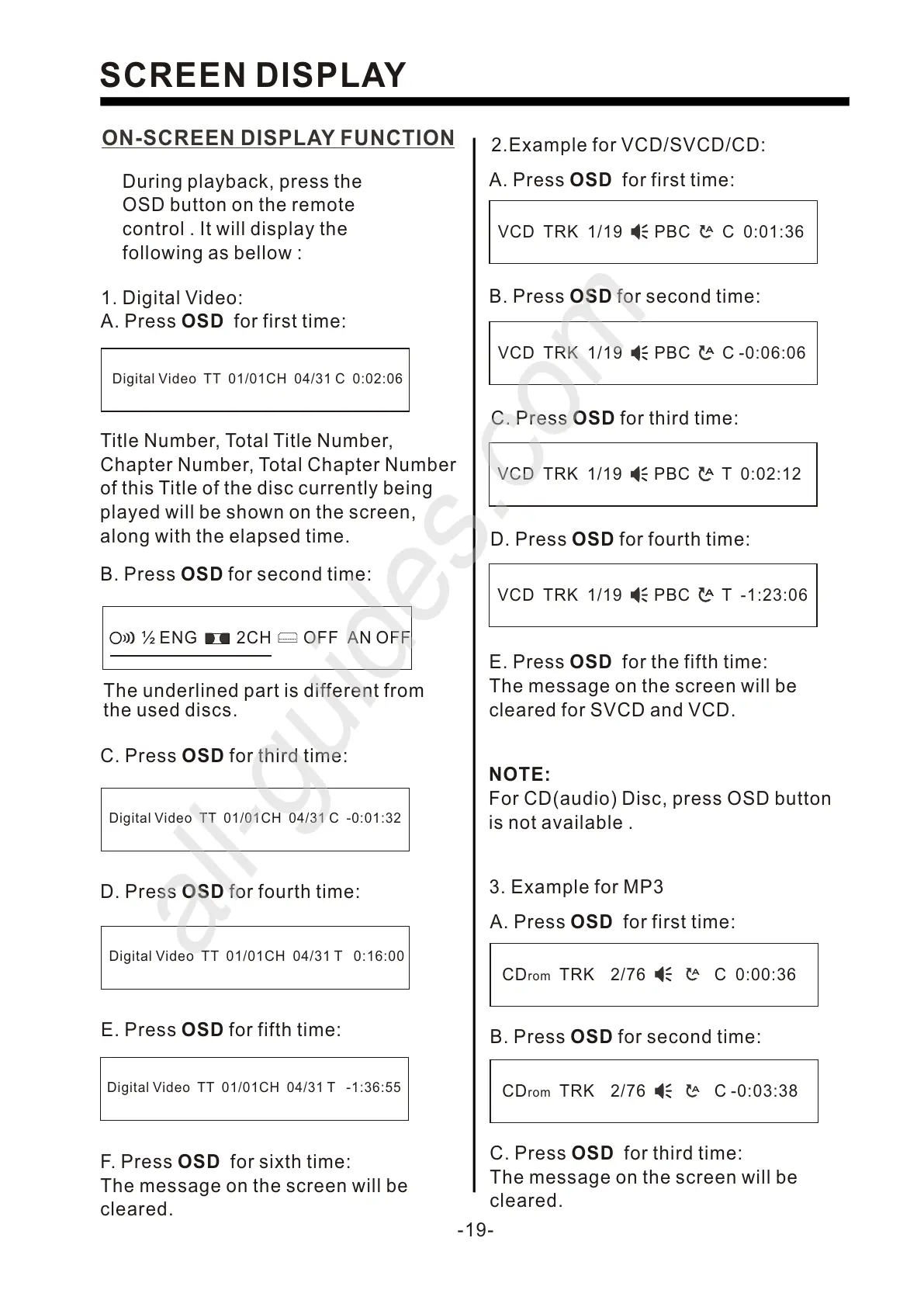
ON-SCREEN DISPLAY FUNCTION
Digital Video TT 01/01CH 04/31 C -0:01:32
C. Press OSD for third time:
SCREEN DISPLAY
During playback, press the
OSD button on the remote
control . It will display the
following as bellow :
1. Digital Video:
A. Press OSD for first time:
Title Number, Total Title Number,
Chapter Number, Total Chapter Number
of this Title of the disc currently being
played will be shown on the screen,
along with the elapsed time.
Digital Video TT 01/01CH 04/31 C 0:02:06
D. Press OSD for fourth time:
Digital Video TT 01/01CH 04/31 T 0:16:00
E. Press OSD for fifth time:
Digital Video TT 01/01CH 04/31 T -1:36:55
B. Press OSD for second time:
A. Press OSD for first time:
VCD TRK 1/19 PBC C 0:01:36
A
B. Press OSD for second time:
VCD TRK 1/19 PBC C -0:06:06
A
C. Press OSD for third time:
VCD TRK 1/19 PBC T 0:02:12
A
D. Press OSD for fourth time:
VCD TRK 1/19 PBC T -1:23:06
A
3. Example for MP3
A. Press OSD for first time:
CDrom TRK 2/76 C 0:00:36
A
B. Press OSD for second time:
CDrom TRK 2/76 C -0:03:38
A
C. Press OSD for third time:
The message on the screen will be
cleared.
½ ENG 2CH OFF AN OFF
The underlined part is different from
the used discs.


 To Next Page
 Loading...