-28-
AUX OPERATION
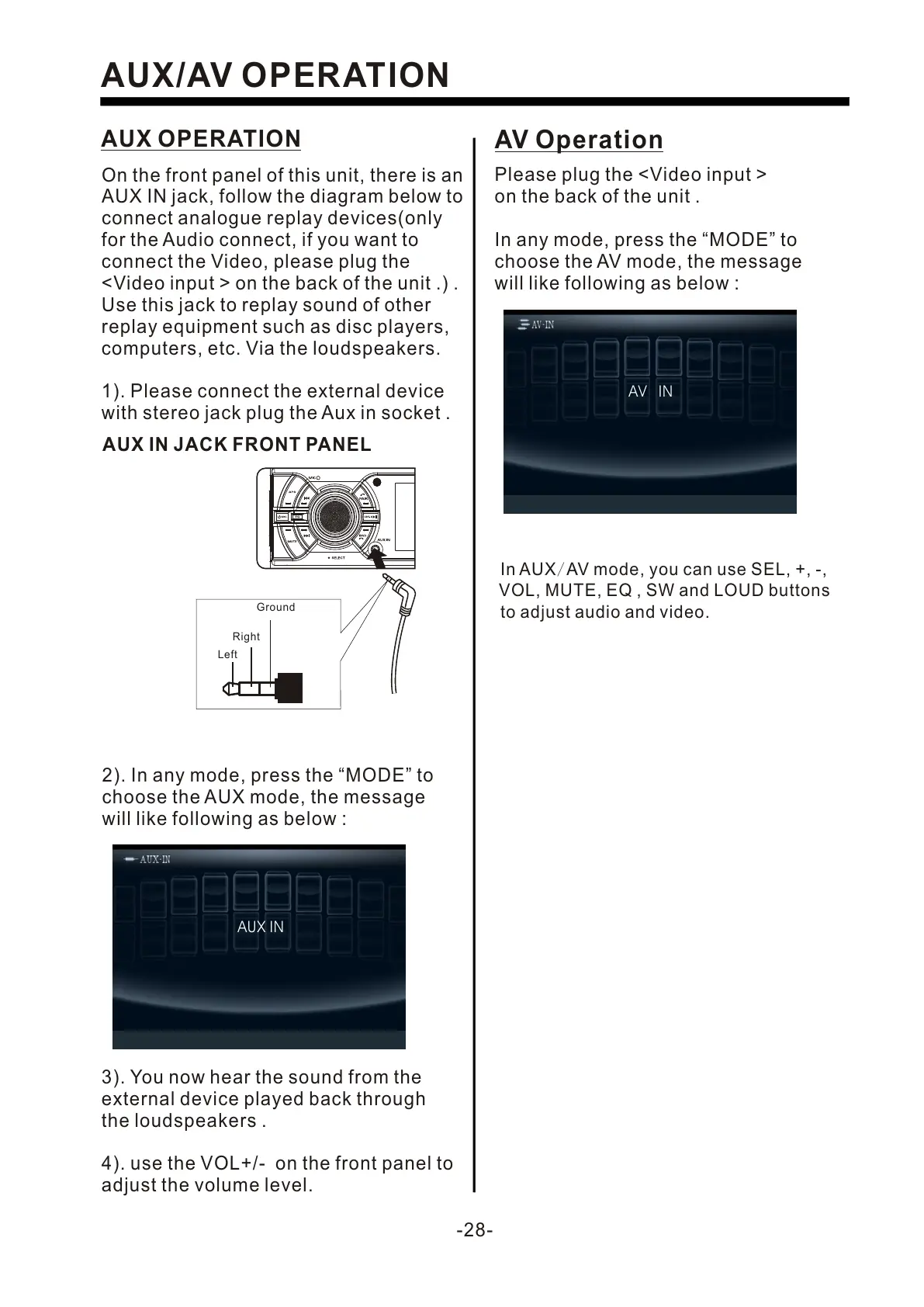
On the front panel of this unit, there is an
AUX IN jack, follow the diagram below to
connect analogue replay devices(only
for the Audio connect, if you want to
connect the Video, please plug the
<Video input > on the back of the unit .) .
Use this jack to replay sound of other
replay equipment such as disc players,
computers, etc. Via the loudspeakers.
3). You now hear the sound from the
external device played back through
the loudspeakers .
4). use the VOL+/- on the front panel to
adjust the volume level.
AUX/AV OPERATION
1). Please connect the external device
with stereo jack plug the Aux in socket .
2). In any mode, press the “MODE” to
choose the AUX mode, the message
will like following as below :
AUX IN JACK FRONT PANEL
Ground
Right
Left
AV Operation
Please plug the <Video input >
on the back of the unit .
In any mode, press the “MODE” to
choose the AV mode, the message
will like following as below :
In AUX/AV mode, you can use SEL, +, -,
VOL, MUTE, EQ , SW and LOUD buttons
to adjust audio and video.
AUX IN
AV IN


 To Next Page
 Loading...