Mode change to SD/MMC card
After a SD or MMC card was inserted into the main unit card slot . the unit will starts
playing the files contained on the memory card . Once the unit read the memory card
successfully, the first file on the memory card will automatically start playback.
Press the MODE button repeatedly is allowing changing to other modes .
SD/MMC card OPERATION
The unit can support playback MP3/WMA/JPEG/MP4 format which are stored
into SD and MMC memory card .
Please read below before you start the operation of memory card .
File Playback Operation
All the SD or MMC memory car playback operation function is same as the operation
on CD/MP3/WMA .
Please to “ MP3/WMA” operation for more details .
Change DISC to SD/MMC card
The operations are same as USB mode, refer to see USB operation .
Change SD/MMC card to DISC
The operations are same as USB mode, refer to see USB operation .
-30-
SD/MMC OPERATION
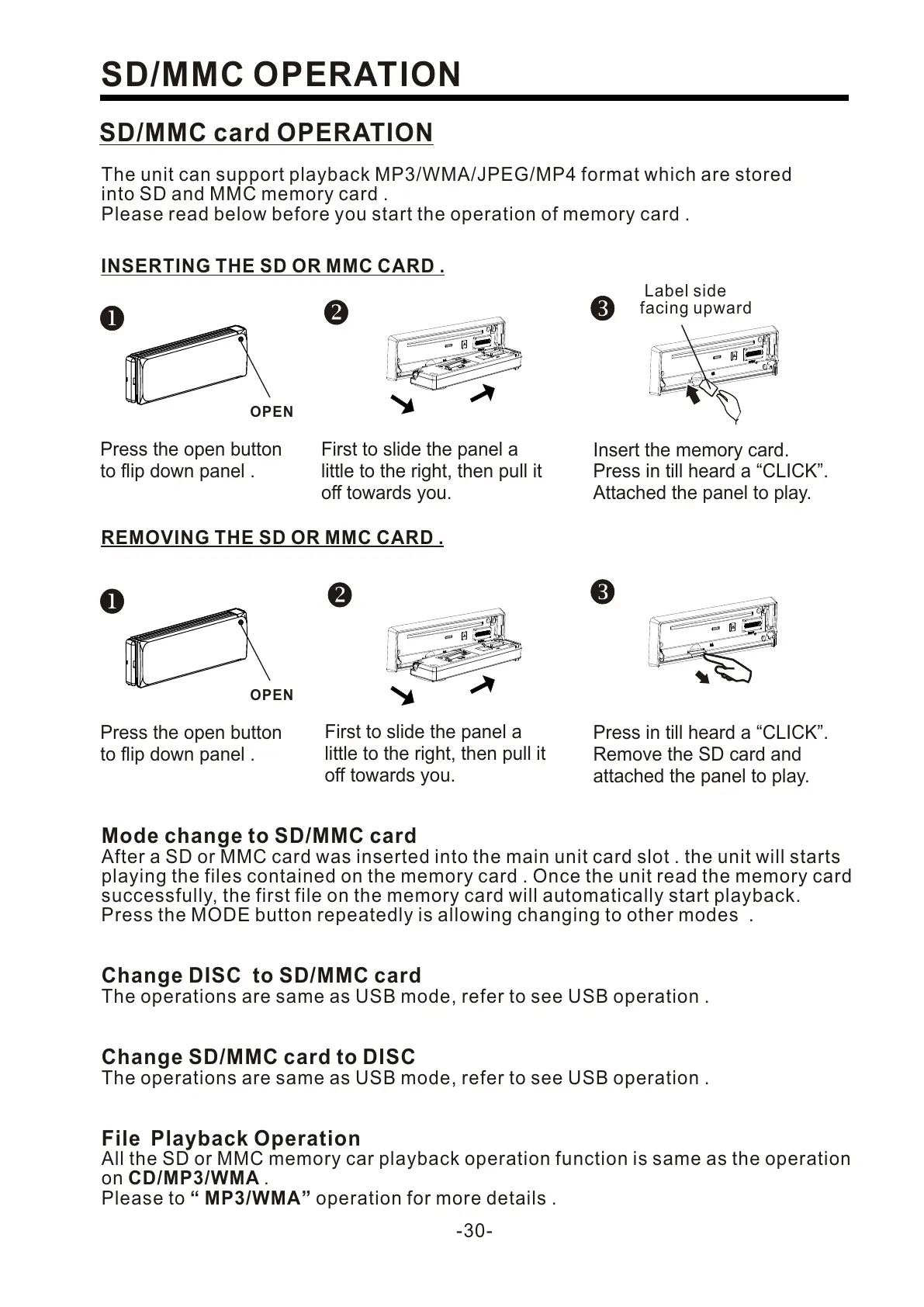
INSERTING THE SD OR MMC CARD .
First to slide the panel a
little to the right, then pull it
off towards you.
Insert the memory card.
Press in till heard a “CLICK”.
Attached the panel to play.
Label side
facing upward
REMOVING THE SD OR MMC CARD .
Press in till heard a “CLICK”.
Remove the SD card and
attached the panel to play.
Press the open button
to flip down panel .
OPEN
Press the open button
to flip down panel .
OPEN
First to slide the panel a
little to the right, then pull it
off towards you.


 To Next Page
 Loading...