
 Need help?
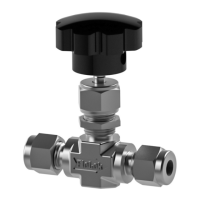
Do you have a question about the SSP 100 Series and is the answer not in the manual?
Loosen the set screw using a 3/32" Allen wrench to remove the valve handle.
Utilize a wrench to detach the packing nut from the valve body.
Move the Belleville spring washers upwards along the stem.
Turn the stem counter clockwise to extract the stem and its packing from the body.
Remove and discard old packing components; unpack and prepare new kit parts.
Apply MCG-111 lube to the upper and lower packing parts before reassembly.
Reinstall packing components in order: support, lower packing, upper packing, pusher.
Apply MCG-130 lube to the stem threads and turn clockwise into the body.
Slide Belleville springs onto the stem, ensuring concave sides face correctly.
Thread the packing nut onto the body using a torque wrench as per the chart.
Align handle set screw with stem drill point and tighten with a 3/16" Allen wrench.
 General
| Category | Control Unit |
|---|---|
| Input Voltage | 24 VDC |
| Output Voltage | 24 VDC |
| Protection | Short Circuit, Overload |
| Series | SSP 100 Series |

 To Next Page