SSP Professional Lighng
www.sspworld.com
4
IV.CONTROLS AND FUNCTIONS
Front Panel:
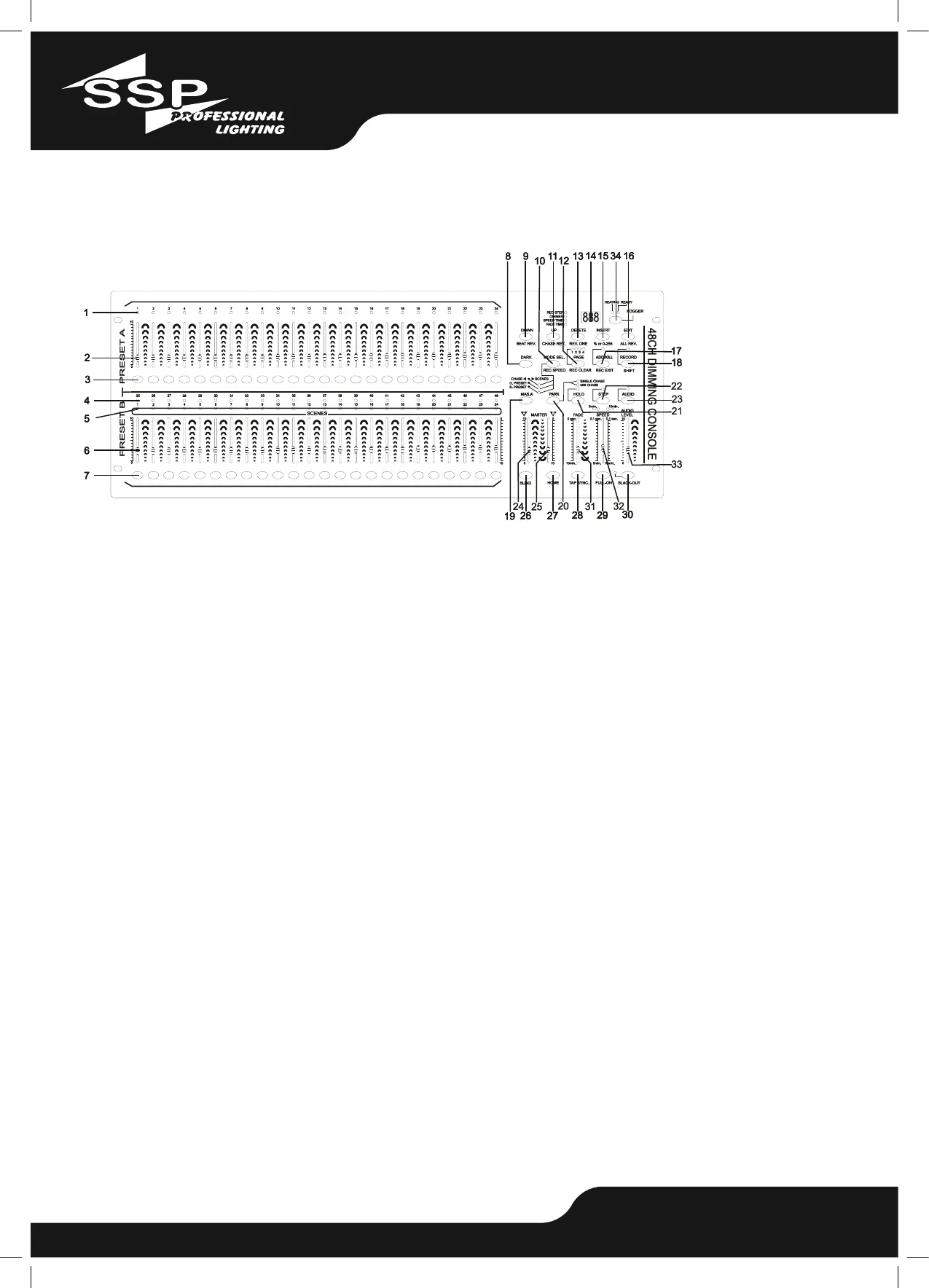
1. PRESET A LEDs –
Show the current intensity of the relevant channel numbered from 1 to 24.
2. Channel Sliders 1-24 –
These 24 sliders are used to control and /or program the intensities of channels 1-24.
3. Flash Buttons 1-24 –
These 24 buttons are used to bring an individual channel, to full intensity.
4. PRESET B LEDs –
Show the current intensity of the relevant channel numbered from 25-48.
5. SCENE LEDs –
Light when relevant scenes are active.
6. Channel Sliders 25-48 –
These 24 sliders are used to control and /or program the intensities of channels 25-48.
7. Flash Buttons 25-48 –
These 24 buttons are used to bring an individual channel, to full intensity. They also are used for
programming.
8. DARK Button –
This button is used to momentarily black out overall output.
9. DOWN/BEAT REV. Button–
DOWN functions to modify a scene in Edit mode, BEAT REV. is used to reverse the chasing direc-
tion of a program with regular beat.
10. MODE SEL./REC. SPEED Button –
Each tap will activate the operating mode in the order: CHASE/SCENES, D.(Double) PRESET and
S.(Single) PRESET. REC. SPEED: Set the speed of


 To Next Page
 Loading...