Mar/07 MN3000000032
5
(Change D: to match your CD-ROM drive letter)
5. Press “Install” button to install the drivers.
6. During the installation process, a warning message will popup
informing the user that the software being used has not passed the
Windows Logo testing, click “Continue Anyway”.
7. Click “Exit” button to complete the driver installation.
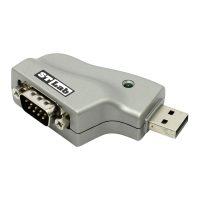
8. Plug USB 4-Port Serial Adapter into your computer’s USB port.
9. Windows will automatically start installing the device driver
software.
10. Open “Device Manager” under System Properties.
11. Click on the + (plus sign) in front of the “Ports (COM&LPT)”,
four “MosChip High-Speed USB Serial Port…” should be
displayed.
12. Double click “Universal Serial Bus controllers”, “MosChip
High-Speed USB MultiSerial Compound Device” should be
displayed.



 To Next Page