8
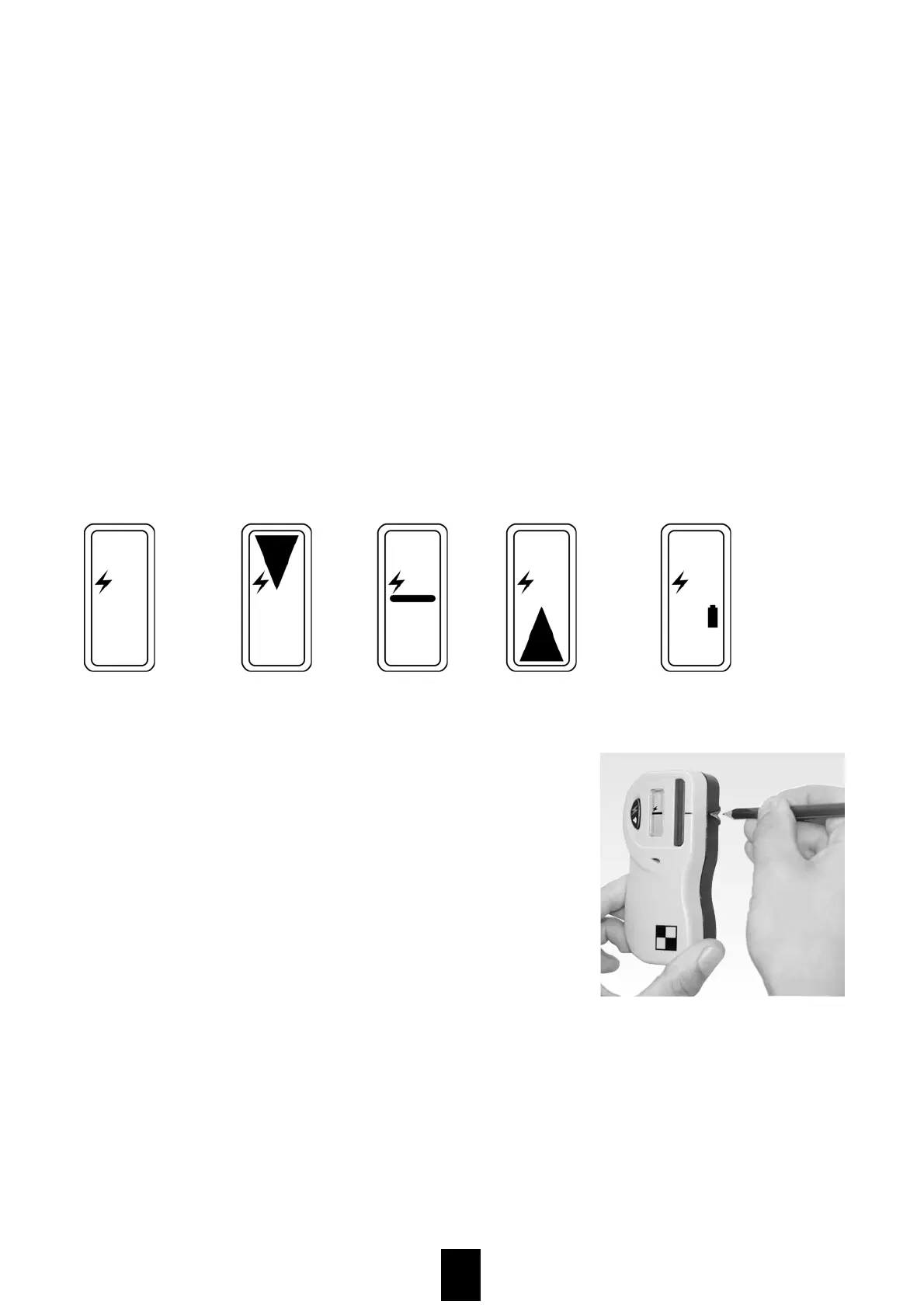
to high on hight to deep
battery display
(change necessary)
LCD display
Commissioning
Pressing the ON/OFF button switches the receiver on. The beeper sounds and all the
LCD elements are briefly displayed. The operating symbol shows that the receiver is
switched on. Pressing the ON/OFF button again switches between the different bee-
per volume levels: HIGH, LOW, SOUND OFF. Holding down the ON/OFF button for 2
seconds switches the receiver off. The unit will switch itself off automatically, when
no laser signal is received for more than 30 minutes. The photocells for receiving
the laser beam are located behind the (red) glass aperture. This must be held in the
direction of the rotation laser in order to receive the laser beam.
When a laser signal is received, the LCD display shows the position of the receiver
relative to the laser plane. On the display, the battery symbol illuminates when
approx. 1hour of operating life remains.
When a laser signal is received, the LCD display
shows the position of the receiver relative to the laser
plane. On the display, the battery symbol illuminates
when approx. 1hour of operating life remains.
Also the beeper sounds when a laser beam is recei-
ved. A rapid beep indicates "too high", an extended
beep indicates "Height OK" and a long beep indicates
" too low".
The beam height is marked on centre mark 7.
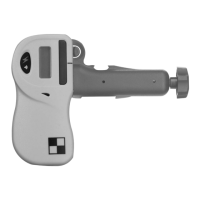
Measuring rod holder
The measuring rod holder included with the unit can be used universally for measu-
ring rods or battens up to 55mm wide. To connect the measuring rod holder onto the
receiver, simply slide the two guide rails on the clamp down into the appropriate
channels on the detector until the fixing knob engages (with an audible click). To
release the retention clamp, push the fixing knob back with your thumb and slide
the clamp upwards.
device is
operating


 To Next Page