19
Operation/functions
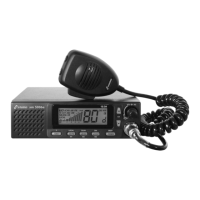
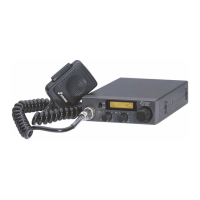
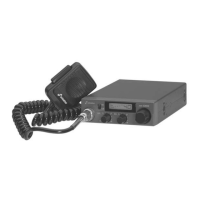
The operation of the xm 5006e is almost self-explanatory. After having established all connections,
switch your CB radio set on by using the inner control/switch (VOL) which is also used for setting
the volume. The display should be lit now and a channel should appear on the display. If the
display does not light up, please check the power supply and the fuse. A noise should be audible
in the loudspeaker. Failing this, check the microphone for proper connection and turn the outer
control (SQ/ASC) until a noise can be heard.
Please note that ASC is switched on when the squelch control is set to its leftmost position. ASC
appears on the display and the radio set is muted.
Channel configuration
Frequency tables/channel configurations
The xm 5006e is equipped with six switchable frequency tables: Select the corresponding channel
configuration depending on the country in which your radio set shall be operated (factory setting: EU).
In Germany, this radio set is free of charge and can be operated with channel configuration d, EU,
EC and In without any registration.
Important notes: Prior to using the radio set abroad, find out more about the current national
provisions: Be sure to observe the relevant provisions as well as any possible obligation to register!
Channels
EU 40 FM/4 W, 40 AM/4 W
free of licence and charges in BE, CH, CY, DK, EE, IS, IT, LT, LU, NO, PT, SE
individual licence/charges required: ES, IT
PL 40 FM/4 W, 40 AM/4 W with -5 kHz offset only allowed in PL
d 80 FM/4 W, 40 AM/4 W free of licence and charges in DE, CZ
EC 40 FM/4 W free use in all CEPT-countries, in some countries individual licence is required
U 40 AM/FM/4 W (CEPT) + 40 FM/4 W (MPT 1382) only allowed in GB
In 27 FM/4 W, 27 AM/4 W allowed in IN
Changing the frequency table/channel configuration
1. Switch the radio set off.
2. Hold the F key pressed and switch on the radio set anew.
The formerly selected channel configuration flashes now on the display.
3. Use the channel selection keys
s or t to select one of the six configurations
4. Press the F key anew until a beep sounds and the display stops flashing.
5. Switch the radio set off and on again.
The new channel configuration is now indicated at the bottom right of the display and the radio
set is ready for operation using the new channel configuration.
Channel selection (CH)
Using the two channel selection keys (CH) s and t (or the up/down keys on the microphone),
you can adjust the requested channel which you wish to use for hearing. If a key is pressed for
more than half a second, the Auto Repeat function is activated and the channel automatically
switches to the next channel. The received channel is shown on the display.
If the key BEEP is activated, pressing the
s key is confirmed by one beep and pressing the t
key is confirmed by two beeps.
Volume control (VOL)
The volume is set using the inner knob (VOL) of the double potentiometer which is also used for
switching on the radio set. When the receive signal is lacking and the squelch function is deactivated,
the noise should be audible very well in FM modulation. In FM the received speech signal is
always a bit quieter than the noise without signal. After having set the volume, the squelch function
should be activated.


 To Next Page
 Loading...