4
PRODUCT OVERVIEW
Front Panel
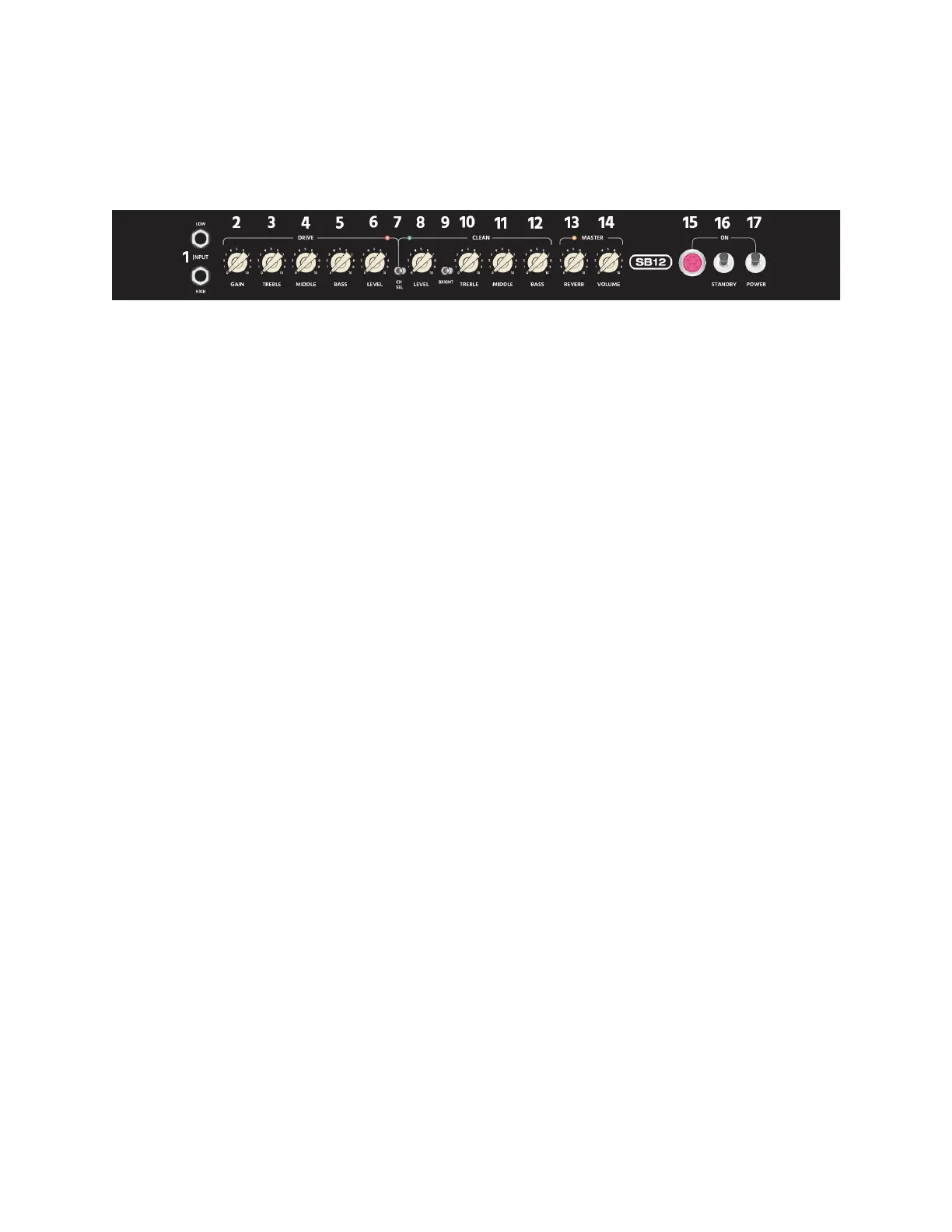
1. INPUT: Two 1/4" jacks for connecting your guitar. The HIGH input has some
additional gain and is primarily intended for use with guitars with passive pickups.
The LOW input has less gain and is primarily intended for use with guitars with
active pickups.
2. DRIVE GAIN: Adjust the overdrive gain for the DRIVE channel. The more GAIN, the
more distortion in the output signal.
3. DRIVE TREBLE: Adjusts the high frequency response for the DRIVE channel.
4. DRIVE MIDDLE: Adjusts the middle frequency response for the DRIVE channel.
5. DRIVE BASS: Adjusts the low frequency response for the DRIVE channel.
6. DRIVE LEVEL: Adjusts the overall output volume level for the DRIVE channel.
7. CH SEL: Switches between the DRIVE and CLEAN channels. The INDICATOR
illuminates red when the DRIVE channel is selected and illuminates green when the
CLEAN channel is selected.
8. CLEAN LEVEL: Adjusts the overall output volume level for the CLEAN channel.
9. CLEAN BRIGHT: Turns high-frequency brightness on or off for the CLEAN channel.
When enabled, the high frequency response is boosted, resulting in "brighter" highs.
10. CLEAN TREBLE: Adjusts the high frequency response for the CLEAN channel.
11. CLEAN MIDDLE: Adjusts the middle frequency response for the CLEAN channel.
12. CLEAN BASS: Adjusts the low frequency response for the CLEAN channel.
13. MASTER REVERB: Adjusts the amount of reverb to add to the overall signal.
14. MASTER VOLUME: Adjusts the volume level of the reverb effect for both channels.



 To Next Page