EasyManua.ls Logo

Stahl IS1+ 9442/32 Series - User Manual

Stahl IS1+ 9442/32 Series
64 pages
Go to English
Print Icon
To Next Page IconTo Next Page
Loading...
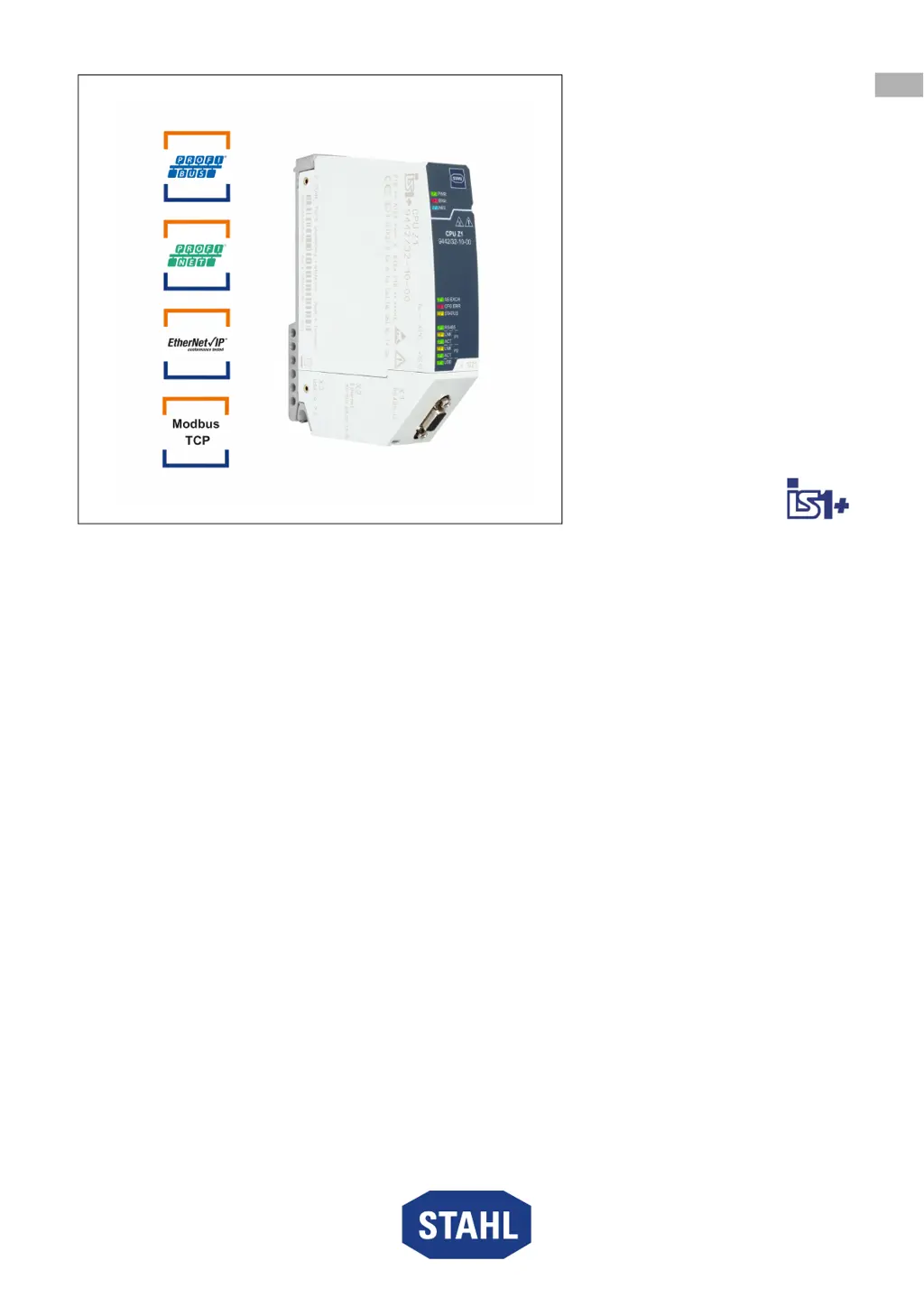
CPU Modul für Zone 1
Reihe 9442/32
Betriebsanleitung
Additional languages r-stahl.com
DE
EN
FR
IT
ES
RU
NL
DK
SE
FI
PT
GR
PL
CZ
SK
HU
SL
RO
BG
LV
LT
EE
CH
KR
CN
– Für künftige Verwendung aufbewahren! –

Table of Contents

Questions and Answers

  • B
    Brandon ElliottAug 16, 2025
    What to do if my Stahl IS1+ 9442/32 requires maintenance because of unfavourable operating conditions?
    • L
      Larry TurnerAug 16, 2025
      If your Stahl Gateway requires maintenance due to unfavourable operating conditions, it is recommended to replace the module.
  • G
    Gregory RossAug 19, 2025
    What to do if my Stahl IS1+ 9442/32 Gateway shows an external error?
    • E
      erika56Aug 19, 2025
      If your Stahl Gateway shows an external error, it could be due to a common alarm, interrupted modules, unavailable modules, or incorrect modules connected. To resolve this, you can try the following: * Replace the module(s). * Connect the module(s). * Connect the correct module(s).
  • J
    Jeffrey HooverAug 22, 2025
    What to do if my Stahl IS1+ 9442/32 requires maintenance because of high or low CPU temperature?
    • C
      Christopher HensonAug 22, 2025
      If your Stahl Gateway requires maintenance because the temperature around the CPU is too high or too low, change the ambient temperature or ensure better ventilation, connection, or heating.
  • R
    ryan75Aug 26, 2025
    How to fix a configuration error on my Stahl Gateway?
    • T
      tmitchellAug 26, 2025
      To fix a configuration error on your Stahl Gateway, check the configuration and load the configuration in IS1/AS if the cause is no configuration data. If the cause is incorrect configuration data, check the configuration data and load the configuration in IS1/AS.
  • C
    Christopher CastroAug 28, 2025
    What to do if my Stahl IS1+ 9442/32 requires maintenance because of different firmware versions?
    • J
      Julia RogersAug 28, 2025
      If your Stahl Gateway requires maintenance because of different firmware versions of redundant CPUs, carry out a firmware update.
  • J
    Julie RuizAug 31, 2025
    What to do if a software update failed on my Stahl Gateway?
    • T
      Travis LeeAug 31, 2025
      If a software update failed on your Stahl Gateway, restart the software update.
  • K
    Keith HowardSep 3, 2025
    What to do if my Stahl IS1+ 9442/32 Gateway CPU is in an impermissible slot?
    • A
      angela03Sep 3, 2025
      If your Stahl Gateway requires maintenance because the CPU is in an impermissible slot, connect the CPU to one of the two slots on the left of the base (slot 0 or 1).
  • A
    aibarraSep 6, 2025
    What to do if my Stahl Gateway requires maintenance because S1, S2 or S3 switch the socket changed?
    • M
      Matthew AlexanderSep 6, 2025
      If your Stahl Gateway requires maintenance because the S1, S2 or S3 switch the socket changed, boot the CPU to apply the change.
  • K
    Katie GibbsSep 9, 2025
    What to do if my Stahl IS1+ 9442/32 Gateway has a physical connection issue?
    • L
      Laura BrewerSep 9, 2025
      If you are experiencing a physical connection issue with your Stahl Gateway, check that the connection between the CPU and the next Ethernet node (e.g. switch) is correct and that it is intact. Note that disconnected or normal operation can occur if the respective port remains unused.
  • M
    Michael ThomasSep 12, 2025
    What to do if my Stahl IS1+ 9442/32 Gateway requires maintenance because no communication protocol is selected?
    • K
      Kenneth TaylorSep 12, 2025
      If your Stahl Gateway requires maintenance because no communication protocol is selected (S1 switch in "Reserved" position), set the S1 switch to a supported protocol (see the "Product selection and project engineering" chapter).

Stahl IS1+ 9442/32 Series Specifications

General IconGeneral
CategoryGateway
InstallationDIN rail mounting
Input Voltage24 V DC
ManufacturerStahl
Model9442/32 Series
Data TransmissionEthernet
Operating Temperature-20 °C ... +60 °C