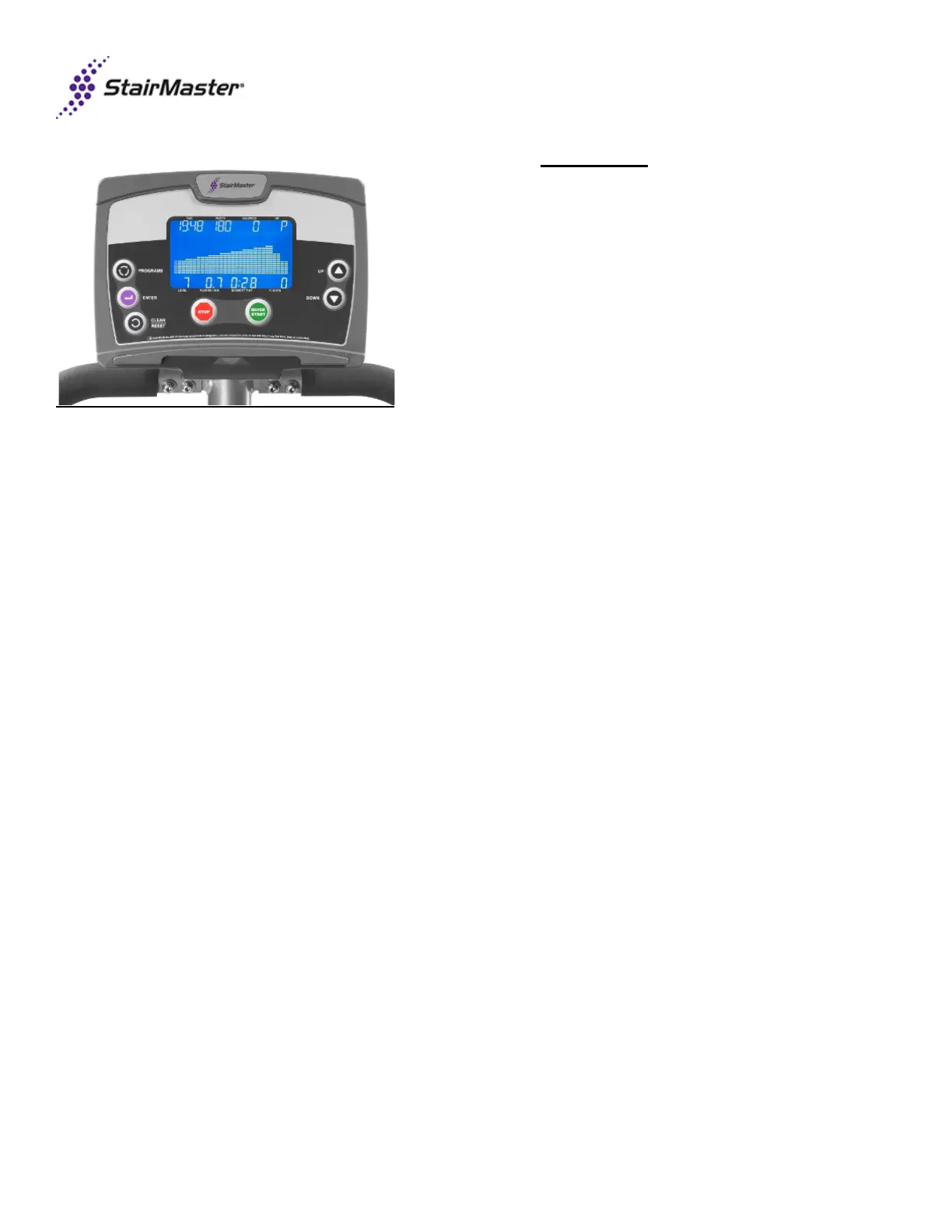
• Blue LCD Readout
• Console PN#: 723-
• Menu map available
Button Selection
During console input if any of the following keys are pushed, then the resulting action will occur:
QUICK START..............Navigate to QUICK START MODE
PROGRAMS.................Navigate to PROGRAMS MODE
ENTER..........................Confirm the information or value selected
UP/DOWN....................Increases/decreases value
STOP............................Navigate to IDLE MODE. First press clears information, second press navigates to IDLE MODE
CLEAR/RESET............First press clears information; second press navigates to IDLE MODE
If there is no value input and confirmation for 1 minute, then console returns to IDLE MODE
Sleep Mode
The console will enter SLEEP mode after 10 minutes of non-activity. In SLEEP mode there will be no display and the back
light will be off. End SLEEP MODE by pressing any console button. When exiting SLEEP MODE, the machine will be in
IDLE mode.
Last revised 10/5/15


 To Next Page