EasyManua.ls Logo

Standard Communications Horizon GX2335S NOVA+ - User Manual

Standard Communications Horizon GX2335S NOVA+
32 pages
Print Icon
To Next Page IconTo Next Page
Loading...
GX2335S Owner’s Manual page 31
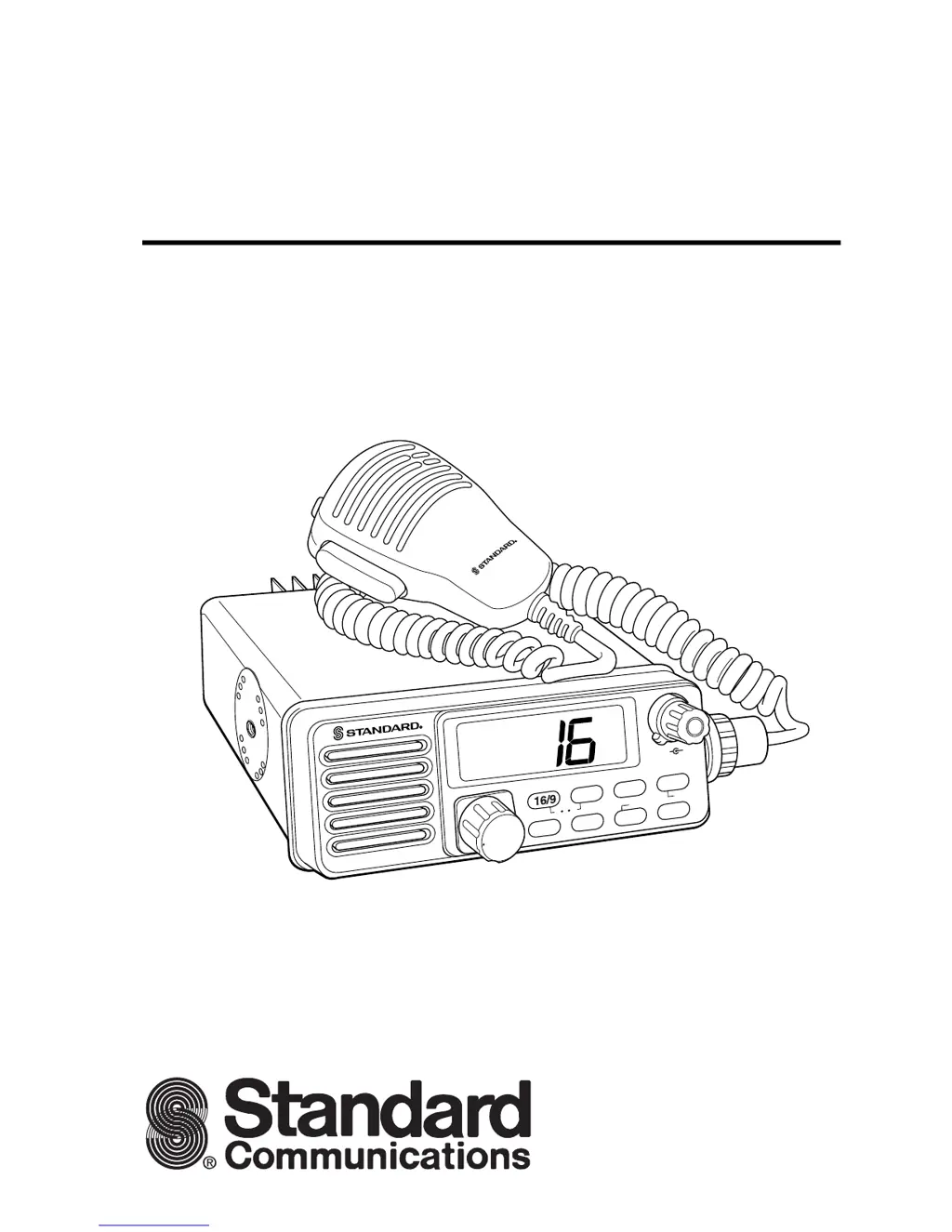
Horizon
GX2335S NOVA+
25 Watts VHF/FM
Marine Transceiver
Owner’s Manual
W
X
SCAN
IC
A
/B
M
E
M
LAMP
H
/L
CALL
U I C
SCMB
SQL VOL
HOLD ON/OFF
U
S
A
H
I

Questions and Answers

  • M
    Meghan SmithJul 30, 2025
    What to do if my Standard Communications Horizon GX2335S NOVA+ Transceiver fails to power up?
    • E
      Eric LopezJul 30, 2025
      If your Standard Communications Transceiver won't power up, the issue might be a lack of DC voltage or a blown fuse. Check the power cable for DC voltage and replace the fuse (6A 250V) if necessary.
  • J
    John WatsonAug 4, 2025
    Why does my Standard Communications Horizon GX2335S NOVA+ blow a fuse when connected to the power supply?
    • A
      Anthony WhiteheadAug 5, 2025
      If your Standard Communications Transceiver blows a fuse upon connecting to the power supply, the power wires may be reversed. Ensure the red wire connects to the positive battery post and the black wire to the negative post. If the fuse continues to blow, contact your SCC Dealer.
  • M
    Mario HarrellAug 9, 2025
    What to do if receiving stations report low transmit power on my Standard Communications Horizon GX2335S NOVA+?
    • A
      Andrew ShahAug 9, 2025
      If receiving stations report low transmit power, even when your Standard Communications Transceiver is set to HI power, the antenna might be the problem. Have the antenna checked or test the transceiver with another antenna. If the problem persists, contact your SCC Dealer for servicing.
  • D
    Denise WilsonAug 14, 2025
    How to stop popping or whining noise from Standard Communications Horizon GX2335S NOVA+ Transceiver speaker?
    • M
      Mr. Allen Oconnell DVMAug 14, 2025
      To eliminate popping or whining noises from the speaker of your Standard Communications Transceiver while the engine is running, reroute the DC power cables away from the engine. You can also add a noise suppressor on the power cable, switch to resistive spark plug wires, and/or add an alternator whine filter.
  • R
    Rhonda CardenasAug 20, 2025
    Why is “HI” blinking on my Standard Communications Horizon GX2335S NOVA+ Transceiver?
    • J
      Justin DuarteAug 20, 2025
      If “HI” is blinking when you turn on your Standard Communications Transceiver, the power supply voltage is likely too high. Confirm that the connected power supply voltage is not 24 volts and that the generator has not malfunctioned.
  • B
    benjamin47Aug 25, 2025
    What to do if external speaker plug does not fit into Standard Communications Horizon GX2335S NOVA+ jack?
    • T
      Tina FosterAug 25, 2025
      If the external speaker plug doesn't fit into the jack of your Standard Communications Transceiver, it's likely the incorrect plug. The EXT SPKR jack will only accept RCA phono plugs.

Summary

FCC NOTICE

GENERAL INFORMATION

INTRODUCTION

Overview of the VHF/FM transceiver's capabilities and features.

FCC; INDUSTRY CANADA INFORMATION

Technical data required for licensing applications and regulatory compliance.

INSTALLATION

FREQUENCY AND DEVIATION TESTS

Specifies required tests before initial operation, performed by a technician.

LOCATION

Guidelines for selecting an optimal mounting location for the transceiver.

INSTALLATION USING REGULAR MOUNTING BRACKET

Step-by-step guide for mounting the transceiver using the standard bracket.

ELECTRICAL CONNECTIONS

Instructions for connecting power and antenna, including safety precautions.

CONTROLS AND INDICATORS

FRONT PANEL CONTROLS

Describes the primary knobs and buttons on the transceiver's front panel.

KEY PAD OPERATIONS

Explains the functionality of the transceiver's keypad buttons for various operations.

EXTERNAL CONNECTORS AND JACKS

Details the purpose and location of the microphone, antenna, and speaker connection ports.

ADDITIONAL CONTROLS AND CONNECTORS

Covers RAM mic, DC input, PTT, PWR UP, CH KEY, and microphone hanger functions.

OPERATION

RAM MIC OPERATION

MAINTENANCE

TROUBLESHOOTING CHART

Provides common symptoms, probable causes, and remedies for transceiver issues.

SPECIFICATIONS

Standard Communications Horizon GX2335S NOVA+ Specifications

General IconGeneral
BrandStandard Communications
ModelHorizon GX2335S NOVA+
CategoryTransceiver
LanguageEnglish

Related product manuals