Synk-mode & Flash Pattern
In the configuration mode you can adjust and set the desired settings for sync-
mode and flash pattern. The settings are indicated by a series of flash sequences.
Count the number of flashes to find out the chosen settings (see table 2).
Sync-mode For desired Sync-mode, connect the BLUE wire to ground (chassi).
Flash Pattern For desired Flash Pattern, connect the
WHITE wire to ground (chassi).
NB! Each time the selected wire is connected to ground the
next version of SYNC-MODE or FLASH PATTERN is activated.
If the wire is kept connceted to ground a flash sequence
indicating the selected settings is shown, where Bright flashes
indicates the settings of Sync-mode and “Blank” flashes indicates
the selected Flash Pattern.
EN
MOUNTING For mounting follow further instructions.
NB! The lamps electronic unit should be assembled in a weather protected area.
High pressure cleaning should not be used on a distance smaller than 40 cm. No grease,
oil or any foreign substances should be applied on the LED lamps gray/black membrane
or damaged mechanically.
Connections
Connect the POWER SUPPLY according to the following instructions.
1 Connect the BLACK wire to a good and suitable ground
2 Connect the RED wire to +10-30VDC via a 5A fuse
VERSIONS
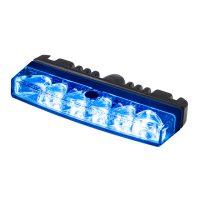
45457021, L54 Single Blue
45487021, L54 Single Amber
45467021, L54 Single Red
45477021, L54 Single White
APPROVALS
E
5
XB2 00 049
E
5
XA2 00 050
E
5
XR1 00 051
E
5
10 R - 05 250
E
5
XB2 00 049
E
5
10 R - 05 250
E
5
XB2 00 049
E
5
XA2 00 050
E
5
10 R - 05 250
E
5
XB2 00 049
E
5
XA2 00 050
E
5
XR1 00 051
E
5
Sync-mode #4 & Flash Pattern #3
Sync-mode #2 & Flash Pattern #1
Sync-mode #1 & Flash Pattern #1
Sync-mode #1
Flash Pattern #1
Examples
L54 Single Blue, Amber ECE R65 Class 2 / L54 Red ECE R65 Class 1
LAMP L54
USER MANUAL
Technical Data
Lens Polycarbonate
House Aluminum (Black)
Color Blue, Amber, Red, White
Diodes 6x High Power LED
Cable 0,84m (160mm+680mm)
+ 2,0m driver
Mounting Surface mount
Synchronizing Max 10x lamps
Power 10-30 VDC
Ambient temp. -40 - +85C
Size Lamp 85x36x15 mm
Driver 80x14,3x18,6 mm
Approvals Light: ECE R65 (E5), EMC: ECE R65 (E5)
Included 1x Lamp L54, 1x Driver D13s
CONFIGURATION
For configurations of the Sync-mode and Flash Pattern follow further instructions.
NB! If STEP 2 and STEP 3 is performed incorrect one will have to restart from STEP 1.
1 Connect the POWER SUPPLY.
2 Wait at least 1 second & at most 6 seconds.
3 Connect the WHITE wire to ground (chassi) during at least 2 seconds.
4 Once in the configuration mode, a flash sequence will start, which
indicates the setting selected. To change the settings, follow the
instructions shown below Sync-mode & Flash Pattern.
5 Exit the configuration mode by cutting the POWER SUPPLY.
Reset to Factory Settings (default)
While in the configuration mode, connect the BLUE and the WHITE wire to ground
(chassi) during at least 2 seconds.
The reset is confirmed with a bright steady light for approximately 2-3 seconds.
Bracket Mount
(sold separately)
Table 2 Selectable Functions
VERSION FLASH SYNC-MODE FLASH PATTERN
#1 x1
Simultaneous
(default)
Double (default)
#2 x2 Alternate Triple
#3 x3 Simultaneous STEADY BURN 1
#4 x4 Alternate STEADY BURN 2
WARNING! This product contains high intensity LED devices. To prevent eye damage, DO NOT
LOOK into the light beam at close range. NB! The cooling flange could become hot.
Bright Flash
Soft Light
Blank Flash
BUILT IN FLASH
The RED wire triggers the
lamp. Connect this wire to a
source output in an I/O-unit or
via a switch.
The WHITE wire is to sync
the lamp with other lamps.
Connect this wire with other
sync wires.
The BLUE wire controls the
day/night function. By con-
necting this wire to a sinking
output in an I/O-unit or via a
switch to ground, the lamp
will dim down to night level.
STEADY BURN 1
The WHITE wire triggers the
lamp. Connect this wire to a
sinking output in an I/O-unit
or via an external flasher for a
self-defined flash pattern.
STEADY BURN 2
Follows the power supply.
Connect the RED wire to a
source output in an I/O-unit
of via an external flasher for a
self-defined flash pattern.
* Steady Burn is used when an external flasher or
a control system is used to flash the lamp.
Set to STEADY BURN 1 or STEADY BURN 2 by
following further instructions shown below
Configuration.
STANDBY AB
Sweden
Nohabgatan 12C
SE-461 53 Trollhättan
website
www.standby.eu
E-mail
info@standby.eu
Telephone
+46 520 49 44 40
To Chassis Ground
To +10-30VDC
Connections mounting
BLACK
RED
WHITE
BLUE
Power
Supply
To Chassis Ground
To +10-30VDC
Activate configuration mode, choose Flash Pattern
Choose sync-mode
Power
Supply
Connections configuration
BLACK
RED
WHITE
BLUE
see Table Connections
Copyright 2016 Standby AB. All rights reserved
AM454sB
Designed in Sweden
1 21 2


 To Next Page