8150 Universal Stand Assist, V 2.1, October 25, 2021
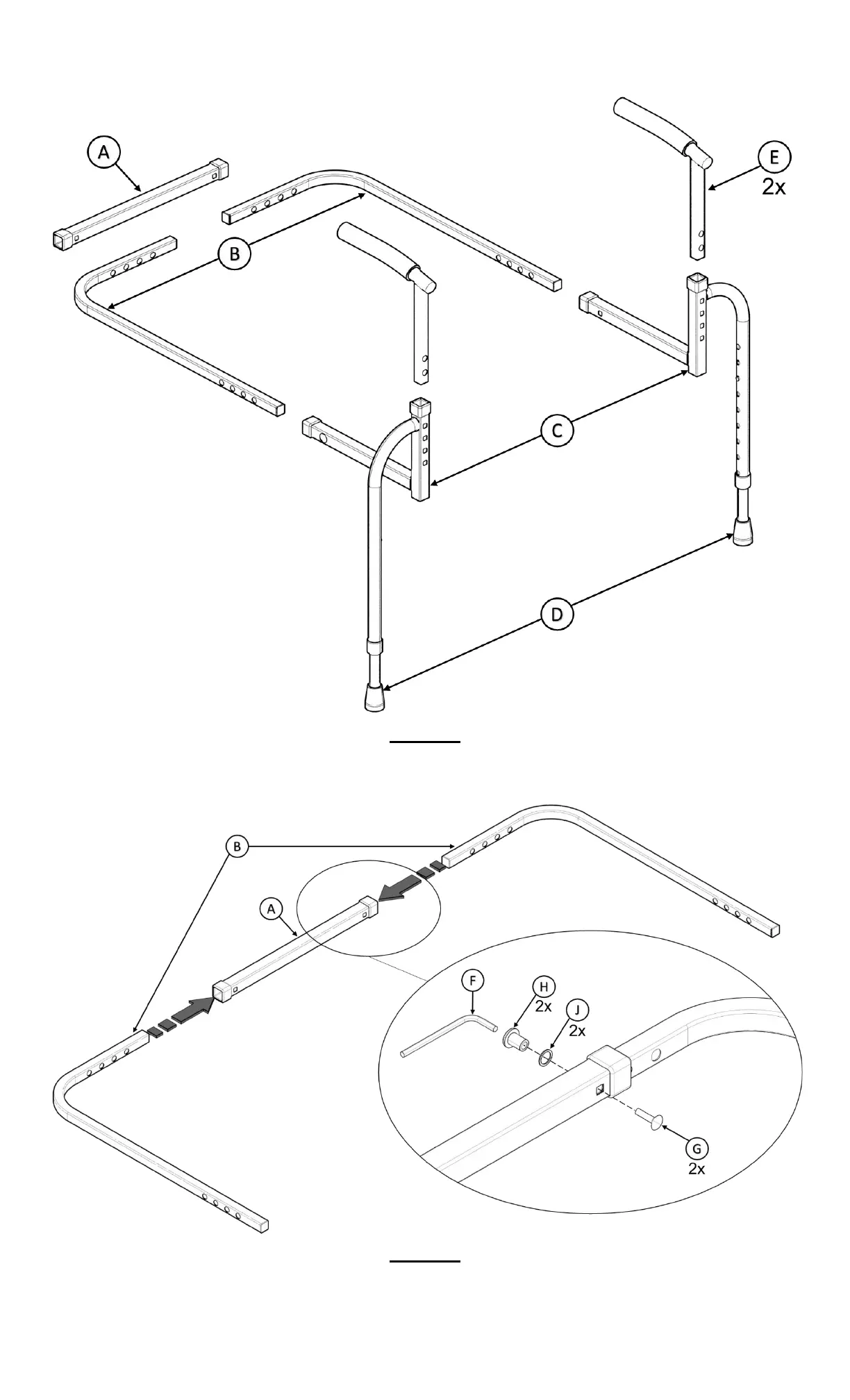
1. Remove product from box and identify all parts as shown in Figure 1.
FIGURE 1
2. Note: This step determines handle width, do not exceed width of chair. Insert B into A making sure the square hole in
A is facing inward as shown in FIGURE 2. Align holes and insert G, J and H and secure with F.
FIGURE 2



 To Next Page