4
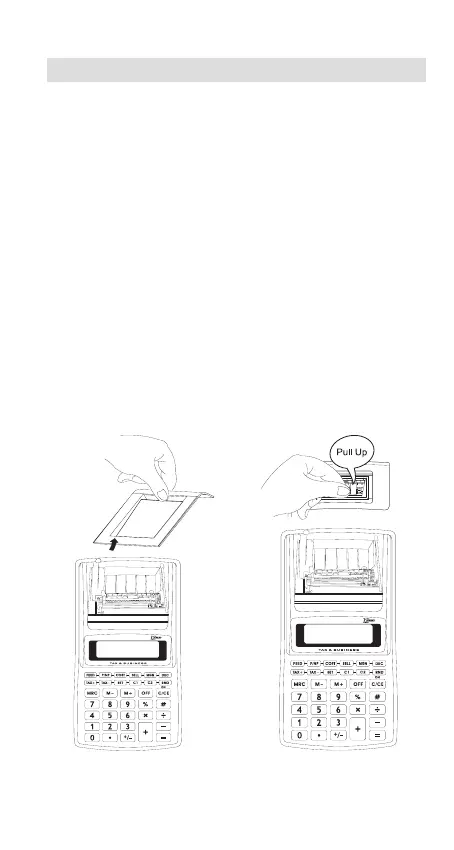
Fig.A Fig.B
Replacing the Ink Roller
The printer in this model uses a disposable ink roller (cartridge type).
If impressions are too light or illegible, replace the ink roller with a new
one.
1) Open the printer cover (Fig.A).
2) The ink roller is in the right end.(Fig.B).
3) Pull up the roller according to the “PULL UP” mark on the roller.
4) Install a new ink roller.
5) Make sure the ink roller is in place, and replace the cover.
Note :
Never fill the ink roller with fluid ink as it may run or clog the printer.
Use only compatible with IR-41BL (Black).


 To Next Page