Page 21
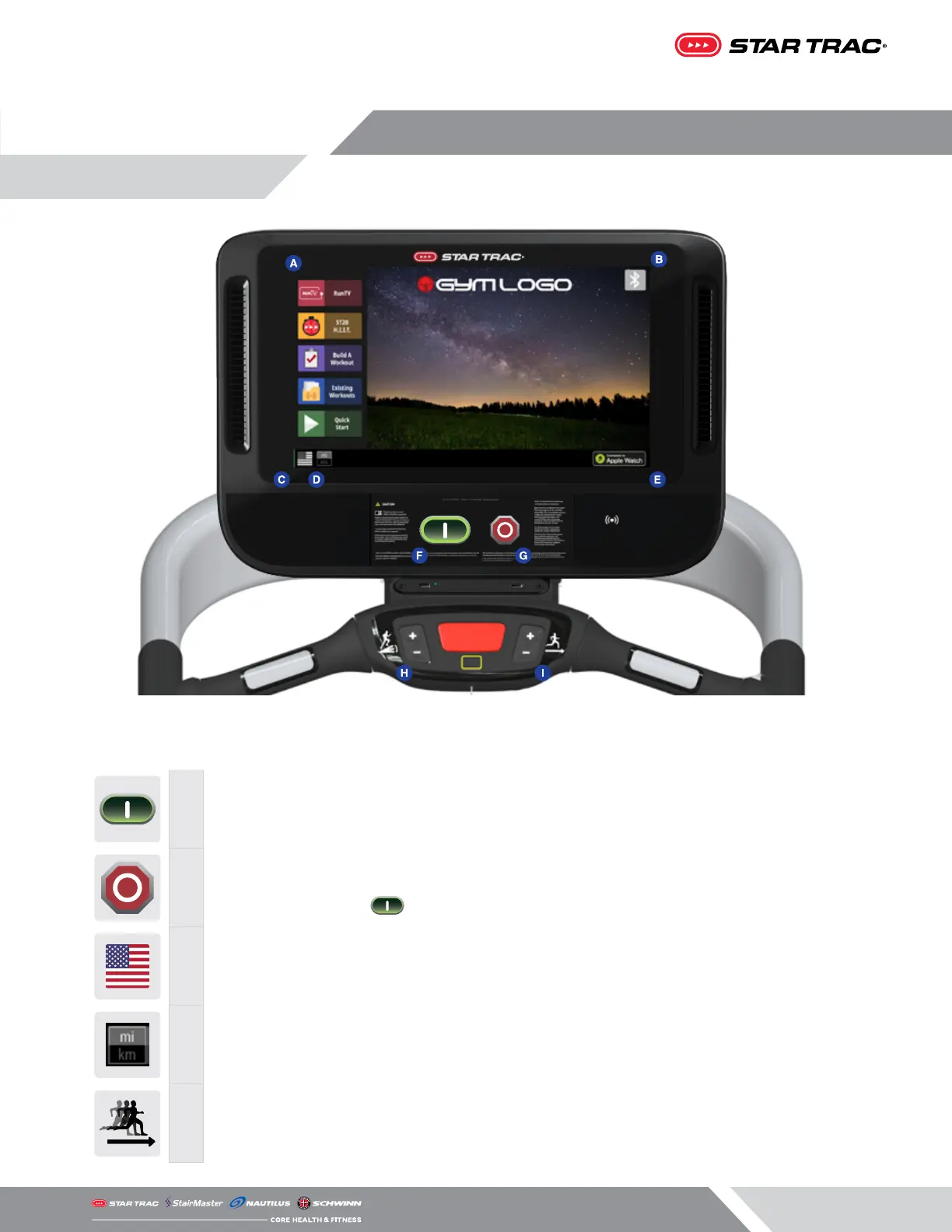
CONSOLE & HOTBAR (WHERE APPLICABLE) FUNCTIONS
F
QUICK START Key
Enables manual operation using a default weight, SPEED and a default time limit.
NOTE: Default time and weight are adjustable through Maintenance Mode.
G
STOP Button
Press the STOP button to enter pause mode. Workout will be suspended and a count-
down timer will begin counting down from 2 minutes. To re-start workout press the
Key. To end the workout push the STOP button again
C
Flag Button
Displays language options, appears only on home screen
D
Unit Button
Unit toggle, appears only on home screen
I
Speed Adjustment
Allows user to increase/decrease speed
OPERATION - OPENHUB
TOUCHSCREEN CONSOLES


 To Next Page
 Loading...