12
LED colour Meaning
green
Server connection is established, GPS-
GLONASS coordinates are obtained
violet
Tracker is connected to computer with
StarLine Master started
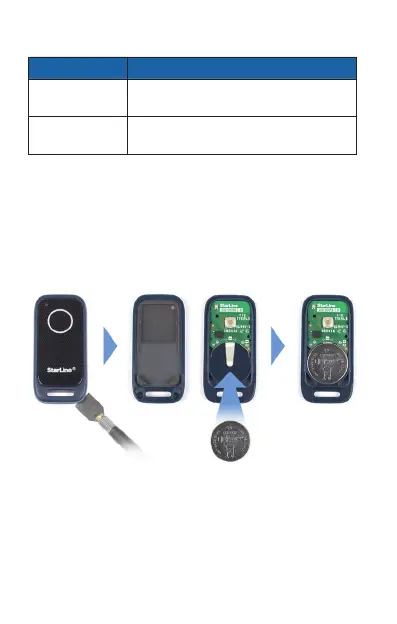
Tag battery replacement
To replace a tag battery open the housing neatly
with a thin at item. Put a new CR2032 type battery
inside, observing the right polarity (negative down
and positive up). After battery replacing tag is ready
to operate.


 To Next Page