The Starlink Mesh Install Guide provides comprehensive instructions for setting up and troubleshooting Starlink Mesh WiFi Routers, also referred to as mesh nodes. This document is designed to assist users in extending their Starlink internet coverage throughout their home, ensuring a reliable WiFi connection in every corner.
Function Description
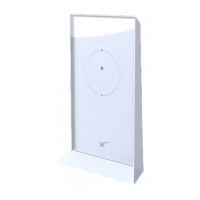
The Starlink Mesh WiFi Router, or mesh node, is an accessory designed to work in conjunction with an existing Starlink system to expand WiFi coverage. Its primary function is to create a mesh network, allowing for seamless internet connectivity across a larger area than a single router can provide. When integrated into a Starlink network, these mesh nodes act as signal repeaters and extenders, ensuring that devices in areas far from the primary Starlink router still receive a strong and stable WiFi signal. This is particularly beneficial for larger homes or properties with architectural features that might obstruct WiFi signals. The system is designed for ease of setup, with a focus on user-friendly pairing via the Starlink App.
Important Technical Specifications
While specific technical specifications like frequency bands (e.g., 2.4 GHz, 5 GHz), data transfer rates, or antenna gain are not explicitly detailed in this guide, the document implies several key operational characteristics. The mesh nodes are designed to be compatible with the rectangular Starlink model and its corresponding WiFi router. This indicates a specific hardware and software compatibility requirement, meaning they will not work with the circular Starlink model or third-party mesh systems. The device requires a standard power outlet for operation, as indicated by the instruction to "Plug in your Starlink mesh node to a power outlet." The presence of an LED light on the device serves as a basic power indicator: a solid light signifies power connected, while no light indicates no power. The physical design suggests an upright orientation for optimal performance, with an emphasis on placing it in an open area, free from physical obstructions, and ideally in an elevated position like a shelf. The device communicates wirelessly with the primary Starlink router, and its performance is dependent on the strength of this wireless link.
Usage Features
The Starlink Mesh system is designed for straightforward usage, with a focus on extending WiFi coverage efficiently.
- Easy Setup Process: The installation process is guided through the Starlink App. Users simply need to plug in the mesh node, open the app, and wait for a "PAIR NEW MESH NODE" notification. Clicking "PAIR" initiates the connection process, which typically takes 1-2 minutes.
- App-Guided Management: The Starlink App is central to the setup and management of the mesh network. It allows users to monitor the connection status of their mesh nodes, which appear on the "NETWORK" screen once connected.
- Strategic Placement Guidance: The guide provides clear recommendations for optimal placement of mesh nodes. They should be evenly spread out, but not too far from each other, ideally no more than one to two rooms apart from the primary router or other mesh nodes. This ensures a strong connection between nodes and reliable coverage. Placing nodes in an open, elevated position helps minimize signal obstruction.
- Scalability: The system is designed to be scalable, meaning users can add multiple mesh nodes to cover larger areas. "The bigger your house, the more mesh nodes you will need to cover the whole area."
- Compatibility: The mesh nodes are specifically designed to be compatible only with the rectangular Starlink model and its associated WiFi router, ensuring seamless integration within the Starlink ecosystem.
Maintenance Features
While the guide does not detail extensive maintenance procedures, it does offer crucial troubleshooting steps that can be considered part of user-level maintenance to ensure optimal performance.
- Troubleshooting Guide: A dedicated troubleshooting section addresses common issues encountered during setup. This includes advice on:
- Proximity to Primary Router: If a mesh node fails to pair, the first recommendation is to ensure it's not too far from the primary Starlink router.
- Factory Reset: For persistent pairing issues, a factory reset procedure is outlined: "Power cycle your mesh node at least 3 times, on roughly a 2-3 second interval (about as fast as you can probably manage to plug and unplug it), then let it boot." This helps clear any temporary software glitches.
- Network Connection Verification: Users are advised to ensure they remain connected to their primary Starlink network during the pairing process, rather than inadvertently connecting to the mesh node's temporary "STARLINK" network. Renaming the original Starlink network to something unique can aid in this verification.
- App Updates: Keeping the Starlink App updated is critical for proper functionality. The guide suggests checking for updates and, if necessary, uninstalling and reinstalling the app.
- Customer Support: For issues that cannot be resolved through the provided troubleshooting steps, users are directed to contact Starlink Customer Support by logging into their account on Starlink.com, indicating a robust support system for more complex problems.
- Environmental Considerations: Although not explicitly a "maintenance" feature, the recommendation to place the router upright and in an open area, avoiding physical obstructions, contributes to the longevity and consistent performance of the device by ensuring proper signal propagation and potentially preventing overheating.
In summary, the Starlink Mesh system is an intuitive and effective solution for extending Starlink internet coverage, emphasizing ease of use, strategic placement, and comprehensive troubleshooting support to ensure a robust and reliable WiFi experience throughout the home.


 To Next Page
 General