Sales & Support:
1300 475 155
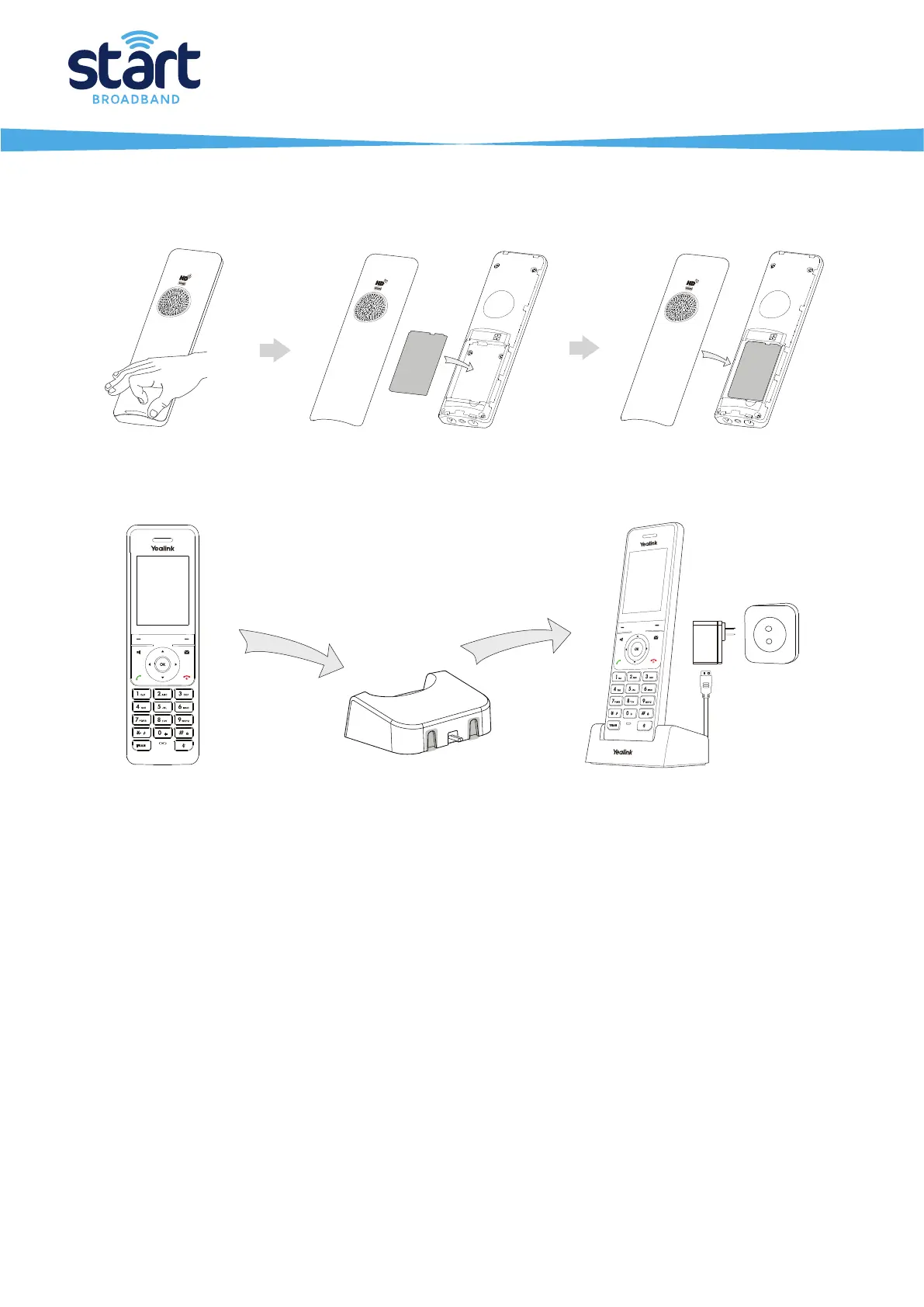
2. Insert the battery into the handset, as shown below:
3. Connect the charger cradle and charge the handset, as shown below:
After the phone is connected to the network and supplied with power, it automatically begins the initialisation process. Once complete
the phone will be ready to make and receive calls.
Page 4 of 4
battery


 To Previous Page