Quick-Start Guide
To view manuals, FAQs, videos, drivers, downloads, technical drawings, and more, visit www.startech.com/support.
Manual Revision: April 27, 2020 11:03 AM
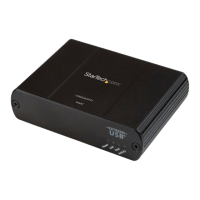
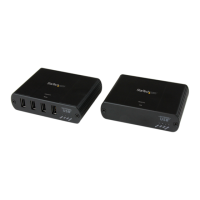
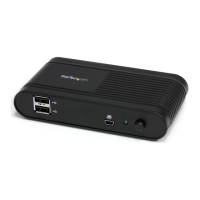
Product Diagram (USB2G4LEXT2NA)
Front
Rear
Component Function
1 USB-A Ports (4)
• Used to connect USB Devices (mouse, keyboard,
etc.) to the Remote Extender.
2 LEDs
Power:
• Solid Blue: The Extenders are receiving power.
• O: The Extenders are not receiving power.
Link:
• Solid Green: The Extenders are linked.
• O: The Extenders are not linked.
• Slow Flashing: Establishing a link.
• Fast Flashing: Pairing mode.
Host:
• Solid Green: Extender is linked to the Host
Computer
• Flashing: Extenders are in a suspended state.
Activity:
• Amber: Data is transmitted between Extenders.
• O: Extenders are in a suspended mode.
4 Port USB 2.0 Extender over Gigabit Ethernet or Cat5e, Cat6, or Cat7 Cabling | 100m (330ft)
3 Power Port (24V 1A)
• Used to connect the Remote Extender to AC
Electrical Outlets, using the Power Adapter
(included).
4 Cong Port • Currently reserved for manufacturer use.
5 Mode Button (pair)
• Used to establish a connection between Local
and Remote Extenders.
6 RJ45 Port
• Used to connect the Local Extender to a
Network Device.
• Used to connect the Local Extender to the
Remote Extender.
7 USB-B Host Port
• Used to connect the Local Extender to the Host
Computer, using the USB Cable (included).
Requirements
For the latest requirements, please visit www.startech.com/USB2G4LEXT2NA
• USB Enabled Host Computer
• Solid Core Cat5e unshielded twisted pair (UTP) or greater
Connecting the Extenders using a Network Connection
1. Position the Local Extender near the Host Computer.
2. Connect a Cat5e Cable (or better) to the RJ45 Port on the Local Extender and the
other end to a RJ45 port on a Network Device.
3. Connect the USB Cable (included) to the USB-B Host Port on the Local Extender
and the other end to a USB port on the Host Computer.
4. Position the Remote Extender near an AC Electrical Outlet.
5. Connect a Cat5e Cable (or better) to the RJ45 Port on the Remote Extender and
the other end to an RJ45 port on a Network Device.
6. Connect the Power Adapter (included) to the Power Port on the Remote Extender
and the other end to an AC Electrical Outlet.
7. Connect USB Devices (max. 4) to the USB-A Ports on the Remote Extender.
Connecting the Extenders using a Direct Connection
1. Position the Local Extender near the Host Computer.
2. Position the Remote Extender near an AC Electrical Outlet.
1 2
3
4
5 6
7


 To Next Page
 Need help?
 General