EasyManua.ls Logo

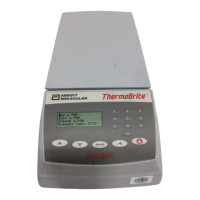
StatSpin ThermoBrite S500-12 - User Manual

StatSpin ThermoBrite S500-12
29 pages
Print Icon
To Next Page IconTo Next Page
Loading...
T
T
T
h
h
h
e
e
e
r
r
r
m
m
m
o
o
o
B
B
B
r
r
r
i
i
i
t
t
t
e
e
e
Service Manual

Questions and Answers

  • B
    Bradley WadeAug 3, 2025
    What to do if I get a High Temperature Error on my StatSpin ThermoBrite S500-12?
    • C
      Cheryl BradyAug 3, 2025
      If your StatSpin Laboratory Equipment displays a high temperature error, make sure that the fan on the underside of the unit isn't blocked. Also, position the unit at least 12 inches (0.3048m) away from the wall.
  • T
    Tiffany LynnAug 7, 2025
    How to fix StatSpin ThermoBrite S500-12 that does not turn on or has no power?
    • M
      megan13Aug 7, 2025
      If your StatSpin Laboratory Equipment unit doesn't turn on or has no power, first check that both ends of the power cord are securely plugged in. Then, check the fuses located on the rear panel next to the power switch and replace them with the same type and value if needed.
  • T
    Tina DavisAug 11, 2025
    Why doesn't the temperature on my StatSpin Laboratory Equipment display match the slide temperature?
    • L
      Linda WeaverAug 11, 2025
      If the temperature on the display of your StatSpin Laboratory Equipment doesn't match the surface temperature of the slides, try cleaning the slide heating plate and replacing the slides with clean ones.
  • L
    lucas63Aug 15, 2025
    How to troubleshoot poor results on slides with StatSpin ThermoBrite S500-12?
    • A
      ashleygonzalezAug 15, 2025
      If you are getting poor results on slides with your StatSpin Laboratory Equipment, verify the selected protocol against the probe manufacturer’s recommendation. Also, ensure that the Humidity Control Strips are in place and moist, the cover slip sealant was applied, the plate is heating, the lid is properly closed, and the air intake and outlet are not obstructed.
  • J
    James ContrerasAug 19, 2025
    Why can't I set the temperature above 70º C on my StatSpin Laboratory Equipment?
    • M
      Matthew RogersAug 20, 2025
      If you can't set the temperature above 70º C on your StatSpin Laboratory Equipment, verify the program mode, as you cannot exceed preset limits. Also, verify the limits under the programming section.
  • A
    Antonio MoralesAug 25, 2025
    Why can’t I find “Create a Program” on my StatSpin ThermoBrite S500-12 Laboratory Equipment?
    • K
      kimberlyharrisAug 25, 2025
      If you can’t find the “Create a Program” option on your StatSpin Laboratory Equipment, it might be because more than 40 programs have already been stored. In this case, you can only edit an existing program.
  • R
    Rhonda FriedmanAug 28, 2025
    What to do if I cannot read the display on my StatSpin ThermoBrite S500-12?
    • J
      John JohnsonAug 29, 2025
      If you cannot read the display on your StatSpin Laboratory Equipment, allow the unit to reach room temperature before operating.

Summary

How to Use This Manual

Safety Warnings and Precautions

Lists warnings and cautions for operating the ThermoBrite, including electric shock and hot surfaces.

Section 1 Safety

System Installation and Power Connection

Steps for proper placement, connection, and powering of the ThermoBrite unit for safe operation.

Section 2 System Overview

Principle, Use, Symbols, and Definitions

Explains the ThermoBrite's function for FISH, and defines key symbols and terminology.

Display Abbreviations and Audible Indicators

Describes display abbreviations, normal operational sounds, and error alerts for system feedback.

Understanding Error Messages

Details various error messages, system errors, and high ambient temperature conditions.

Section 3 Operating Instructions

Basic Operation: Lid, Power, and Program Selection

Covers opening/closing the lid, powering on the unit, and selecting programs for operation.

Running Denaturation, Hybridization, and Fixed Temp Programs

Guides on executing Denaturation/Hybridization, Hybridization Only, and Fixed Temperature program types.

Program Control and Operational Details

Details on aborting programs, slide installation, humidity cards, and predefined operational limits.

Section 4 Specifications

ThermoBrite Technical Specifications Table

Provides detailed technical specifications including model, capacity, electrical, and environmental factors.

Section 5 Theory of Operation

Operation Overview and Data Acquisition

Explains the ThermoBrite's function and the process of acquiring temperature data.

Calibration Principle and PID Control Algorithm

Describes calibration to reduce errors and details the PID control algorithm for precise temperature management.

Section 6 Alignment and Calibration

Workstation Setup and Initial Alignment Procedure

Covers required materials, workstation setup, and initial steps for instrument alignment.

PID Confirmation and Calibration Point Entry

Details confirming PID parameters and entering calibration points for accurate temperature readings.

Calibration Point Entry and Testing Procedures

Covers entering calibration data and performing instrument testing following alignment.

Test Execution and Final Verification

Details test execution, temperature readings, cooling processes, and final verification of components.

Section 7 Programming

Program Creation and Management Guide

Explains program types, character selection for names, and creating Denaturation/Hybridization programs.

Section 8 Schematics

Block Diagram and Main PCB Schematic Overview

Presents the block diagram and introduces the main PCB schematic for the ThermoBrite system.

Main PCB Component Schematics and Details

Provides detailed schematics of components on the Main Printed Circuit Board (PCB).

Main PCB Schematic Details and Revisions

Shows further details of the Main PCB schematic, including revisions and component listings.

Section 9 Disassembly

Heater Assembly Disassembly Instructions

Provides step-by-step instructions for safely disassembling the heater assembly.

Housing Assembly Disassembly Instructions

Details the process of lifting and tilting the housing assembly and disconnecting internal cables.

Section 10 Troubleshooting

Common Troubleshooting Solutions and Error Resolution

Addresses common issues like power, poor results, display errors, and temperature discrepancies.

Section 11 Exploded View

ThermoBrite Component Identification Diagram

An exploded view diagram showing the ThermoBrite's components with corresponding reference numbers.

Part Number List and Descriptions

A comprehensive list of part numbers, descriptions, and related manuals for the ThermoBrite.

StatSpin ThermoBrite S500-12 Specifications

General IconGeneral
BrandStatSpin
ModelThermoBrite S500-12
CategoryLaboratory Equipment
LanguageEnglish