Need help?
Do you have a question about the Stealth Desinger+ SC-09FM-HP230 and is the answer not in the manual?
Explains the meaning of safety alert symbols and signal words used in the manual.
Highlights appliance safety for children and general operational care.
Emphasizes that installation and servicing must be done by qualified professionals.
Outlines essential safety steps before maintenance or cleaning.
Warns against inserting objects into unit openings and handling water during cleaning.
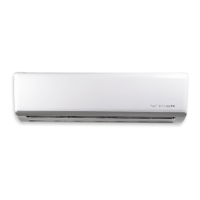
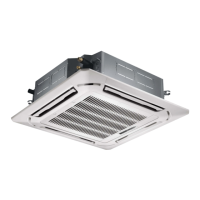
Lists and illustrates the parts of the indoor air conditioning unit.
Lists and illustrates the parts of the outdoor air conditioning unit.
Advises that pipes and wiring should be installed by a qualified HVAC professional.
Highlights the system's low sound levels, starting as low as 36 dB(A).
Describes the availability of three fan speeds for user comfort.
Explains how the system delays fan operation until the coil is warm in heating mode.
Introduces the factory-supplied Wireless Remote and Wired Tether Controllers.
Details how the system prevents unnecessary defrost cycles for comfort and energy saving.
Explains sensing room temperature via the remote for personalized comfort.
Covers adjustable louvers for nine different air discharge directions.
Describes how user settings are retained during power interruptions.
Explains using ultra-high fan speeds for rapid temperature achievement.
Notes the wireless remote's 24-hour clock display capability.
Details setting the unit to turn ON or OFF within a 0.5 to 24-hour range.
Lists the five available operating modes: HEAT, COOL, DRY, FAN ONLY, AUTO.
Describes automatic temperature adjustments for energy savings during sleep.
Explains the fan running after shutdown to remove moisture from the coil.
Covers setting the remote controller to display temperatures in °F or °C.
Details the system's onboard diagnostics for detecting and correcting malfunctions.
Explains how to prevent unauthorized access or tampering with settings.
Lists agency listings like AHRI and ETL certifications.
Identifies buttons and displays on the wireless remote controller.
Explains the meaning of various icons shown on the remote's display screen.
Describes the remote's design and ease of use for controlling the system.
Explains how to turn the unit on/off and the display when off.
Details how to select different air discharge directions using the swing louver button.
Explains selecting operating modes like Auto, Cool, Dry, Fan Only, and Heat.
Guides on using the I FEEL function to sense room temperature via remote.
Covers setting the unit to turn ON or OFF after a specified time period.
Explains how to engage Turbo Mode for faster heating or cooling.
Describes using the LIGHT button to turn the indoor unit's display light on/off.
Explains how to display setpoint, room, or outdoor temperature on the front panel.
Details how to adjust the indoor fan speed using the FAN button.
Guides on setting the current time on the remote controller.
Explains automatic temperature adjustments for comfortable sleep and energy saving.
Details how Sleep Mode adjusts temperature in Cool, Dry, and Heat modes.
Explains how to lock and unlock the remote controller to prevent tampering.
Provides instructions for changing batteries and general operating notes.
Describes how to turn the unit on and off using the wired controller.
Explains cycling through operating modes like Auto, Cool, Dry, Fan, Heat.
Details adjusting the setpoint temperature on the wired controller.
Explains adjusting fan speed (Auto, Low, Medium, High) on the wired controller.
Guides on activating and canceling Turbo Mode using the wired controller.
Details setting the unit to turn ON after a specified time period.
Details setting the unit to turn OFF after a specified time period.
Explains activating and canceling Sleep Mode on the wired controller.
Covers switching between Celsius and Fahrenheit display on the controller.
Explains activating and canceling the X-Fan function for drying the coil.
Details activating and canceling the I-Feel mode on the wired controller.
Explains how to activate and cancel the Privacy Lock on the wired controller.
Provides guidance on cleaning the unit's exterior cabinet.
Details the process for cleaning and maintaining air filters.
Addresses issues with the unit not restarting, often due to a delay.
Explains causes of odors, typically mold or mildew, and cleaning solutions.
Describes normal 'water flowing' or 'gurgling' sounds from refrigerant.
Explains normal fog/vapor emission during high humidity cooling.
Describes normal cracking sounds from parts expanding/contracting.
Lists checks for when the system fails to run, like breaker or controller settings.
Provides checks for insufficient heating or cooling performance.
Addresses causes of water leaks from the indoor unit, like leveling or drain clogs.
Explains reasons for lack of airflow, such as heating delays or defrost cycles.
Explains issues related to the liquid valve coil temperature sensor.
Covers open/short circuit issues with the gas valve temperature sensor.
Details problems with system configuration or incompatible units.
Addresses incorrect wiring or electronic expansion valve issues.
Explains issues related to system high pressure.
Covers protection triggered by potential freezing of the indoor coil.
Explains issues related to system low pressure.
Details protection for high discharge temperature of the compressor.
Explains protection triggered by excessive current draw.
Covers communication errors between indoor and outdoor units.
Addresses simultaneous heating and cooling requests from indoor units.
Explains protection against high temperatures in the system.
Covers protection against cold air conditions affecting operation.
Details issues with the EEPROM memory module.
Explains protection related to module phase current.
Covers protection related to module temperature.
Details protection mechanisms for detecting refrigerant leaks.
Explains issues with the indoor ambient temperature sensor.
Covers problems with the indoor coil temperature sensor.
Details issues with the outdoor ambient temperature sensor.
Explains problems with the outdoor coil temperature sensor.
Covers issues with the outdoor discharge temperature sensor.
Explains protection against compressor overload.
Details protection related to oil return in the system.
Explains protection against system current overload.
Covers protection against high compressor discharge temperatures.
Explains protection against the indoor coil freezing.
Details issues related to pump down or gathering refrigerant status.
Explains the status code for defrost mode in heating.
Reiterates compressor overload protection with specific notes.
Details protection related to the IPM module, including overheating.
Covers issues with the indoor DC fan motor or its connections.
Explains issues related to compressor de-synchronization.
Details protection related to the Power Factor Correction circuit.
Covers protection against compressor demagnetization.
Explains protection against high input power.
Details issues occurring during the unit's start-up phase.
Covers protection against compressor phase-lacking or inversion.
Explains error codes for incompatible unit combinations.
Covers protection related to compressor phase current.
Details issues with the module temperature sensor.
Explains protection related to module temperature.
Covers protection against high DC bus voltage.
Explains protection against low DC bus voltage.
Details issues with capacitor charging.
Covers detection malfunctions related to compressor phase-current.
Explains errors related to dips in DC bus voltage.
Details issues with input current detection.
Covers abnormal operation of the four-way valve.
Explains errors related to the zero cross detection circuit for indoor units.
Suggests using Sleep Mode for gradual temperature relaxation at night.
Advises using curtains/shades to manage solar heat gain and loss.
Recommends closing doors to confine heating/cooling to occupied spaces.
Highlights benefits of hosing out the outdoor unit for efficiency.
Advises moving furniture that obstructs airflow for better heating/cooling.
Suggests 75°F as an optimal temperature for unit performance and energy use.
Explains how turning off lights reduces heat load on the AC system.
Suggests using Auto mode when away to maintain comfort efficiently.
Recommends using lower fan speeds for energy conservation.
Directs users to contact their installing contractor for service or repair.
Outlines details required for product registration for warranty purposes.
Lists conditions and circumstances not covered by the limited warranty.
Specifies coverage periods for parts and compressor, including online extension.
 General
| Brand | Stealth |
|---|---|
| Model | Desinger+ SC-09FM-HP230 |
| Category | Air Conditioner |
| Language | English |

 To Next Page