EasyManua.ls Logo

Stealth DIGI-MIG 200 LCD - User Manual

Stealth DIGI-MIG 200 LCD
30 pages
Print Icon
To Next Page IconTo Next Page
Loading...
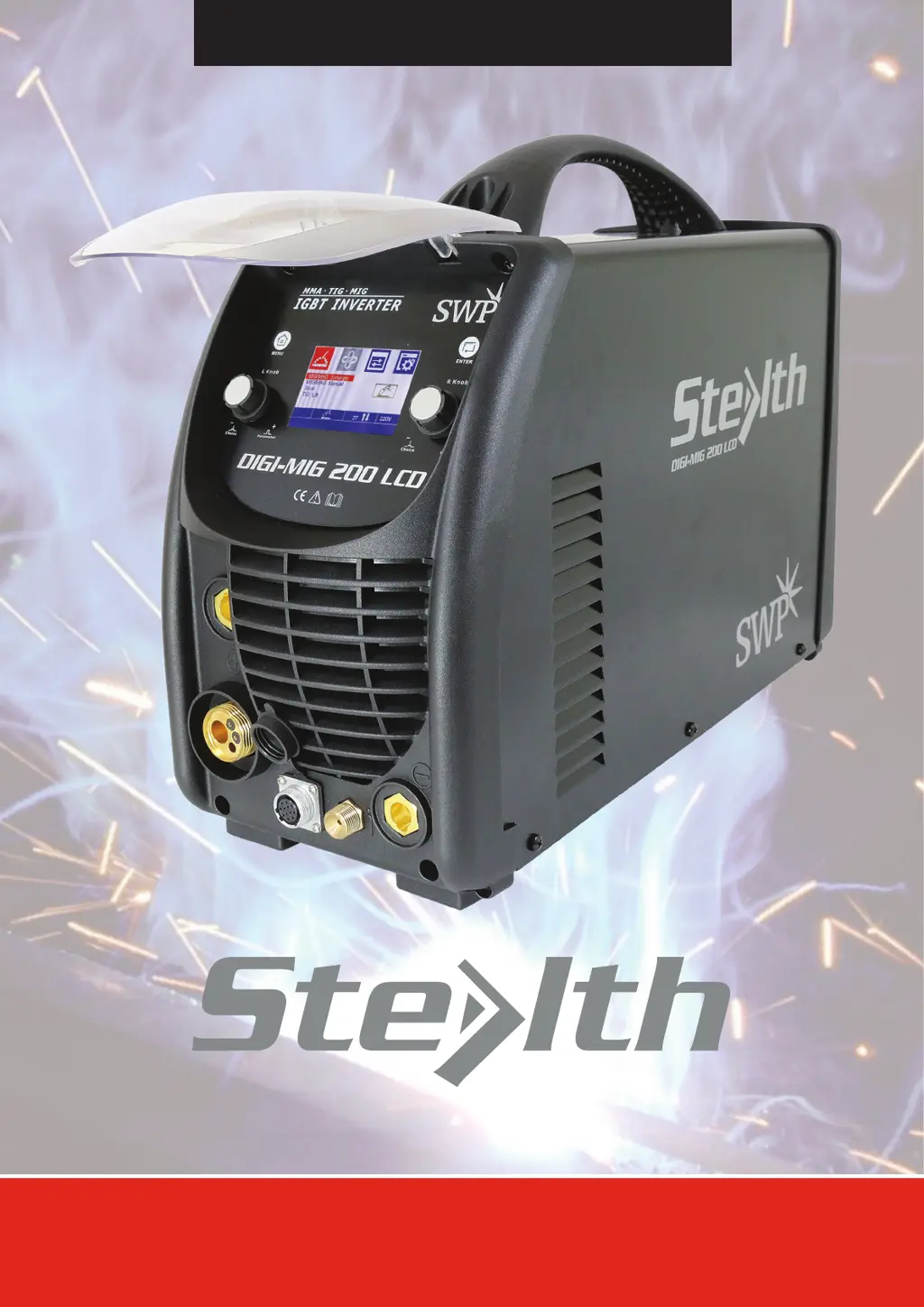
DIGI-MIG 200 LCD
Part No. 9005H
IMPORTANT
Please read these instructions carefully before attempting to use this equipment.
Retain this manual and keep it to hand for quick reference. Pay particular attention to the safety instructions.
Contact your distributor if you do not fully understand this manual.
OPERATORS’ MANUAL

Questions and Answers

  • C
    Chase NorrisAug 15, 2025
    What to do if the fan does not rotate in Stealth DIGI-MIG 200 LCD after removing blockage?
    • R
      Richard NixonAug 15, 2025
      If the fan of your Stealth Welding System doesn't rotate after overheating, and you've removed any visible obstructions from the blades, try gently nudging the blade in the direction it should rotate.
  • T
    tiffanyfieldsAug 18, 2025
    Why doesn't the fan rotate in my Stealth DIGI-MIG 200 LCD after it overheats?
    • C
      Christina OsborneAug 18, 2025
      If the fan of your Stealth Welding System doesn't rotate after the machine overheats, it might be because something is blocking the blades. Check for and remove any obstructions.
  • N
    Natasha BoydAug 21, 2025
    What to do if the current output cable is damaged on Stealth DIGI-MIG 200 LCD?
    • P
      Paul HollandAug 22, 2025
      If the current output cable of your Stealth Welding System is damaged, it should be either wrapped up, insulated, or replaced.
  • D
    davidparrishAug 25, 2025
    What to do if the fast connector is loose or overheated on Stealth DIGI-MIG 200 LCD?
    • L
      Luke GreeneAug 26, 2025
      If the fast connector on your Stealth Welding System is loose or overheated, it should be fastened or changed.
  • C
    Christine NguyenAug 28, 2025
    How to fix the display number if it is not intact on Stealth DIGI-MIG 200 LCD?
    • M
      manuelhendersonAug 28, 2025
      If the display number on your Stealth Welding System is not intact, you should replace the damaged LED.
  • A
    Amber WalkerAug 31, 2025
    What to do if display PCB still doesn’t work after replacing LED on Stealth Welding System?
    • J
      Jessica RodriguezAug 31, 2025
      If the display PCB of your Stealth Welding System still doesn’t work after replacing the LED, you should maintain or replace the display PCB.
  • C
    calebleeSep 4, 2025
    What to do if I can't correct or fix the knob on Stealth Welding System?
    • E
      echavezSep 4, 2025
      If the knob on your Stealth Welding System cannot be corrected or fixed, replace it immediately.
  • S
    Scott FigueroaSep 7, 2025
    What to do if the knob has not been put correctly in place on Stealth DIGI-MIG 200 LCD?
    • S
      Sean SchneiderSep 7, 2025
      If the knob of your Stealth Welding System has not been put correctly in place, please correct it.
  • R
    Richard ClarkSep 12, 2025
    What to do if the switch is not flexible on Stealth Welding System?
    • D
      Derek GalvanSep 12, 2025
      If the switch on your Stealth Welding System is not flexible or cannot be correctly placed, replace it immediately.

Summary

Safety and Warnings

Signal Explanation

Explains warning signals and their meaning for user safety.

Arc Welding Damage

Describes damages from arc welding and emphasizes professional operation.

Fumes and Gases Hazard

Advises on avoiding breathing hazardous fumes and gases during welding.

Welding Sparks Hazard

Warns about welding sparks causing fire and explosion hazards.

Overview of MIG Series Welder

Brief Introduction to MIG Series

Introduces the MIG SERIES arc welding machine and its key features.

Working Principle Explanation

Explains the internal working principle of the MIG SERIES arc welding machine.

Volt-Ampere Characteristic

Describes the volt-ampere characteristic graph and formula for the welding machine.

Installation and Adjustment Guide

Technical Parameters

Lists the detailed technical specifications and parameters for the POWER MIG 200 LCD.

Duty Cycle and Over-heat Protection

Explains duty cycle definition and the machine's overheat protection mechanism.

Equipment Connection Steps

Provides step-by-step instructions for correctly connecting the welding equipment.

MIG Gun Mechanism Maintenance

Details the maintenance procedures for the MIG gun, including parts and operation.

Welding Operation Procedures

Front and Rear Panel Layout

Identifies and describes the controls and connectors on the front and rear panels.

General Welding Operation

Explains the main startup interface and how to select welding methods and parameters.

Recommended Welding Parameters

Provides a table of recommended welding current settings for different materials and gases.

Operation Notices and Precautions

Lists important notices and precautions for safe operation.

Maintenance and Troubleshooting

Regular Maintenance Schedule

Outlines regular maintenance procedures for the welding machine.

Troubleshooting Common Issues

Presents a chart of common troubles, their reasons, and solutions.

Electrical Schematic Diagram

Displays the electrical schematic diagram of the welding machine.

Stealth DIGI-MIG 200 LCD Specifications

General IconGeneral
BrandStealth
ModelDIGI-MIG 200 LCD
CategoryWelding System
LanguageEnglish

Related product manuals