14
Put into operation
∙ Always place the lid on top during operation.
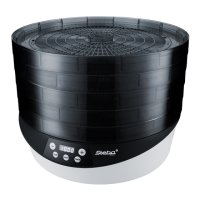
∙ Plug in the device and press the ON/OFF button. The display alternately shows the
default setting 50°C and 10 hours.
∙ The trays rotate and the device starts to work.
∙ If you want to change the timer, press the timer button. Use the +/- buttons to set
the minutes. Press the timer button again to set the hours from 1 to 48. If you keep
pressing the +/- buttons, the time will change in fast-forward mode.
∙ If you want to change the temperature, press the temperature button. Use the +/-
buttons to set the temperature from 35 to 70°C.
∙ It is better to use more trays with less food than to overload the trays.
∙ Once, the time runs out, the device stops. Press the ON/OFF button and unplug the
device. After the timer has expired or the device has been switched off, the cooling
fan keeps running for a few seconds.
∙ Allow the dried food to cool down, then place it into a dry and airtight container.
Accessories
∙ Trays:
o The device comes with 5 trays, Optionally, the device can be operated with
a maximum of 9 trays. Additional trays are available from the STEBA ser-
vice.
∙ Mat for herbs:
o The device comes with 1 mat for herbs. Place the mat on a tray to dry
herbs.
∙ Mat for jelly:
o The device comes with 1 mat for jelly. Place the mat on a tray in order to
produce e.g. fruit leather.


 To Next Page