HEIGHT ADJUSTMENT CONTROLLERS
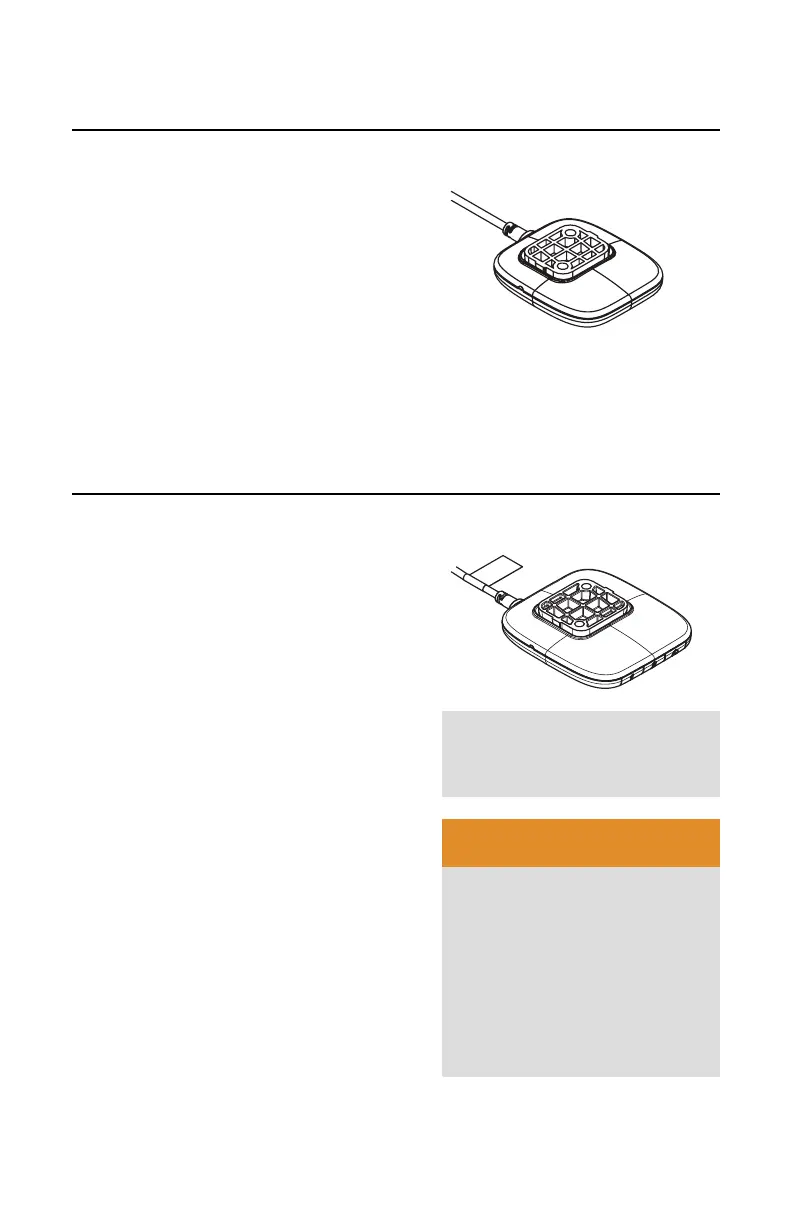
Simple Touch Controller
OPERATING THE CONTROLLER
The desk adjusts via the simple touch
controller.
• Lift up or press down on the controller to
reach the desired desk height.
• The desk will continue to move up or
down until the controller is released
or the minimum or maximum height is
reached.
Note:
The user must continuously lift up or
press down the controller in order for the
desk to move.
Active Touch Controller
OPERATING THE CONTROLLER
The desk adjusts via the active touch
controller.
• Lift up or press down on the controller to
reach the desired desk height.
The display will show the current height
of the desk
• To switch to a stored height in memory,
tap twice on the controller in quick
succession in the direction you want the
desk to move. The desk will move up
or down until it has reached the stored
height.
• Or when lifting or pressing down on the
controller, the desk will pause at the
stored preset. Release the controller to
stop at the stored height.
Note:
To bypass stored heights, continue
to lift or press down. The desk will pause
briefly before continuing until the minimum
or maximum height is reached.
Note:
To stop the desk from traveling to
the stored height, lift or press down on the
controller.
WARNING
This controller allows the desk
to move to a saved height
without continuously touching
the controller. Be sure no
people or objects are in the
path of the desk. Never allow
children to operate this desk
as injury or property damage
could occur.
Note:
For a visual
demonstration, please visit
youtube.com/steelcasetv


 To Next Page