The Controls and Connectors
20 Operation Manual
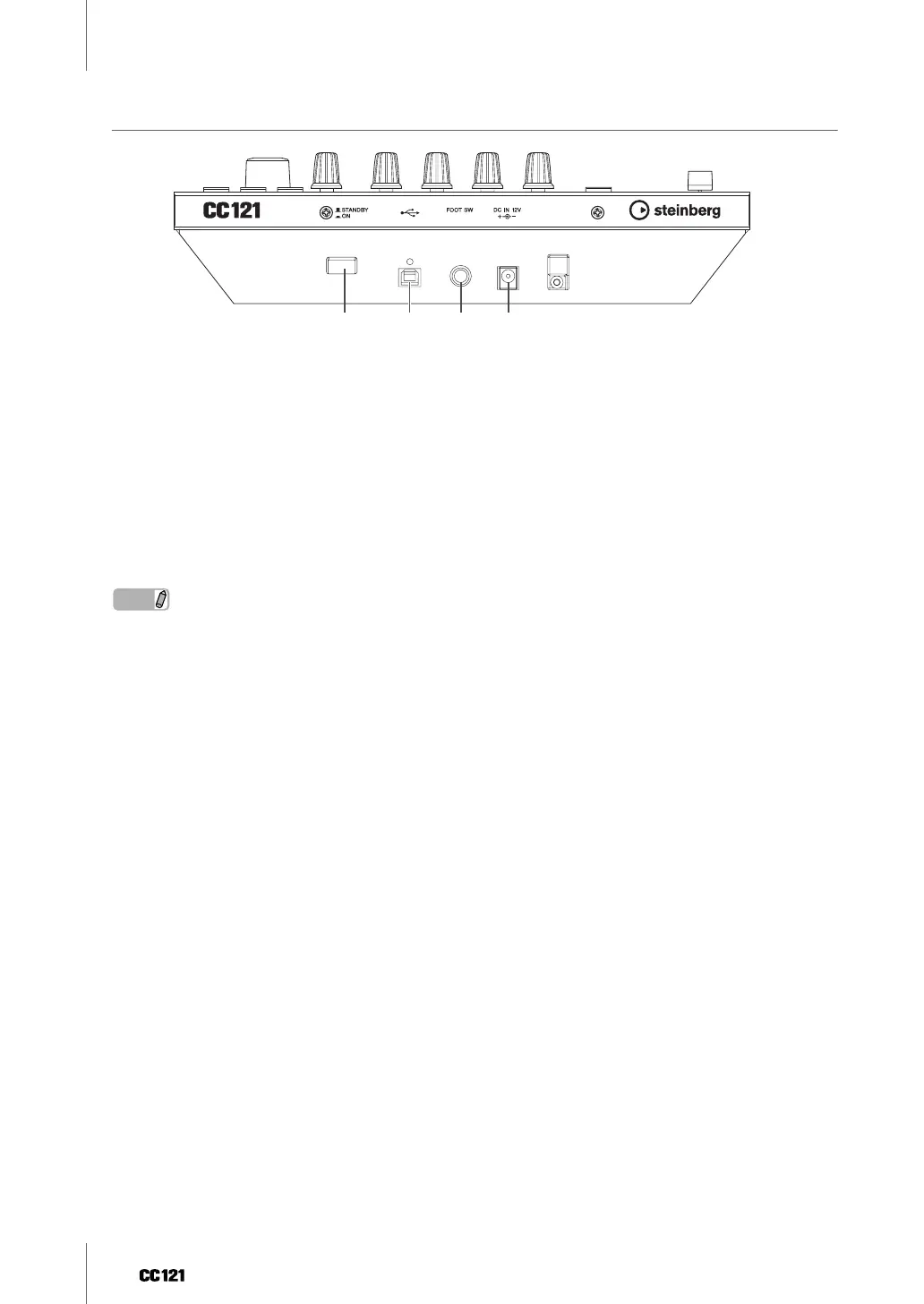
Rear Panel
1 [STANDBY/ON] switch
Press this switch to turn the power to the CC121 on or off (standby) (page 9).
2 USB TO HOST terminal
This terminal is used to connect the CC121 and the computer by using a USB cable. Since the CC121 is bus-pow-
ered, the power can be supplied from the computer to the CC121 via this terminal.
3 FOOT SW jack
This terminal is used to connect an optional foot switch, letting you control a certain parameter of Cubase with
your foot. For details, refer to “When “User Assignable” is selected:” on page 18.
4 DC IN jack
Connect the supplied AC power adaptor to this jack.
NOTE
· Even though the CC121 is properly bus-powered from the host computer, make sure to connect the AC power adaptor
if you want to use the touch sensitivity and motorized functions of the top panel fader.
1 2 3 4


 To Next Page