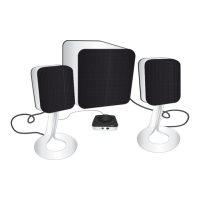
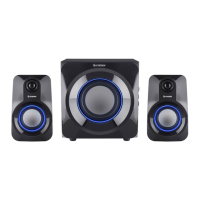
This document describes the Steren BOC-2135, an 850 W PMPO 2.1CH computer audio system designed to provide an immersive audio experience with powerful bass.
Function Description:
The Steren BOC-2135 is a 2.1 channel audio system consisting of two satellite speakers for mid-range frequencies and a subwoofer for deep, high-power bass. It is designed to enhance the audio experience in various settings such as study rooms, offices, bedrooms, or as an audio output for screens, DVDs, or Blu-ray players. The system incorporates an acoustic box with bass reflex technology and a crossover, allowing independent manipulation of mid and low frequencies to customize the sound according to user preferences. In addition to traditional audio input, it features integrated USB and SD card slots for direct music playback from memory devices. The speaker cabinets are constructed from Medium-Density Fiberboard (MDF) to improve resonance and reduce unwanted noise. All speakers are magnetically shielded, which allows them to be placed near other electronic devices without causing interference.
Important Technical Specifications:
- Power Output:
- Total PMPO: 850 W
- Speaker Power Output (per satellite): 10 W RMS
- Subwoofer Power Output: 20 W RMS
- Power Supply: 127 V~ 60 Hz, 40 W max.
- Consumption: 38 W/h
- Stand-by Power Consumption: Not applicable
- Total Harmonic Distortion (THD): 10% @ 1 kHz
- Frequency Response: 30 Hz – 20 kHz
- Signal-to-Noise Ratio (SNR): > 65 dB
- Sensitivity: 450 mV
- Nominal Impedance: 4Ω
Usage Features:
- Easy Installation: The system is designed for straightforward setup.
- Multiple Audio Sources:
- USB / SD Slots: Users can directly play music files from a USB memory stick or an SD card by inserting them into the corresponding ports. Playback starts automatically, and an LED indicator will flash.
- AUX RCA Line Input: For playing music from external devices such as PCs, tablets, smartphones, or Blu-ray players, the system includes an RCA audio input. A 3.5mm stereo audio cable to RCA is provided for this purpose. Users connect one end to the system's AUDIO INPUT RCA and the other end to their device, then control playback from the external device.
- Control Panel: The subwoofer unit features a control panel to adjust volume levels, treble, and bass frequencies, allowing users to fine-tune the sound to their liking.
- Connections:
- Power Cord: Connects the system to an electrical outlet.
- RCA Audio Input: For connecting external audio sources.
- RCA Output Speakers (L and R): For connecting the satellite speakers.
- USB Port: For USB memory playback.
- SD Port: For SD card playback.
- Volume Control, Treble, and Bass: Dials on the control panel for sound adjustment.
- LED Operation Indicator: Provides visual feedback on the system's status.
- Air Vent: Located on the subwoofer.
- Safety Precautions:
- Always ensure the system is turned off and the volume is at minimum before connecting or disconnecting cables.
- Do not expose the product to rain, moisture, dripping, or splashing to reduce the risk of fire or electric shock.
- Unplug the product during lightning storms or if it will be unused for long periods.
- If the power cable is damaged, it must be replaced by the manufacturer or qualified personnel.
- Avoid placing objects filled with liquids (e.g., vases) on the unit.
- Do not use the product near water sources like bathtubs or pools.
Maintenance Features:
- Cleaning:
- Before any cleaning or maintenance, ensure the system is disconnected from the power supply and turned off.
- Always use a soft, dry cloth to clean the device.
- Never use solvents or other chemical products for cleaning.
- Airflow:
- Vacuum the grilles and the air vent to prevent dust accumulation and ensure proper airflow.
- For the subwoofer, ensure at least 5 cm of free space around the air vent to prevent obstruction.
- Placement Recommendations:
- Subwoofer: Should be placed on a stable and level surface, preferably on the floor, as vibrations can cause it to move, especially on smooth surfaces like marble, glass, or wood.
- Speakers: Should be placed on stable and level surfaces.
- Troubleshooting: The manual provides solutions for common issues such as no audio output (checking power, cable status, connections, playback, volume, and audio files) and poor sound quality (adjusting volume/treble/bass, checking cable connections, and trying different audio files).

 Need help?
 General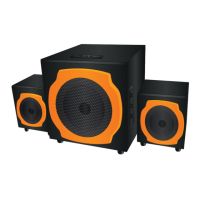

 To Next Page