1616
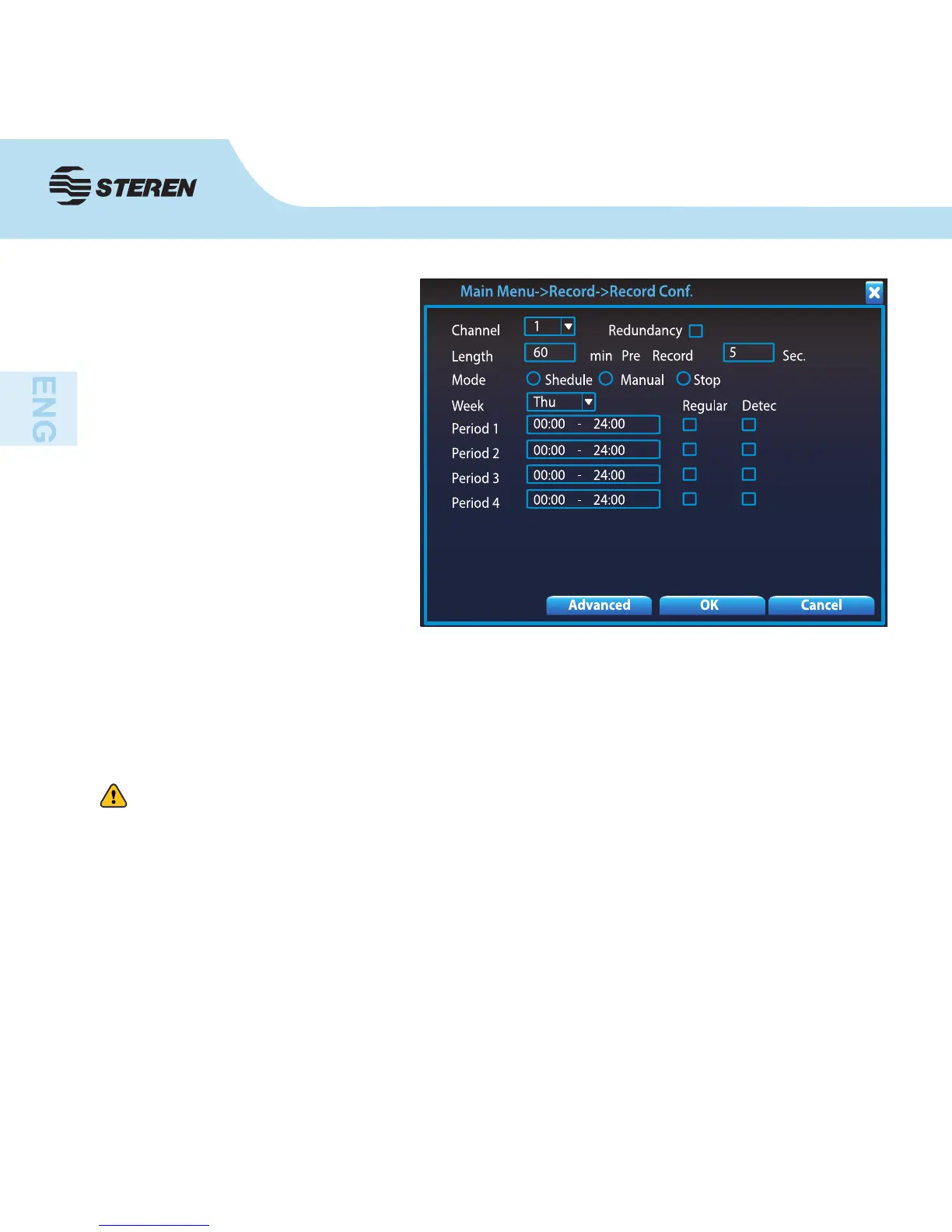
6. Choose the Schedule mode
and set in the elds Period 1-4 the
desired hours for recording and in
the following boxes, choose the
record mode to apply: Regular, or
motion detection (Detect).
7. To save the changes click OK. Repeat the steps to set a schedule for another channel/
camera.
8. If you want to copy the settings to other channels, click in Advanced and then in Copy.
Accept by selecting Ok
The DVR is now programmed for recording in the selected schedule. If you want to stop the
recording, you must enter this menu and select Stop.
Remember, you must enter to Main Menu > Alarm > Motion Detect to set the sensitivity
with which the cameras shall detect movements, as well as adjust the options that suit your
needs.



 To Next Page