To start recording, it is essential that
you’ve formatted the hard disk.
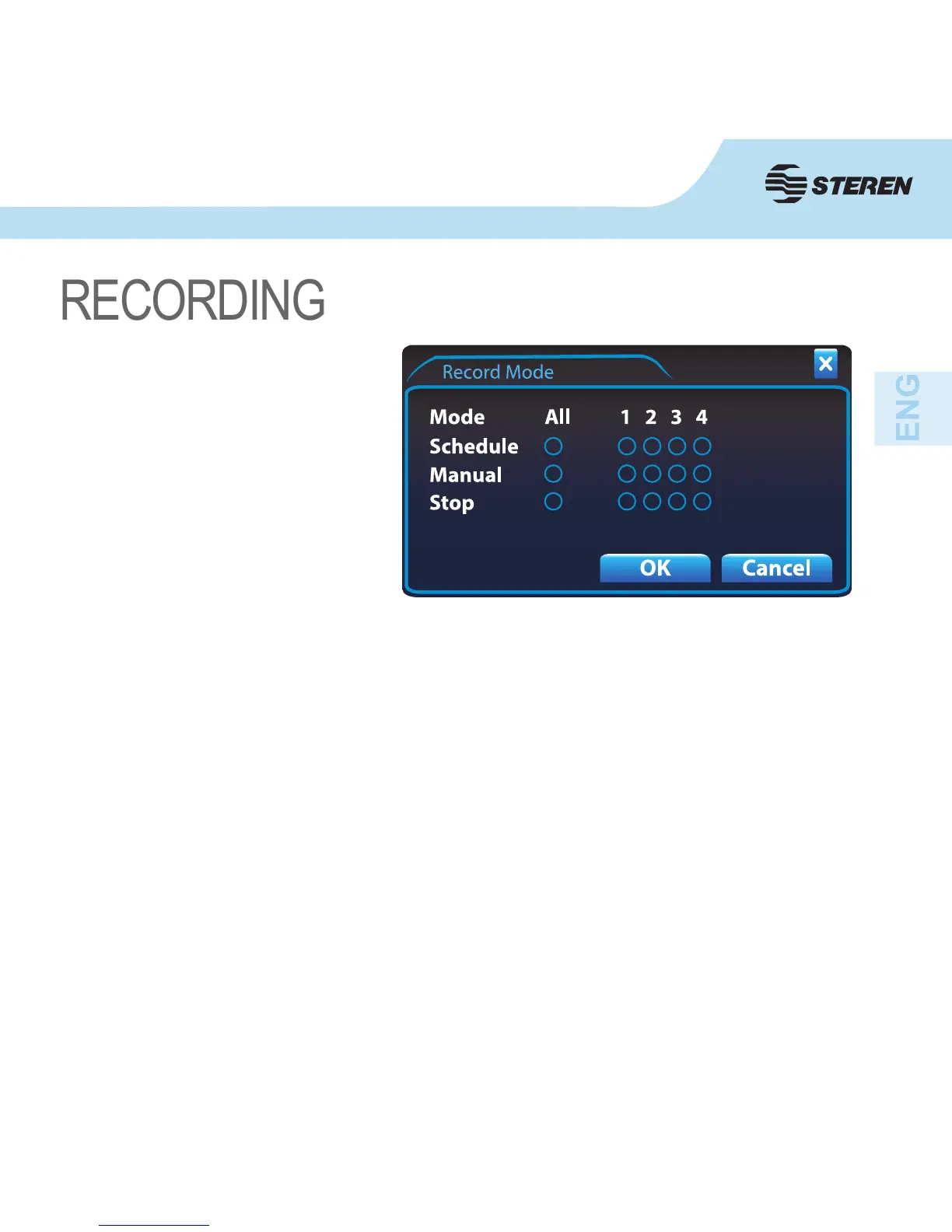
Right click with the mouse and select
Record Mode.
Once the next window appears, select
the channels that will be recording
(you can select them all by clicking
on ALL) in the recording mode you
want: Schedule, Manual or Stop the
recording of a camera by selecting it
on Stop.
Conrm with OK.
This recording mode is used when the DVR does not have any scheduled recording (time
or motion detection).
1. To schedule recordings, open the pop-up menu by right clicking with the mouse and select
Main Menu.
2. Choose Record and then Record Conf.
3. First you must select the channel and enable or disable the Redundancy mode.
4. Click on the corresponding eld to choose the Length in minutes and the time of Pre
Record in seconds.
5. Choose the day of the week for the recording.
Manual Mode
Schedule mode



 To Next Page