Esta póliza garantiza el producto por el término de un año en todas sus partes y mano de obra, contra cualquier defecto de fabricación y funcionamiento, a partir de la fecha de entrega.
CONDICIONES
1.- Para hacer efectiva la garantía, presente esta póliza y el producto, en donde fue adquirido o en Electrónica Steren S.A. de C.V.
2.- Electrónica Steren S.A de C.V. se compromete a reparar el producto en caso de estar defectuoso sin ningún cargo al consumidor. Los gastos de transportación serán cubiertos por el proveedor.
3.- El tiempo de reparación en ningún caso será mayor a 30 días,contados a partir de la recepción del producto en cualquiera de los sitios donde pueda hacerse efectiva la garantía.
4.- El lugar donde puede adquirir partes, componentes, consumibles y accesorios, así como hacer válida esta garantía es en cualquiera de las direcciones mencionadas posteriormente.
DATOS DEL DISTRIBUIDOR
Nombre del Distribuidor __________________________________
Domicilio ______________________________________________
Producto ______________________________________________
Marca _______________________________________________
Modelo _______________________________________________
Número de serie ________________________________________
Fecha de entrega _____________________________________
Before to use the product, please read carefully this manual to avoid any malfunction.
The info in this manual is shown as reference. Due to updates can exist differences.
Consult our website www.stern.com to obtain the most actual version of this manual.
V0.0 / 0816v
CAUTIONS
• This device cannot be used by people with different abilities, unless they have
preparation and supervision.
• Don’t use or store the device in places where exist water or splashes.
• The installation only be must made by qualified personnel.
• Any reparation not authorized may cause malfunction and avoid the warranty.
SPECIFICATIONS
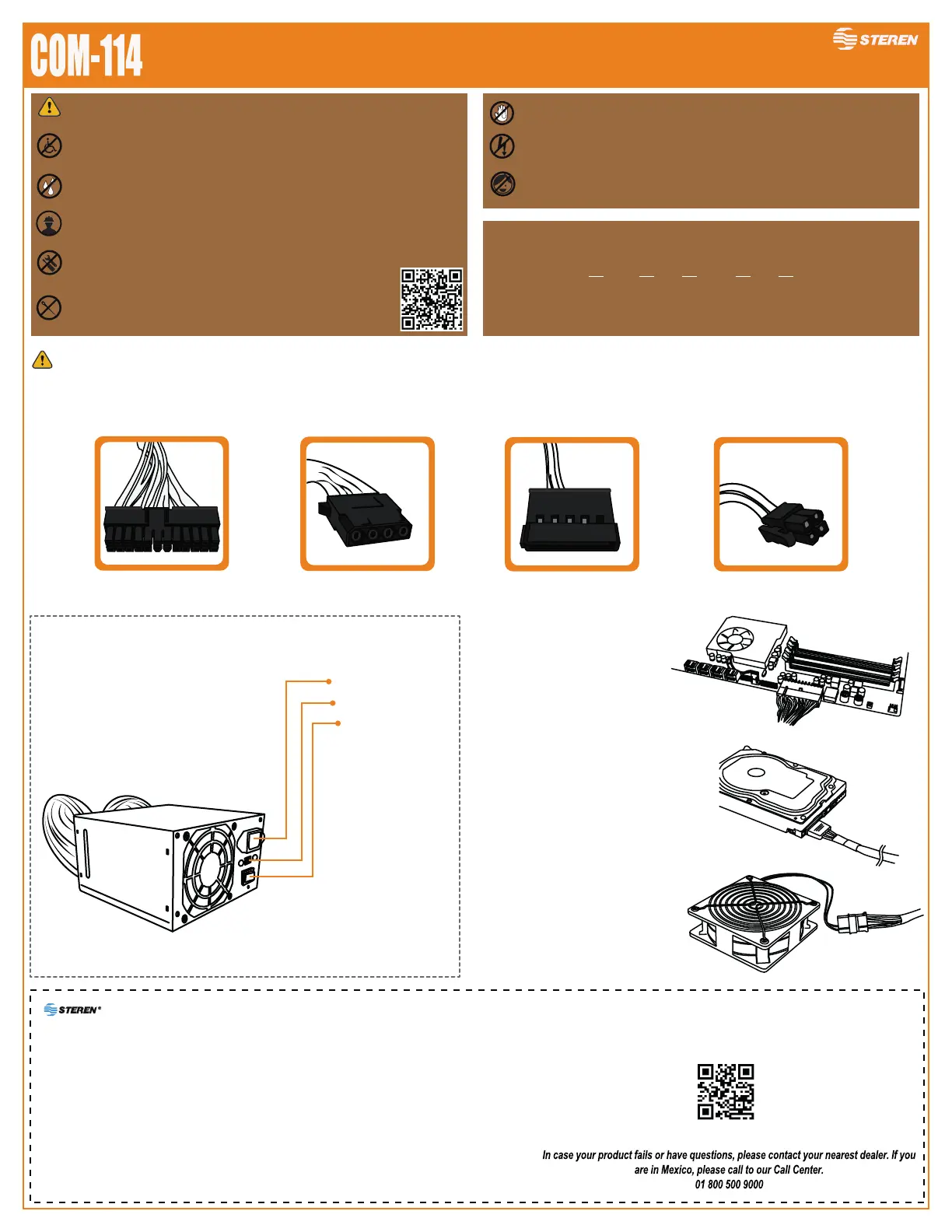
Before to make the installation, be sure that the power cord of the PC is NOT connected to the power supply
24 pin ATX SATAMolex 4 pin ATX
Connectors
• Don't place the fingers or metallic objects into the cooling fan, may
cause electric hazard.
Input: 115/230 V~ 50/60 Hz 400 W max.
Maximum power output: 400 W
Output voltage: 12 V - - - / -12 V - - - / 5 V - - - / 3.3 V - - - / 5 V - - -
Dimensions: 15 cm front x 8.5 cm height x 14 cm depth
Specifications may change without notice
• Don’t install the prooduct with wet hands.
• Do not install the product if it is connected to the electric current, it can cause
irreparable damage to the motherboard.
• This product is NOT a toy; keep it away from children.
Interlock Connector
*Voltage selector
On / Off switch
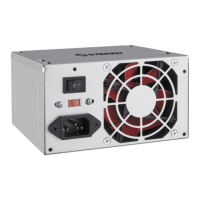
400W ATX computer
power supply
This Steren product is warranted under normal usage against defects in workmanship and materials to the original purchaser for one year from the date of purchase.
CONDITIONS
1. This warranty card with all the required information, invoice or purchase ticket, product box or package, and product, must be presented when warranty service is required.
2. If the product is in the warranty time, the company will repair it free of charge.
3. The repairing time will not exceed 30 natural days, from the day the claim was received.
4. Steren sell parts, components, consumables and accessories to customer, as well as warranty service, at any of the addresses mentioned later.
THIS WARRANTY IS VOID IN THE NEXT CASES:
If the product has been damaged by an accident, acts of God, mishandling, leaky batteries, failure to follow enclosed instructions, improper repair by unauthorized
personnel, improper safe keeping, among others.
a) The consumer can also claim the warranty service in the purchase establishment.
b) If you lose the warranty card, we can reissue it, if you show the invoice or purchase ticket.
Product: 400W ATX computer power supply
Number part: COM-114
Brand: Steren
RETAILER INFORMATION
Name of the retailer ____________________________________
Address _____________________________________________
Product ______________________________________________
Brand _______________________________________________
Serial number _________________________________________
Date of delivery _______________________________________
Insert the 24 pin ATX connector into the
Motherboard.
Insert the SATA connector into te drivers
or optical drivers.
Insert the MOLEX connector to plug, fans,
components or another devices.
*Adjust it in the corresponding position to the
AC voltage (230V - 115V) in which the
power supply will work.
The images shown as reference. The design and
position of the connectors may vary according to the
motherboard model and peripherals.


 To Previous Page
 Loading...