EasyManua.ls Logo

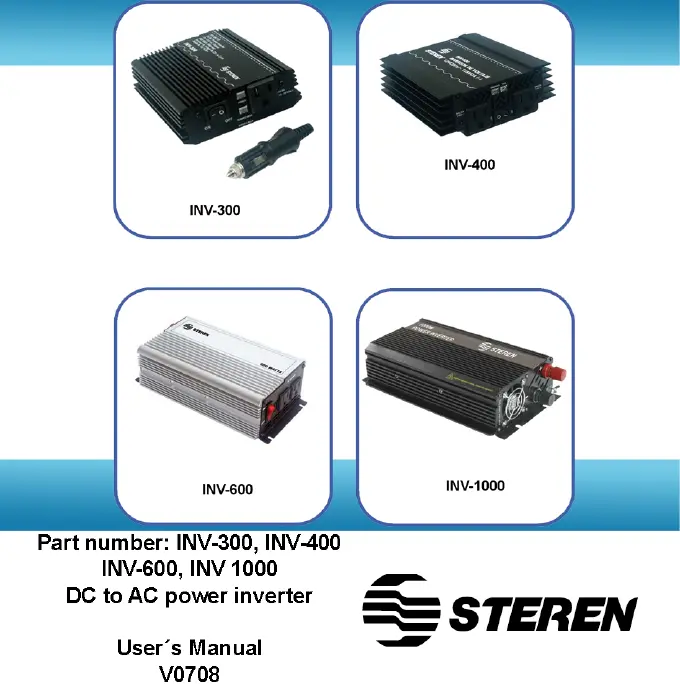
Steren INV-400 - User Manual

Steren INV-400
34 pages
Print Icon
To Next Page IconTo Next Page
Loading...

Other manuals for Steren INV-400

Questions and Answers

  • K
    Karen LewisSep 3, 2025
    What to do if Steren Inverter goes into protection mode and cannot be restored?
    • M
      Michelle NortonSep 4, 2025
      If your Steren Inverter enters protection mode and you're unable to restore it, allow the inverter to rest for approximately 15 minutes, especially if the temperature exceeds 65°C. Also, ensure your battery is in good condition. If the problem persists, please contact the telephone customer service.
  • J
    Jennifer BoyleSep 18, 2025
    What to do if the cabling of Steren Inverter is wrong or the connection is not safe?
    • K
      Karen SalinasSep 18, 2025
      If the cabling is wrong or the connection is not safe, use adequate cables.
  • S
    Shannon WilliamsSep 16, 2025
    What to do if Steren INV-400 Inverter startup is more than 2 times the average?
    • M
      Megan YoungSep 16, 2025
      If the Steren Inverter startup time is more than 2 times the average, try another application.
  • W
    William GarciaSep 14, 2025
    How to fix buzzing in audio systems when using Steren INV-400 Inverter?
    • C
      cwatsonSep 14, 2025
      If you hear buzzing in audio systems while the Steren Inverter is in use, try to buy a high quality AC in-line filter.
  • K
    Kevin GreenSep 12, 2025
    What to do if the output voltage of Steren INV-400 Inverter is not correct?
    • D
      Derrick WrightSep 13, 2025
      If the output voltage is incorrect, use a RMS reading voltmeter. Also, the input DC voltage may be too low or too high; in this case, adjust the voltage to the required level.
  • A
    Adam LongSep 12, 2025
    How to fix buzz in audio systems while Steren Inverter is in use?
    • J
      josephserranoSep 12, 2025
      To fix a buzz in audio systems while the Steren Inverter is in use, try buying a high quality AC in-line filter.
  • A
    aburtonSep 9, 2025
    What to do if Steren INV-400 is unable to manage the charge?
    • Z
      zrichardsonSep 9, 2025
      If your Steren Inverter is unable to manage the charge, use a lower charge.
  • A
    Aaron JohnsonSep 7, 2025
    How to fix TV interference while Steren INV-400 is in use?
    • M
      Michelle MurphySep 7, 2025
      To address TV interference while your Steren Inverter is in use, adjust the monitor and the antenna.
  • Y
    Yvette GarciaSep 5, 2025
    What to do if Steren Inverter charge is too large or potency is too large?
    • M
      Michelle SchmidtSep 6, 2025
      If the charge or potency is too large for your Steren Inverter, use adequate cables.
  • L
    Laurie Moore DDSAug 21, 2025
    What to do if Steren Inverter cannot handle the charge?
    • T
      tyler59Aug 21, 2025
      If your Steren Inverter can't handle the load, it might be because the load is too large or the power exceeds the average. Try using a cable or wire of the appropriate gauge. If that doesn't work, try another application.

Summary

Security Warnings for Power Inverters

General Battery Handling Precautions

Inverter Controls and Indicators

Inverter Control Features

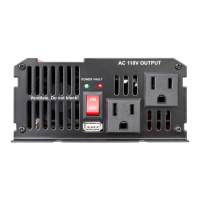
Details on the ON/OFF switch, power indicator, surge indicator, dual AC outlets, and battery connection posts.

Cooling Fan and Restore Button

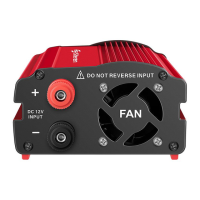
Information on the high-speed cooling fan, ground connector, and the restore button for protection mode.

Power Inverter Installation Guide

Selecting the Correct Power Source

Guidance on choosing a suitable DC power source for the inverter, specifying voltage requirements.

Optimal Inverter Placement

Recommendations for placing the inverter on a sturdy, flat surface for maximum use and longevity.

Connecting Inverter to Battery

Instructions for using the included 4AWG cables to connect the inverter to the battery, identifying polarity.

Grounding the Power Inverter

Instructions on how to properly ground the inverter, especially regarding positive ground DC systems.

Connecting to the Power Source

Step-by-step guide for connecting the inverter to the DC power source, including polarity and switch operation.

How to Use the Power Inverter

Operating the Inverter and Devices

Steps for connecting and turning on electric devices with the inverter, including managing power peaks.

Battery Operation Time Calculation

Power Inverter Protection Features

Voltage and Overcharge Protection

Details on low voltage, high voltage, and overcharge protection mechanisms that automatically shut off the inverter.

Short-Circuit and Temperature Protection

Explanation of short-circuit protection and temperature limits that trigger automatic shutdown.

Restore Button Functionality

Instructions on how to use the restore button to reset protection systems and resume normal operation.

Troubleshooting Common Issues

Technical Specifications

Product Warranty Information

Warranty Conditions and Duration

Details on the one-year warranty, required documentation, and repair timeframes.

Warranty Voidance Cases

Situations that will void the product warranty, including accidents and improper handling.

Retailer Information and Support

Steren INV-400 Specifications

General IconGeneral
Power Output400W
Input Voltage12V DC
Output Voltage120V AC
WaveformModified Sine Wave
Frequency60 Hz
Efficiency85%
CoolingFan
ProtectionOverload, Short Circuit, Over Temperature

Related product manuals