EasyManua.ls Logo

Steren TEL-2414 - User Manual

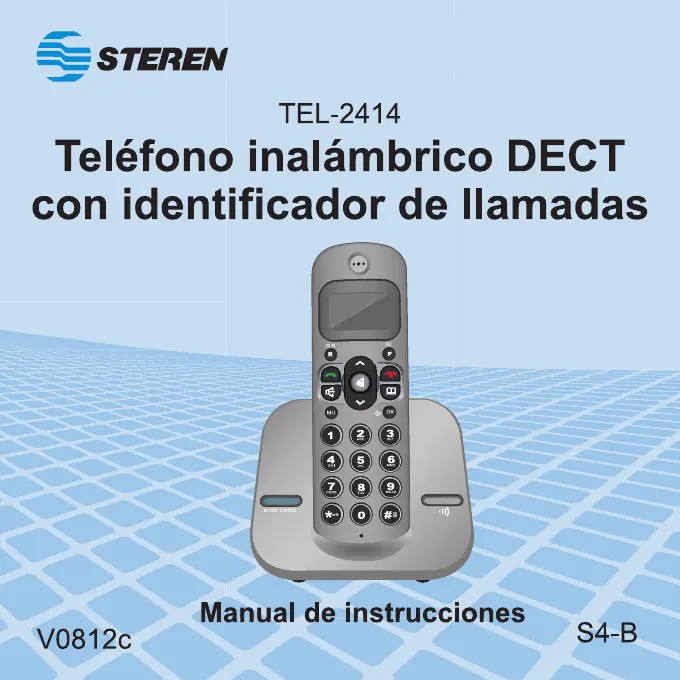
Steren TEL-2414
52 pages
Go to English
Print Icon
To Next Page IconTo Next Page
Loading...
1

Questions and Answers

  • O
    odavisAug 10, 2025
    What to do if my Steren TEL-2414 Telephone handset doesn´t ring when I receive a call?
    • R
      Robert FosterAug 10, 2025
      If your Steren telephone handset isn't ringing when you receive a call, first ensure that the ringer is activated. Check that the telephone line cord is securely plugged into both the telephone base and the wall jack. Make sure the cordless phone is near the base and that the battery in the wireless handset is charged. Try unplugging any other phone extensions you might have and moving the telephone base to another location, preferably on an upper floor.
  • L
    Luke SmithAug 16, 2025
    How to fix Steren TEL-2414 when I cannot get dial tone?
    • L
      Lindsay HarrisAug 16, 2025
      If you cannot get a dial tone on your Steren telephone, move the wireless handset closer to the telephone base. Also, ensure that the power cord is plugged in, the telephone line cord is firmly connected to both the phone base and the wall jack, the handset is placed on the base when not in use, and the batteries in the wireless handset are charged.
  • M
    Matthew BrownAug 22, 2025
    Why does my Steren Telephone have noise, static, or weak signal?
    • S
      Suzanne KelleyAug 22, 2025
      Noise, static, or a weak signal on your Steren telephone, even when near the base, can occur due to interference. Position your phone as far away as possible from any other existing cordless telephone system and your telephone base as far as possible from your router, computer, or other devices. Also, install your phone as far away as possible from electronic devices such as wireless routers, radios, radio towers, pager towers, cell phones, intercoms, room monitors, televisions, personal computers, kitchen appliances, and other cordless phones, as the radios may interfere with one another.
  • C
    Carrie PerezAug 28, 2025
    What to do if my Steren TEL-2414 battery does not hold a charge?
    • A
      Allison CarterAug 28, 2025
      If the battery in your Steren telephone does not hold a charge, charge the battery in the wireless handset. If the problem persists, you may need to purchase a new battery.
  • W
    Wayne CaseySep 3, 2025
    Why I cannot dial out on my Steren TEL-2414?
    • J
      Jessica WiseSep 3, 2025
      If you cannot dial out on your Steren telephone, make sure you have a dial tone before dialing. If other phones in your home are having the same issue, the problem might be in your wiring or local service.

Summary

SAFETY INSTRUCTIONS

INSTALLATION

CONTROLS

Flash (R); CLR Button

Used for services or clearing input errors.

Menu; OK

Navigates menus and confirms selections.

Answer an Incoming Call

Allows answering incoming calls.

On; Off

Powers the device on/off and ends calls.

Numeric Keyboard

Used for dialing numbers and entering text.

Redial (RD); Pause (P)

Redials last number or inserts a pause.

Speaker

Activates the hands-free speakerphone function.

Mute

Mutes/unmutes the microphone during a conversation.

CORDLESS PHONE MENU

HOW TO OPERATE THE CORDLESS PHONE

MAKING CALLS

Steps for making phone calls.

ANSWERING CALLS

How to answer incoming calls.

TROUBLESHOOTING

MAINTENANCE

WARRANTY

Steren TEL-2414 Specifications

General IconGeneral
BrandSteren
ModelTEL-2414
CategoryTelephone
LanguageEnglish

Related product manuals