Need help?
Do you have a question about the Stewart Golf Q REMOTE and is the answer not in the manual?
Highlights potentially hazardous situations requiring caution.
Lists compliance standards for the machine.
Information regarding trademarks, design registrations, and patents.
Recommendations for optimal bag weight for performance and longevity.
Guidance on initial steps before first use, including charging and practice.
Links to online video resources for further assistance and tips.
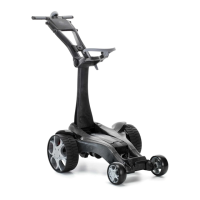
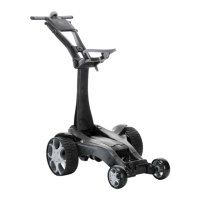
Identifies the main chassis, front/rear wheels, and EcoDrive motors.
Covers the SmartPower battery, on/off switch, and handle.
Details the bag cradle, straps, and stabiliser wheels.
Lists handset cradle, storage, scorecard holder, and umbrella mount.
Detailed steps for deploying the Q Remote from its folded state.
Warning about potential damage from incorrect unfolding steps.
Instructions on how to place and secure the golf bag onto the trolley.
Recommends a specific weight for optimal performance.
Detailed steps for collapsing the Q Remote for storage or transport.
How to store the handset when the trolley is folded.
Critical warning about turning the trolley OFF when not in use.
Instructions for carrying the folded trolley and warnings against improper lifting.
Steps for safely removing and securely installing the battery pack.
Warning against dropping the battery to avoid connection damage.
Describes app features for monitoring battery status and usage.
Step-by-step guide for connecting and charging the battery.
Explains the meaning of the charger's LED indicators (RED/GREEN).
Advice on leaving battery connected and disconnecting after charging.
Details operating temperature, lifespan, voltage, and charge current.
Instructions for storing the battery when not in use for extended periods.
Explanation of battery life, lifespan, and factors affecting performance.
Key DOs for proper charging, environment, and handling.
Vital DO NOTs regarding physical damage, liquid, and tampering.
DO NOTs for temperature extremes and covering during operation.
Explains the purpose of each button on the handset.
Details what the handset's indicator light signifies.
Caution regarding opening and earthing when handling the handset.
Detailed instructions for charging the handset.
Critical warning about using only the provided charging cable.
Advice on keeping the handset dry and avoiding immersion.
Steps to take after using the handset in rain or wet.
Guidance on storage and cleaning the protective skin.
Recommendation for periodic charging during storage.
How to control the trolley by holding the handle.
Recommendations for physical control and handset placement.
Practice advice and potential interference from other devices.
Best and worst scenarios for remote control use.
How to control forward, reverse, and steering via handset.
Recommendations for range, positioning, and handset management.
Details on Regular and Glide steering modes and their activation.
Explains the fuse's purpose and warranty exclusion for blowing.
Advises against top speed for maneuvers, recommends walking speed.
Lists standard handle features like scorecard holder and cradles.
How to program and use the three cruise control speeds.
Guide on adjusting trim for balanced steering.
Steps for removing the rear wheels.
How to engage freewheel mode for manual pushing.
Cleaning instructions and warranty warnings about water ingress.
Confirmation of rain use and water ingress warnings.
Guidance on overcoming obstacles like steps or kerbs.
Information on expected battery life and influencing factors.
Tips for extending battery life and improving efficiency.
Clarification that the handset is required for operation.
Advice on stability, tipping, and parking on slopes.
Details the standard two-year warranty and initial support steps.
Outlines warranty conditions and service arrangements.
Lists items and conditions not covered by the warranty.
Specifics on battery warranty and correct charging methods.
Instructions on how to register the product warranty online.
Possible issues and solutions for an unresponsive handset.
Possible causes and solutions for resistance when pushing the trolley.
Explains issues causing unexpected turning or movement in circles.
Solutions for the trolley veering off course.
Steps for a handset that fails to power on.
Steps to diagnose and resolve power issues on the trolley.
 General
| Brand | Stewart Golf |
|---|---|
| Model | Q REMOTE |
| Category | Golf Trolleys |
| Language | English |

 To Next Page