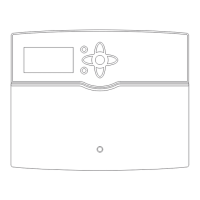
The STIEBEL ELTRON EASYTRON Connect is a system designed for individual room control of heating systems in buildings. It can be connected to a heat pump via ISG web or operated independently, connecting the system to a heat pump enables demand-dependent individual room control. The system can be operated via the EASYTRON Connect app, which is available on mobile devices.
Function Description
The EASYTRON Connect system allows for precise control of room temperatures, optimizing heating and potentially cooling in individual rooms. It supports various heating circuits and can be integrated with an integral heat pump. The system can optimize heat pump heating curves, open all heating circuits for heat pump defrost, and identify rooms to be cooled by the heat pump. It is suitable for heating systems with wall-mounted radiators or underfloor heating. The system can control up to 24 rooms, with a maximum of four actuators for radiators or channels for underfloor heating per room. For a control unit for underfloor heating, one room temperature sensor is required per room.
The system comprises several components:
- EASYTRON Connect base station EZE: This is the central control unit and communication interface for the system. It receives and transmits information from and to other wireless components via radio (Z-Wave) and communicates with the heat pump (optional) via the ISG web (Internet Service Gateway).
- EASYTRON Connect underfloor heating controller EHF: This device controls the underfloor heating system, with up to three thermoelectric actuators (EFS) per channel. It contains an integral repeater to improve wireless range.
- EASYTRON Connect room temperature sensor ERT: This device captures the actual room temperature in rooms with underfloor heating.
- EASYTRON Connect radiator actuator ERS: These actuators fit all commercially available valves with M30 x 1.5 mm connection or RA adaptor and wirelessly control radiators.
- EASYTRON Connect repeater ERE: This device improves the wireless range of the system.
The EASYTRON Connect app enables user administration with different user roles (User, Admin, Expert). Users have limited access rights, while Admins can manage all rooms and system settings. Experts have full access to all settings.
Usage Features
The system offers various operating modes and settings for optimal comfort and energy efficiency:
-
Operating Modes:
- Automatic: Heat pump runs according to the time program.
- Eco: Heat pump runs in setback mode.
- Party: Heat pump runs in party mode.
- Standby: Heat pump is on standby. The heat pump's frost protection function is activated.
- Holiday: Heat pump runs in holiday mode. The heat pump's frost protection function is activated.
- Runtime temporary setting: Heat pump runs according to a manual temperature setting.
- Heating: Heat pump heats up to the comfort temperature (day temperature).
- Off: Room is not heated.
- Heating limit: Room is not heated when the calculated set flow temperature reaches the set room temperature.
- Frost protection: Heat pump's frost protection function is activated.
- Summer: Room is not heated when the heat pump is in summer mode.
- Anti-lock system: The anti-lock system for underfloor heating is activated.
-
ECO Action: If you are leaving the house for a specific length of time, you can use the ECO action to lower the set room value to the selected ECO temperature (night temperature). Once the selected time has expired, demand returns to the comfort or ECO temperature (day or night temperature) depending on the switching time.
-
Holiday Action: For an extended period, you can use the Holiday action to lower the set room value to the frost protection temperature. If the Holiday action is selected for all rooms, the heat pump switches to STANDBY MODE.
-
DHW Heating: Settings for DHW heating can be adjusted via the EASYTRON Connect app. The app allows adjusting settings for the DHW PROGRAM at the heat pump programming unit.
-
Radiator Actuator ERS Operation:
- Press and hold the learn button until the display shows "Pb".
- Press the learn button to confirm.
- Adjust the required setting using the "Up" or "Down" button.
- Radiator size can be set (P1 for oversized, P2 for correctly sized, P3 for undersized radiators).
- "Window open" detection: If the device is covered by curtains or furniture, "Window open" detection may be impaired. The device drops sharply over a period (e.g., when venting), the radiator valve closes for 30 minutes. The device resumes control according to the settings. "Window open" detection remains locked for 45 minutes.
-
Troubleshooting and Status Display: The base station EZE and radiator actuator ERS provide status displays and error messages to assist with troubleshooting. For example, steady white light on the EZE indicates power supply, steady yellow light indicates operating system start-up, flashing green light indicates connection to the network and internet. Red flashes indicate a system fault. Actuator faults (E1-E5) on the ERS are displayed, prompting notification of a qualified contractor or checking connection to the base station.
Important Technical Specifications
EASYTRON Connect base station EZE (237737):
- Operating temperature range: -10...+50 °C
- Power consumption: 5 VA
- Max. relay output breaking capacity: 1 A
- Colour: White
- Type of installation: Floorstanding appliance
- Dimensions (H x W x D): 124 x 124 x 28 mm
- Weight: 0.170 kg
- USB: 2.0
- 10/100 Ethernet: RJ45
- Z-Wave radio: 868.42 MHz
- WLAN: 802.11 b/g/n
- Storage and transport temperature: -25...+60 °C
EASYTRON Connect underfloor heating controller EHF (237736):
- Operating temperature range: -10...+50 °C
- Electrical data: 230 V
- Power consumption: 5 VA
- Max. relay output breaking capacity: 1 A
- Colour: Grey
- Type of installation: DIN rail
- Protection class: II (if installed in a distribution cabinet)
- IP rating: IP00
- Dimensions (H x W x D): 91 x 160 x 58 mm
- Weight: 0.25 kg
- Z-Wave radio: 868.42 MHz
- Storage and transport temperature: -25...+60 °C
EASYTRON Connect underfloor heating actuator EFS (237740):
- Rated voltage: 230 V
- Frequency: 50/60 Hz
- Max. starting current: 0.55 A
- IP rating: IP 54
- Protection class: II
- Dimensions (H x W x D): 52.5 x 44.3 x 48.4 mm
- Weight: 0.1 kg
EASYTRON Connect room temperature sensor ERT (237738):
- Operating temperature range: -10...+50 °C
- Power supply: Battery 2x 1.5 V AAA
- Colour: White
- Type of installation: Finished walls
- Dimensions (H x W x D): 79 x 79 x 18 mm
- Weight: 0.075 kg
- Z-Wave radio: 868.42 MHz
- Storage and transport temperature: -25...+65 °C
EASYTRON Connect radiator actuator ERS (237741):
- Operating temperature range: 0...+40 °C
- Max. heating flow temperature: 90 °C
- Mechanical load bearing capacity: 70 N
- Maximum adjustment travel: 4.5 mm
- Power supply: Battery 2x 1.5 V AA
- Control signal: Linear
- Colour: White
- Length: 0.091 m
- Diameter: 51 mm
- Weight: 0.195 kg
- Z-Wave radio: 868.42 MHz
- Storage and transport temperature: -20...+65 °C
- Spindle movement: 2-3 mm at valve (1 mm/s)
EASYTRON Connect repeater ERE (237743):
- Operating temperature range: 0...+40 °C
- Power consumption: 1.2 W
- Power supply: 1/N ~ 230 V 50 Hz
- Colour: White
- Type of installation: Plug-in device
- Dimensions (H x W x D): 46 x 46 x 61 mm
- Weight: 0.038 kg
- Z-Wave radio: 868.42 MHz
- Storage and transport temperature: -20...+80 °C
Maintenance Features
- Resetting Wireless Components: If wireless components are not connected or the wireless range is insufficient, they can be reset to factory settings. This involves pressing and holding the learn button for seven seconds until the LED flashes.
- Dismantling Radiator Actuators: To remove a radiator actuator, an Allen key is inserted into the hole to loosen the adaptor ring. The device is turned anti-clockwise to unscrew it from the valve adaptor. If required, the valve adaptor can also be unscrewed from the radiator valve.
- Battery Replacement: For radiator actuators, the battery compartment can be opened, and the batteries removed and replaced. The display shows all symbols and numbers (display test) after re-inserting batteries.
- Software Updates: The system supports software updates via the internet or a USB stick. If a fault persists, a qualified contractor should be notified.
- Connection Test: The system allows performing connection tests for wireless components. The LED flashes slowly for a performing connection test, lights up for two seconds for a connected base station, and flashes rapidly for not connected to the base station.
- Troubleshooting: The manual provides detailed troubleshooting steps for various issues, including failed connections, insufficient wireless range, and device malfunctions. It emphasizes checking the base station's "Connection status" menu and ensuring proper installation and pairing of components.

 Need help?
 General

 To Next Page