EasyManua.ls Logo

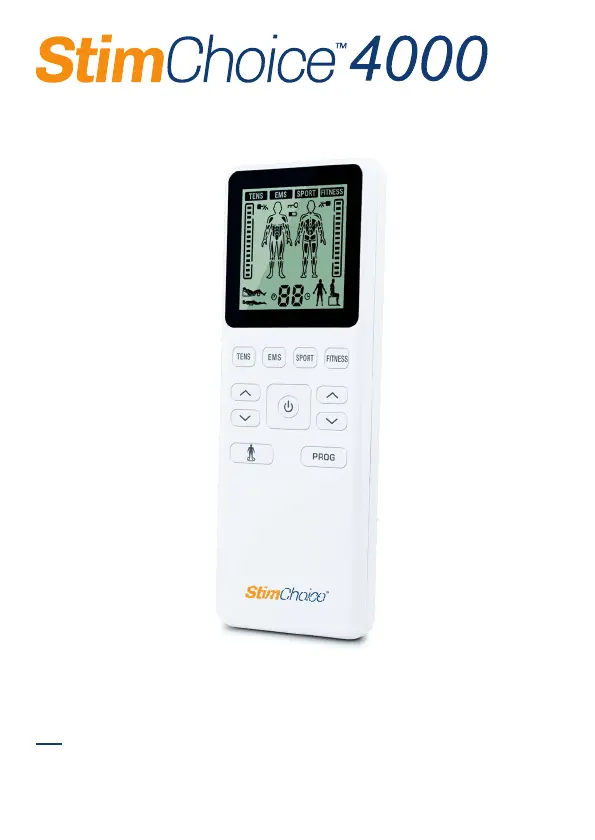
Stim Choice 4000 - User Manual

Stim Choice 4000
44 pages
Print Icon
To Next Page IconTo Next Page
Loading...
TENS/EMS
INSTRUCTION MANUAL
Model: E400-6R
For questions or concerns about your device,
please contact Technical Support at 800-871-7858
before returning your device or leaving a review.

Questions and Answers

Summary

Introduction to StimChoice 4000

Medical Background on Pain

Explanation of pain and its role as a warning system for the body.

How TENS Therapy Works

Explains Transcutaneous Electrical Nerve Stimulation (TENS) for pain relief by stimulating nerves.

How EMS Therapy Works

Explains Electronic Muscle Stimulation (EMS) for passive muscle exercise via electrical pulses.

Sport Mode for Muscle Stimulation

Details how SPORT mode (EMS) aids competitive athletes in performance improvement and regeneration.

Fitness Mode for Muscle Stimulation

Explains FITNESS mode (EMS) for general fitness enthusiasts seeking toning and muscle maintenance.

Benefits of Electrostimulation

Important Safety Precautions and Warnings

Safety Symbols Used in Manual

Explains the meaning of DANGER, WARNING, and CAUTION symbols used in the manual.

Danger and Warning Conditions

Details DANGER (e.g., use with pacemakers) and WARNING conditions for device use.

Activity and Pain Management Warnings

Covers warnings during activities, pain management, and electrode application precautions.

Electrode Precautions and Usage

Provides precautions for electrode handling, application, and storage to ensure safety and effectiveness.

Stimulator Usage Cautions

Details cautions for operating the stimulator, including battery handling and avoiding interference.

General Precautions and Adverse Reactions

Package Contents Overview

Know Your Device

Front and Rear Panel Identification

Identifies and labels the main buttons, sockets, and compartments of the device.

LCD Display Information

Explains the various icons, indicators, and information displayed on the device's LCD screen.

Device Specifications

Program Parameters Explained

How to Control and Reduce Pain

When to Use the Device

Advises on the best time to start using the device for pain management.

Setting the Intensity Level

Guides users on adjusting the intensity level for comfortable and effective stimulation.

Recommended Treatment Duration

Provides guidelines on session length and frequency for optimal pain relief.

Best Pain Types for TENS Therapy

Explains which types of pain (acute vs. chronic) TENS therapy is most effective for.

Battery and Setup Instructions

Battery Installation and Handling

Details how to insert, handle, and dispose of batteries safely and correctly.

Start Therapy Steps

Attach Electrodes to Lead Wire

Guides on connecting electrodes to the lead wires, ensuring proper connection.

Insert Lead Wire Into Unit

Explains how to connect the lead wires to the device's output sockets.

Electrode Placement Guidance

Provides instructions on where to place electrodes on the skin for optimal therapy.

Turn On and Select Mode

Details how to power on the device and choose the treatment mode category (TENS, EMS, etc.).

Select Treatment Area and Program

Guides on selecting the treatment area and switching between therapy programs.

Adjust Intensity and Turn Off Device

Explains how to adjust stimulation intensity, turn off the device, and remove electrodes safely.

Safety Lock Feature Explanation

Describes the safety lock function to prevent accidental changes to settings.

Electrode Placement Guide

TENS Electrode Placement: Neck and Shoulder

Provides TENS electrode placement guidance for the neck and shoulder areas.

TENS Electrode Placement: Upper Arm

Illustrates TENS electrode placement for the upper arm.

TENS Electrode Placement: Wrist, Elbow, and Hip

Details TENS electrode placement for wrist, elbow, and hip areas.

TENS Electrode Placement: Lower Back, Calf, and Knee

Shows TENS electrode placement for the lower back, calf, and knee joints.

TENS Electrode Placement: Ankle and Foot

Illustrates TENS electrode placement for ankle and foot areas.

EMS Electrode Placement: Shoulder and Arm

Provides EMS electrode placement guidance for shoulder and arm muscles.

EMS Electrode Placement: Forearm and Hand

Illustrates EMS electrode placement for the forearm and hand.

EMS Electrode Placement: Abdomen

Shows EMS electrode placement for abdominal muscles.

EMS Electrode Placement: Hip and Back

Details EMS electrode placement for hip weakness and back muscle strength.

EMS Electrode Placement: Lower Leg and Thigh

Illustrates EMS electrode placement for lower leg and thigh muscles.

Sport;Fitness Electrode Placement: Shoulder and Back

Guides electrode placement for shoulder/neck and back muscles in sport/fitness modes.

Sport;Fitness Electrode Placement: Abdomen and Arm

Shows electrode placement for abdominal and arm muscles in sport/fitness modes.

Sport;Fitness Electrode Placement: Leg and Hip

Illustrates electrode placement for leg and hip muscles in sport/fitness modes.

Troubleshooting Common Issues

Unit Cannot Power On

Lists possible causes and solutions for the device not powering on.

Weak or No Stimulation

Addresses causes and solutions for weak or absent stimulation.

Uncomfortable Stimulation Issues

Provides guidance on resolving discomfort during stimulation.

Intermittent Output and Ineffective Stimulation

Solves problems related to intermittent output and ineffective stimulation.

Skin Irritation and Output Interruption

Addresses skin irritation, pain, and sudden stops in output current.

Cleaning and Storage Guide

Keeping Electrodes Clean

Provides instructions on cleaning electrodes to maintain adhesion and function.

Storing Device and Accessories

Guides on proper storage of the device, electrodes, and lead wires.

Glossary of Symbols

Electromagnetic Compatibility (EMC) Tables

EMC Important Information

Provides crucial information about using accessories, avoiding interference, and device behavior in certain environments.

EMC Declarations: Emissions

EMC Declarations: Immunity

EMC Immunity Guidelines

Details immunity test levels and guidance for various electromagnetic conditions.

EMC Immunity Notes

Provides specific notes regarding frequency ranges and environmental effects on electromagnetic immunity.

Recommended Separation Distances for RF Equipment

Warranty Information

Stim Choice 4000 Specifications

General IconGeneral
BrandStim
ModelChoice 4000
CategoryPersonal Care Products
LanguageEnglish