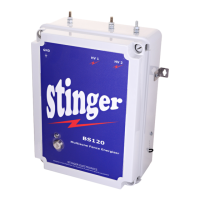
STINGER ELECTRONICS (PTY) LTD BS120 INSTRUCTION MANUAL REF:03/2018
Printed: 4/26/2019 Page 16 of 20
If you want to cancel the address change in case of a mistake, press “no”
This menu confirms cancellation of the address change procedure.
Press select to change system date or time.
Press “year” repeatedly to reach the correct year.
Press “Month” to reach the correct month.
Press “Day” to reach the correct day.
Press “Hour” to reach the correct Hour
Press “Minute” to reach the correct Minute.
- - - --- Advanced Menu- - - - 10.0
Set time & date
2000/01/01 0:32:48
(Select) (Next Menu)
- - - --- Advanced Menu- - - - - 9.6
Address change X
Cancelled by user
(Redo) (No)
- - - --- Advanced Menu- - - - 10.1
Set time & date
2000/01/01 0:32:48
(Year) (Go to month)
- - - --- Advanced Menu- - - - 10.2
Set time & date
2000/01/01 0:32:48
(Month) (Go to day)
- - - --- Advanced Menu- - - - 10.4
Set time & date
2000/01/01 0:32:48
(Hour) (Go to minute)
- - - --- Advanced Menu- - - - 10.5
Set time & date
2000/01/01 0:32:48
(Minute) (Go to second)
- - - --- Advanced Menu- - - - 10.3
Set time & date
2000/01/01 0:32:48
(Day) (Go to Hour)
- - - --- Advanced Menu- - - -10.6
Set time & date
2000/01/01 0:32:48
(Seconds) (Finish)


 To Next Page
 Loading...