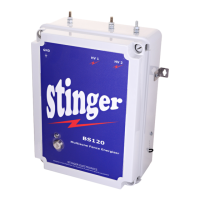
STINGER ELECTRONICS (PTY) LTD BS120 INSTRUCTION MANUAL REF:03/2018
Printed: 4/26/2019 Page 15 of 20
With only one energizer connected, the LCD keypad will send the broadcast address “255”. If
the address of this energizer has not been modified, it will reply with the address 0. Else it will
reply with the modified address. (visible on the home screen and in menu 3.1.3,(Field box number
– 1 = address)).
If more than one energizer has been connected to the LCD keypad, a synchronization signal is
automatically sent to all energizers(not via Radio in the 1200 Baud mode).
To stop synchronization, press “disable”.
Use this menu to select the number of energizers connected to the LCD keypad.
This menu allows the user to change the address of an energizer. Press “select” to enter
this menu.
If the hard- or software address of the energizer is unknown, select “yes” to use the broadcast
address, otherwise press “no” to enter the destination address.
Press “increase” until the current address value is reached, followed by “Accept”
”
Press “increase” until the new destination address value is reached, followed by “Accept”
This menu confirms the address change. (yes)
- - - --- Advanced Menu- - - - - - 8
Number of Energizers
1
(Increase) (Next Menu)
- - - --- Advanced Menu- - - - - - 9
Send new address
to a unit
(Select) (Next Menu)
- - - --- Advanced Menu- - - - -9.1
Use broadcast
Address? (255)
(Yes) (No)
- - - --- Advanced Menu- - - - - 9.4
Send new address 0
to address 255??
(Yes) (No)
- - - --- Advanced Menu- - - - - 7.0
Sync Energizers
Enabled
(Disable) (Next Menu)
- - - --- Advanced Menu- - - - - 9.5
Address change √
New address = 0
(Yes) (No)
- - - --- Advanced Menu- - - - - 9.3
Insert new
Address => 0
(Increase) (Next)
- - - --- Advanced Menu- - - - -9.2
Insert destination
Address = >0
(Increase) (Next)


 To Next Page
 Loading...