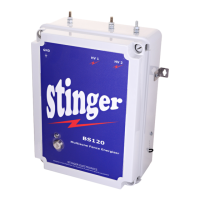
STINGER ELECTRONICS (PTY) LTD BS120 INSTRUCTION MANUAL REF:03/2018
Printed: 4/26/2019 Page 14 of 20
First select the zone to be changed by pressing “Increase”
Change stored current values on HV1 or HV2 for this zone.
Increase the HV1 value for the zone if needed.
Increase the HV2 value for the same zone if needed.
The LCD keypad is by default set to “master” mode. It can be changed to the slave mode by
pressing the “slave” button. Up to 20 LCD keypad units can be connected to the RS485
communication line.
In auto “reset” mode, the unit will try to “reset” itself after an alarm condition has been
announced. To disable this function, press “disable”.
The communication speed is by default set to a baud rate of 2400. This baud rate is valid for
wire- or Fibre-optic communication. For radio communication change the baud rate to a value of
1200 by pressing “change”.
- - - --- Advanced Menu- - - - 4.0
Remote Mode
Master
(Slave) (Next Menu)
- - - --- Advanced Menu- - - - -5.0
Auto “reset” mode
Enabled
(Disable) (Next Menu)
- - - --- Advanced Menu- - - - - 6.0
Set Comms Mode
2400 Baud (Cable/F.O.)
(Change) (Next Menu)
- - - --- Advanced Menu- - - - 3.7
Select zone to
Change, zone5
(Increase) (Accept)
- - - --- Advanced Menu- - - - 3.8
Select HV1 or HV2
To be changed
(HV1) (HV2)
- - - --- Advanced Menu- - - - 3.9
Insert new value
For zone5: 3 HV1
(Increase) (Next)
- - - --- Advanced Menu- - - - 3.9
Insert new value
for zone 5: 3 HV2
(Increase) (Next)


 To Next Page
 Loading...