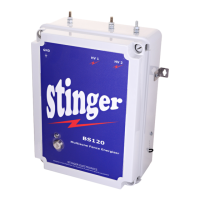
STINGER ELECTRONICS (PTY) LTD BS120 INSTRUCTION MANUAL REF:03/2018
Printed: 4/26/2019 Page 13 of 20
Select the unit you want to configure and press “enter”.
The system has detected that the display unit has been connected to a BS120 energizer. Press
“continue” to proceed.
In power mode, you can read the HT currents, which are flowing from the energizer into
the fence wires.
By pressing incr. level, the Short circuit level can be increased. This can be done if the
current readings are very high, due to high fence capacitance.
A short circuit alarm will be given if the sum of the HT current readings is higher than the
Short level setting for three consecutive faults in the same zone. Press “select” to read the
present current values.
Press “select” to read the programmed zone current values, which are stored in the micro-
processor memory.
The programmed currents for each zone can be read by pressing “next”.
The currents programmed in a zone can be changed by pressing “select”.
- - - --- Advanced Menu- - -- 3.2
Poling Unit 1 please
wait ……..
(Cancel) (Next Menu)
- - - --- Advanced Menu- - - - 3.4
Enter ‘Power mode’
for reading currents
(Select) (Next Menu)
- - - --- Advanced Menu- - - - 3.5
Read programmed
Zone currents
(Select) (Next Menu)
- - - --- Advanced Menu- - - - 3.10
FB1 HV1=8 HV2=10
Short Level = 106
(Incr Lev) (Next)
- - - --- Advanced Menu- - - - 3.6
Change programmed
Zone currents
(Select) (ExitConf)
- - - --- Advanced Menu- - - - 3.17
FB1 Zone 1
HV1 = 255 HV2 =13
(Next) (ExitConf)
- - - --- Advanced Menu- - - - 3.3
A BS120 energiser
was found, continue ?
(Retry) (Continue)


 To Next Page
 Loading...