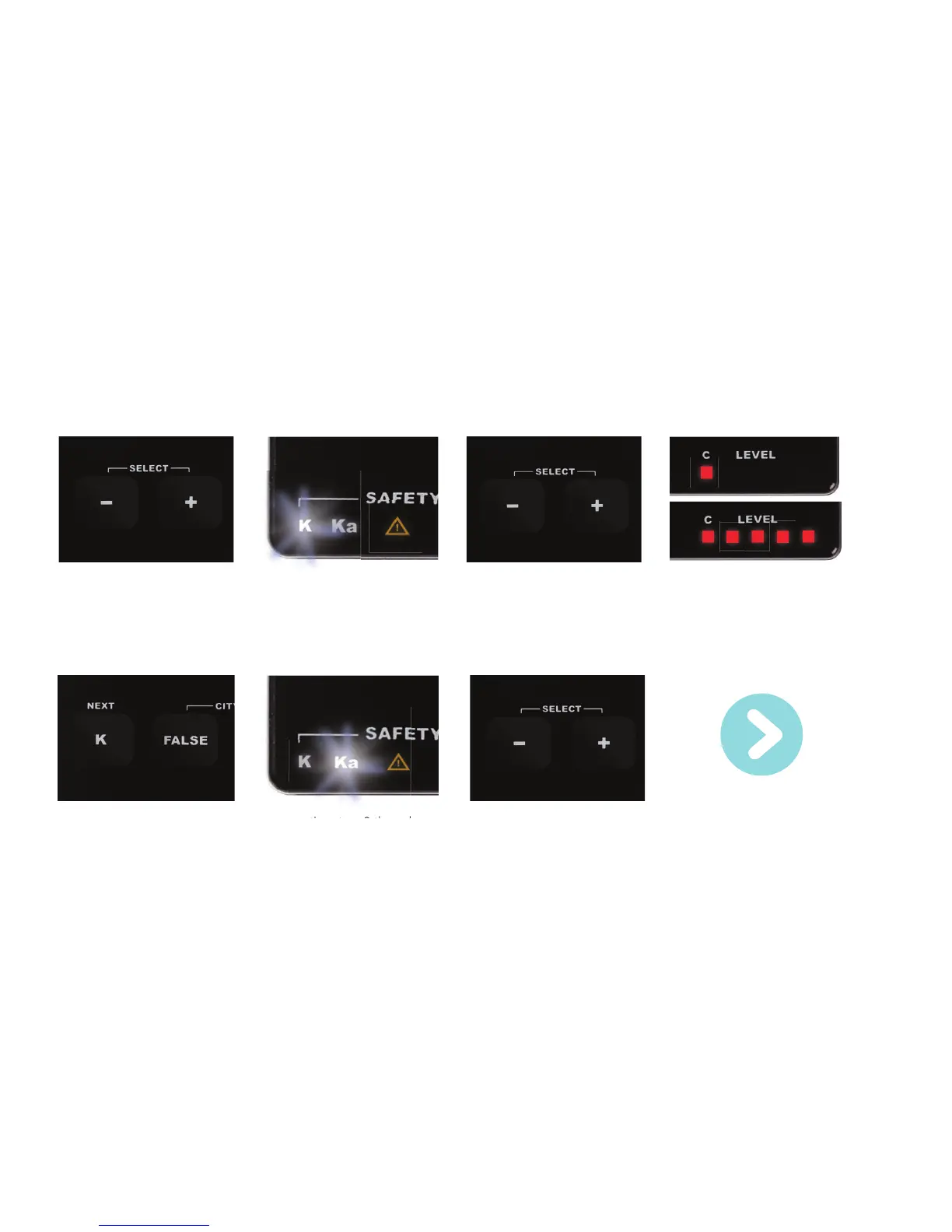
1. Simultaneously touch the - and
the + keys.
3. Touch the - key to switch off the
selected functionality, touch the +
key to switch it on.
4. The Level LEDs indicate whether
the selected functionality has been
switched off or on: 1 LED means
off, 5 LEDs mean on.
7. You can leave the Selection
mode by not touching any key
for longer than 10 seconds or by
simultaneously touching the - and
the + key.
5. Touch NEXT (the K key) to select
the next functionality.
6.
Repeating steps 2 through
5 will allow you to select each
functionality and switch it on
or off.
Function
OFF
Function
ON
Selection mode
You can easily turn your Card’s many functionalities on or off by entering Selection mode:
Controls
2. The LED belonging to the fi rst
functionality will start fl ashing,
indicating it has been selected.
7
For optional settings:
see page 18.



 To Next Page