www.stingerworld.com
CS150 Cap Stapler
LOADING(THE(TOOL(
FOR USE WITH 7/8”, 1-1/4”, or 1-1/2” STINGER STAPLEPAC
®
CAP STAPLES ONLY
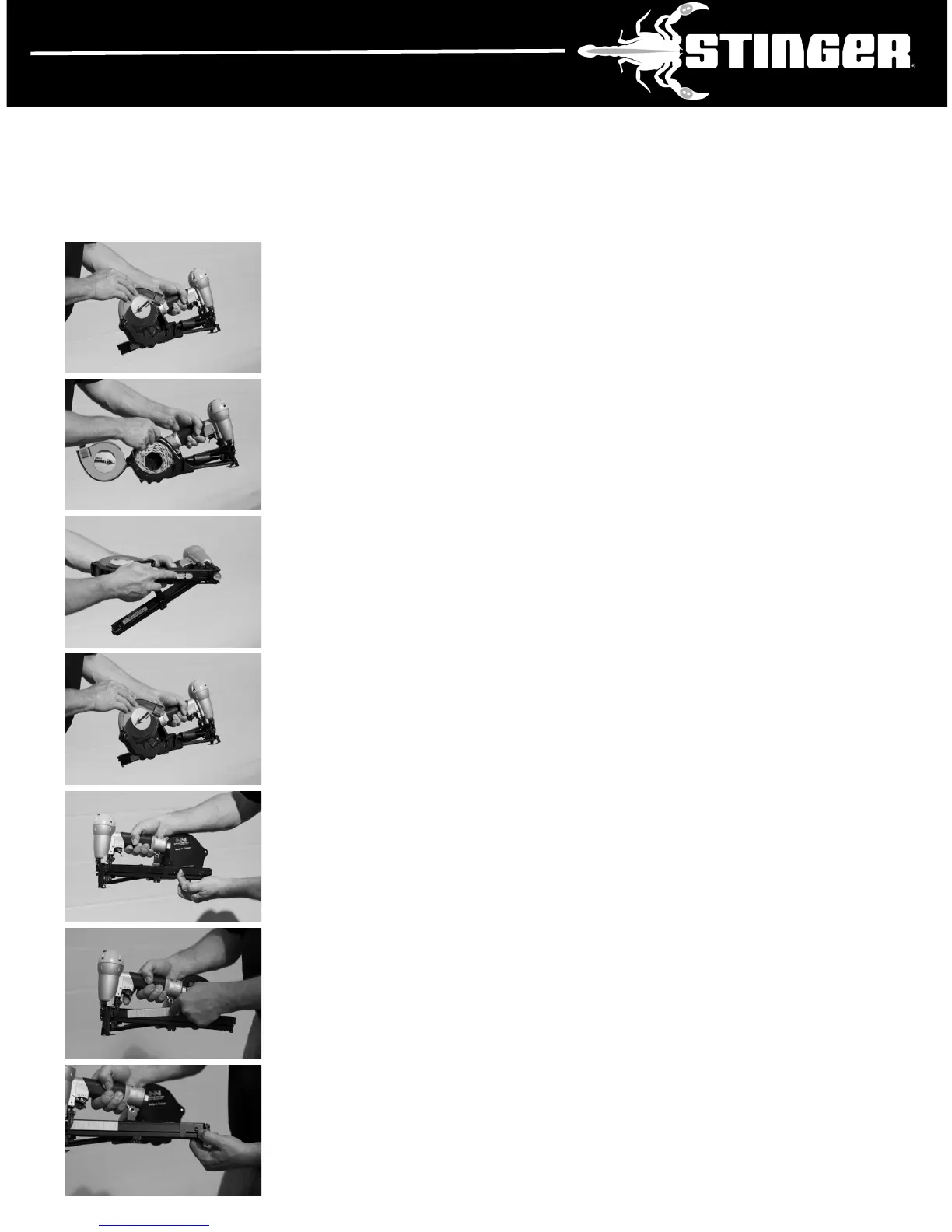
• Disconnect air. Open the Magazine Cover by pushing the
green Cover Release Tab and lifting.
• Place cap reel in Magazine. Make sure the front end of the cap
coil is placed over the cap guide area of the Magazine. Insert
lead cap into the Feed Chute.
• Slide caps along the Feed Chute with fingers until they engage
the Cap Feeder. Pull the Cap Feeder back and release to
advance caps until the first cap is under the Nose of the tool.
• Close the Magazine Cover.
• Pull back the Staple Follower until the Latch catches.
• Place staples in Staple Track.
• Release the Catch Button. Plug into air source. Tool is ready
to use.
5


 To Next Page