multaradar cd optimized inStallation
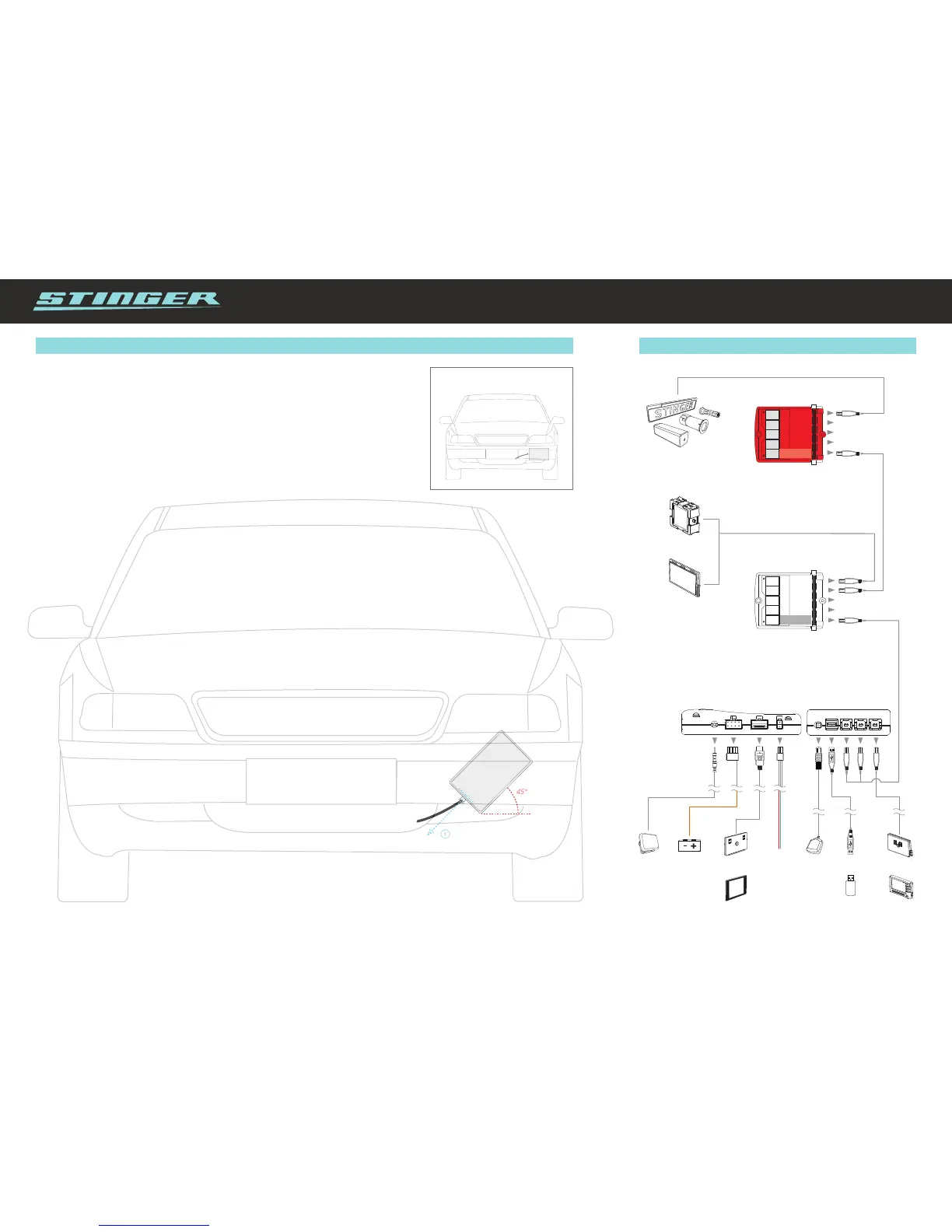
HD Antenne installation for MultaRadar CD
The multi poled HD Antenna has been designed for horizontal installation. Those drivers who wish
to have optimized reception of MultaRadar CD signals can choose to have the antenna mounted
diagonally, as explained in the overview below.
Default antenna placement
1
45°
1. Diagonally place the antenna behind the bumper or
spoiler, with the smooth surface facing forward.
2. From the point of view of the driver, the cable connection must be on the bottom
right of the antenna.
Take note: If, from the point of view of the driver, the cable connection is on the
top right or bottom left, the reception will be strongly reduced.


 To Previous Page