Touch controls
• All operations are performed by means of the touch controls on the
control panel.
• Each touch control has a corresponding visual display (indicator light).
Instructions
Switching on the ceramic cooktop
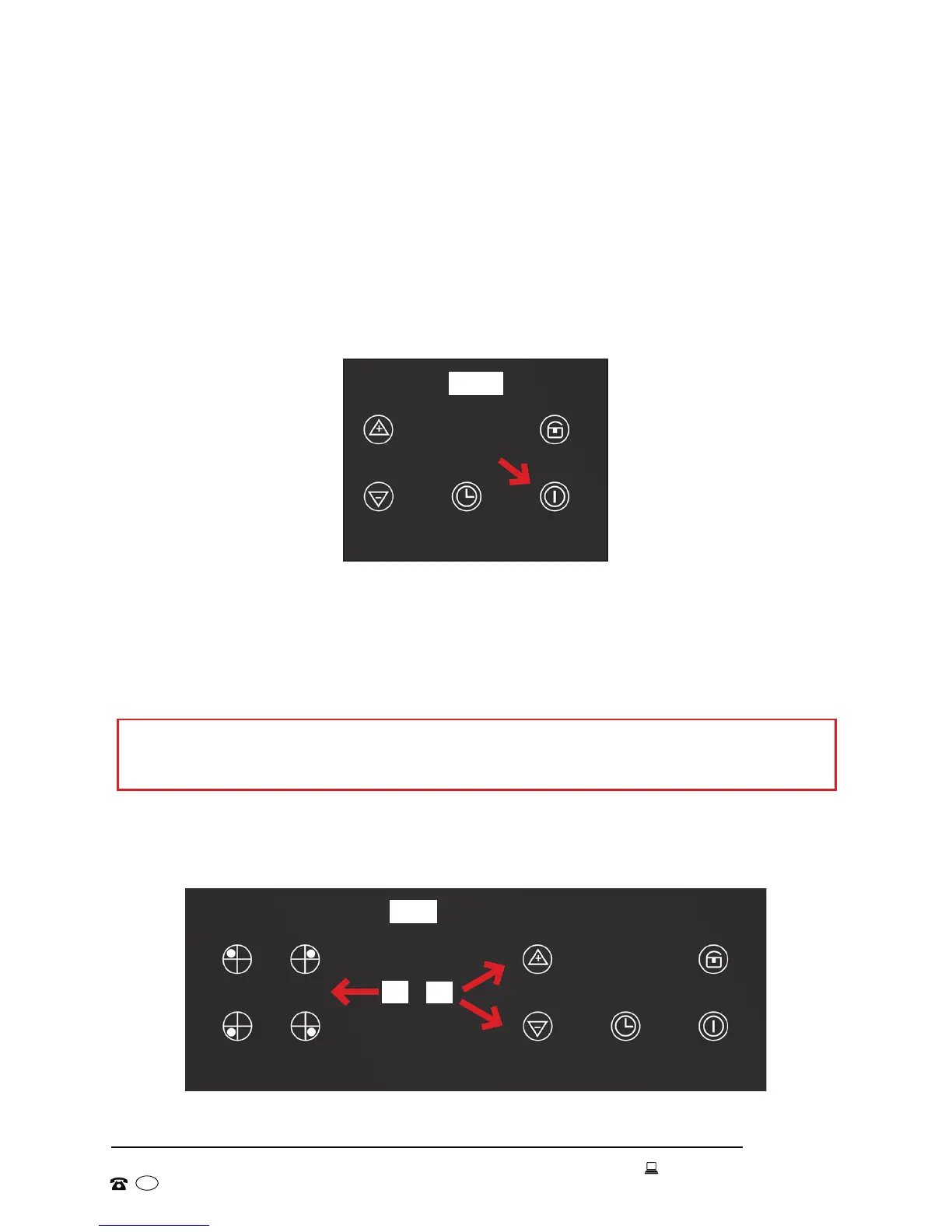
• Long-press the Power On/Off button to switch on the cooktop (Fig. 8).
• The appliance will beep once and all cooking zone indicators will light
up briefly. They will then go out, indicating that the cooktop has entered
stand-by mode.
Switching on a cooking zone and setting a power level
Fig. 8
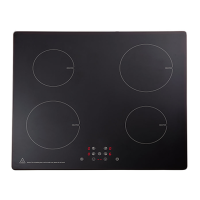
Fig. 9
(A)
(B)
IMPORTANT!
You must select a cooking zone within 10 seconds of switching on the cooktop.
• Press the select button for the cooking zone you want to use (Fig. 9-A).
• Use the Up/Down buttons to select the required heat level (1-9) (Fig. 9-B).


 To Next Page