EasyManua.ls Logo

STK Professional Audio VX series - User Manual

Default Icon
32 pages
Print Icon
To Next Page IconTo Next Page
Loading...
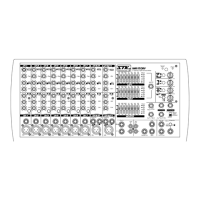
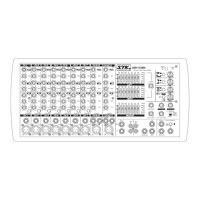
VX-1204, VX-1204FX
/ VX-1604, VX-1604FX
VX 시즈 라이브 / 레코딩 믹
설명
VX series live / Recording Mixer
OWNER'S MANUAL
2 TRACK
IN
2 TRACK
OUT
1=GND
3=COLD(-)
2=HOT(+)
1=GND
3=COLD(-)
2=HOT(+)
1=GND
3=COLD(-)
2=HOT(+)
1=GND
3=COLD(-)
2=HOT(+)
1=GND
3=COLD(-)
2=HOT(+)
1=GND
3=COLD(-)
2=HOT(+)
1=GND
3=COLD(-)
2=HOT(+)
1=GND
3=COLD(-)
2=HOT(+)
1=GND
3=COLD(-)
2=HOT(+)
1=GND
3=COLD(-)
2=HOT(+)
UNBAL UNBAL
UNBAL
UNBAL
Digital Effect Program
01 Reverb Hall 2 5.0 sec
02 Reverb Hall 2 3.0 sec
03 Reverb Room 2.0 sec
04 Reverb Room 1.0 sec
05 Reverb Plate 3.5 sec
06 Reverb Plate 1.5 sec
07 Delay & Reverb 170ms/3 sec.
08 Delay & Reverb 300ms/5 sec.
09 Delay 50% F.B. 100ms
10 Delay 50% F.B. 200ms
11 Delay 50% F.B. 350ms
12 Delay 50% F.B. 500ms
13 Chorus & Reverb slow/4.0 sec.
14 Chorus & Reverb med/2.0 sec.
15 Flanger & Reverb slow/4.0 sec.
16 Flanger & Reverb med/2.0 sec.
UNBAL=
GND TIP(+)
GND TIP(+)
RING(-)
BAL=
U
100
U
100
U
100
U
100
U
100
U
100
U
100
U
100
U
100
U
100
U
100
U
100
U
100
U
100
U
100
U
100
U
100
U
100
U
100
U
100
U
100
U
100
U
100
U
100
+10
+7
+4
-4
-10
-20
-30
-40
U
-15
(0dBU)
+10
+7
+4
-4
-10
-20
-30
-40
U
-15
(0dBU)
+10
+7
+4
-4
-10
-20
-30
-40
U
-15
(0dBU)
+10
+7
+4
-4
-10
-20
-30
-40
U
-15
(0dBU)
+10
+7
+4
-4
-10
-20
-30
-40
U
-15
(0dBU)
+10
+7
+4
-4
-10
-20
-30
-40
U
-15
(0dBU)
+10
+7
+4
-4
-10
-20
-30
-40
U
-15
(0dBU)
+10
+7
+4
-4
-10
-20
-30
-40
U
-15
(0dBU)
+10
+7
+4
-4
-10
-20
-30
-40
U
-15
(0dBU)
+10
+7
+4
-4
-10
-20
-30
-40
U
-15
(0dBU)
+10
+7
+4
-4
-10
-20
-30
-40
U
-15
(0dBU)
+10
+7
+4
-4
-10
-20
-30
-40
U
-15
(0dBU)
Solo Mode
+10
+7
-4
-10
-20
-30
-40
-15
(+4dBU)
U
U
(0dBU)
+10
+7
-4
-10
-20
-30
-40
-15
(+4dBU)
U
U
(0dBU)
+10
+7
-4
-10
-20
-30
-40
-15
(+4dBU)
U
U
(0dBU)
+10
+7
-4
-10
-20
-30
-40
-15
(+4dBU)
U
U
(0dBU)
U
-18dBU
0
U
-19dBU
0
13 -14
15 -16
-58-10
-33dB+14dB
-10
U
-20
U
M
i
c
G
a
i
n
L
i
n
e
T
r
i
m
-58-10
-33dB+14dB
-10
U
-20
U
M
i
c
G
a
i
n
L
i
n
e
T
r
i
m
-58-10
-33dB+14dB
-10
U
-20
U
M
i
c
G
a
i
n
L
i
n
e
T
r
i
m
-58-10
-33dB+14dB
-10
U
-20
U
M
i
c
G
a
i
n
L
i
n
e
T
r
i
m
-58-10
-33dB+14dB
-10
U
-20
U
M
i
c
G
a
i
n
L
i
n
e
T
r
i
m
-58-10
-33dB+14dB
-10
U
-20
U
M
i
c
G
a
i
n
L
i
n
e
T
r
i
m
-58-10
-33dB+14dB
-10
U
-20
U
M
i
c
G
a
i
n
L
i
n
e
T
r
i
m
-58-10
-33dB+14dB
-10
U
-20
U
M
i
c
G
a
i
n
L
i
n
e
T
r
i
m
UNBAL=
GND TIP(+)
SLEEVE TIP(+)
RING(-)
SLEEVE TIP(+)
RING(-)
SLEEVE TIP(+)
RING(-)
SLEEVE TIP(+)
RING(-)
SLEEVE TIP(+)
RING(-)
SLEEVE TIP(+)
RING(-)
SLEEVE TIP(+)
RING(-)
SLEEVE TIP(+)
RING(-)
BAL=
HOT(+)
COLD(-)
GND
RoHs
1=GND
2=HOT(+)
3=COLD(-)
UNBAL=
GND TIP(+)
GND TIP(+)
SLEEVE
SEND
RETURN
Question and Answer IconNeed help?

Do you have a question about the STK Professional Audio VX series and is the answer not in the manual?

Summary

Product Introduction

Important Safety Instructions

General Safety Precautions

Adherence to operating instructions, warnings, water, heat, and power source safety.

Important Operating Instructions

Pre-Operation Setup

Steps to perform before powering on the mixer, including setting controls to initial positions.

Connecting and Setting Up the Mixer

Guide to connecting audio sources and setting initial audio levels for operation.

Basic Operation and Level Setting

Instructions for setting channel gain, faders, and listening levels during operation.

Panel Descriptions

Front Panel Monaural Input Channels

Detailed description of the controls and connectors on the monaural input channels.

Front Panel Stereo Input Channels

Detailed description of the controls and connectors on the stereo input channels.

Front Panel Master Section Controls

Description of the main output, headphone, and auxiliary controls on the front panel.

Rear Panel Connections and Features

Explanation of rear panel inputs, outputs, power, and fuse holder.

Connecting Your System

Input and Output Connector Guide

Guide to various input and output connectors and their uses, including XLR, Phone, and RCA types.

System Hookup Diagrams

Stereo Live PA Setup Diagram

Diagram illustrating the system connection for stereo live PA setups.

Video Setup Connection Diagram

Diagram illustrating system connections for video setups.

Block Diagram

Product Specifications

Warranty Information

Unpacking and Initial Inspection

Instructions for unpacking the product and checking for physical damage.

STK Limited 1-Year Warranty Details

Details of the manufacturer's 1-year warranty for materials and workmanship.

Customer Service and Record Keeping

Contact information for warranty repair and user record-keeping.

STK Professional Audio VX series Specifications

General IconGeneral
Aux Sends1
Headphone Output1
Power SupplyExternal
Input Channels4
Phantom PowerYes
EQ Bands3-band
USB InterfaceYes
Main Outputs2

Related product manuals