Need help?
Do you have a question about the stoga Mk22 and is the answer not in the manual?
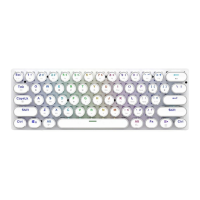
Details the US keyboard layout for the Mk22 mechanical keyboard, showing key placements.
Highlights key features of the Mk22 mechanical keyboard, including MCU, connectivity, and build quality.
Lists fundamental parameters such as product model, interface type, voltage, and current.
FN key combinations to access system functions like Home page, My Computer, Email, and Music.
FN key combinations mapped to F1 through F3, replacing standard function key behavior.
FN key combinations for controlling media playback, volume, and calculator functions.
FN key combinations for navigation (Home, End, Page Up/Down) and utility keys (Ins, Del).
FN key combinations for switching backlight effects, adjusting brightness, and PC mode.
FN key combinations for specialized tasks like Excel navigation (ScrLk) and muting audio.
FN key combinations to enter game mode lighting, switch between PF1/PF2/PF3 profiles.
FN key combinations to accelerate or slow down backlight effects, with visual feedback.
Steps to press FN + G to activate game backlight, highlighting WASD keys.
Instructions to press FN + * to enter recording mode for custom backlight configurations.
Guide to selecting colors for custom backlight recording using specific FN + color key combinations.
Procedure to save recorded backlight settings by pressing FN + *.
 General
| Brand | STOGA |
|---|---|
| Model | MK22 |
| Backlight | RGB |
| Actuation Force | 50g |
| Polling Rate | 1000Hz |
| Anti-ghosting | Full N-Key Rollover |
| Cable Length | 1.8m |
| Type | Mechanical |
| Connectivity | Wired |
| Switch Type | Gateron |
| Keycaps | PBT |
| Actuation Point | 2mm |
| Total Travel | 4.0mm |
| Compatibility | Windows, macOS |

 To Next Page