DS100 (U320) User's Guide - Rev. A02 StorCase Technology, Inc.
Installation 17
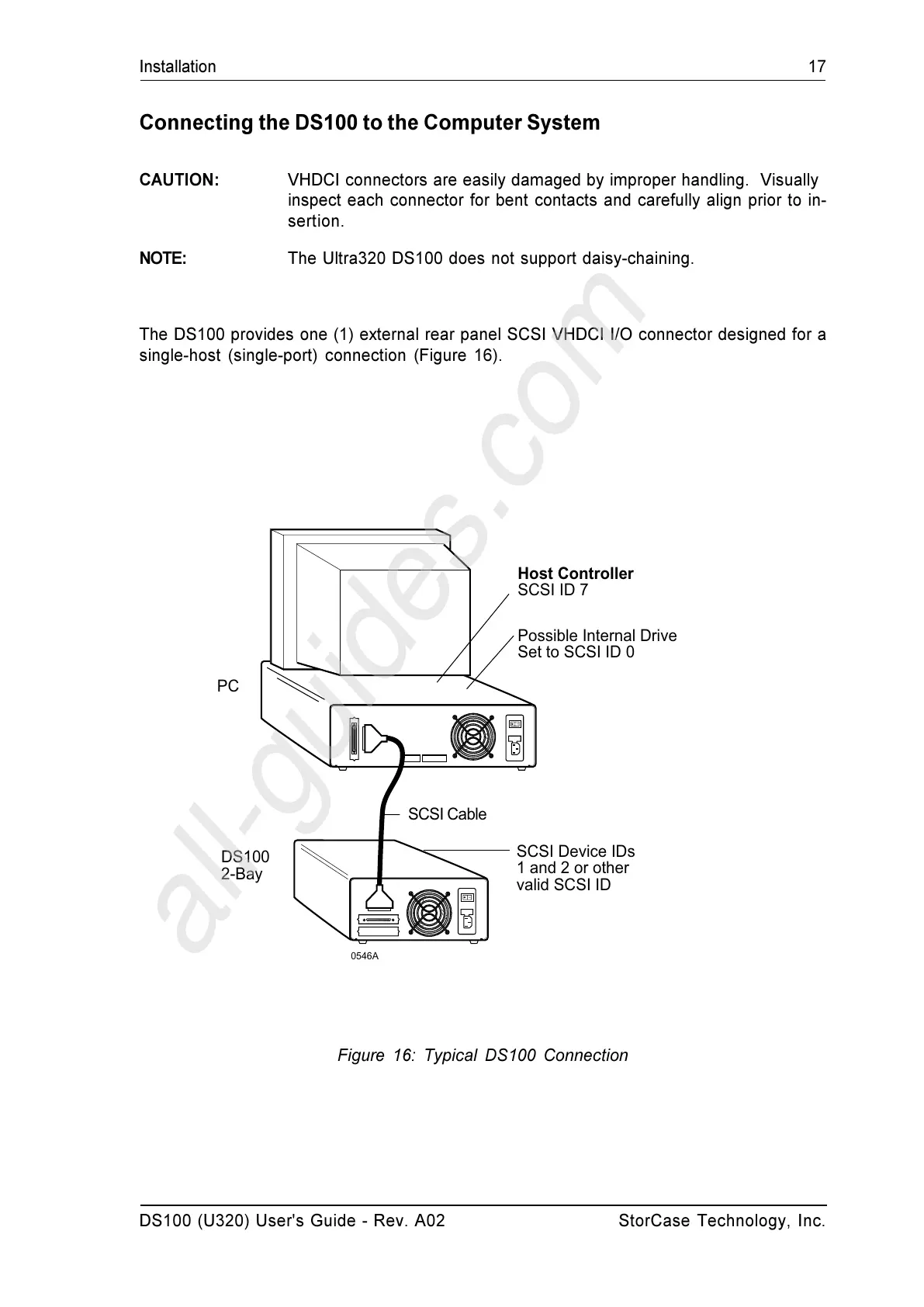
Figure 16: Typical DS100 Connection
0546A
PC
DS100
2-Bay
Host Controller
SCSI ID 7
Possible Internal Drive
Set to SCSI ID 0
SCSI Device IDs
1 and 2 or other
valid SCSI ID
SCSI Cable
Connecting the DS100 to the Computer System
CAUTION: VHDCI connectors are easily damaged by improper handling. Visually
inspect each connector for bent contacts and carefully align prior to in-
sertion.
NOTE: The Ultra320 DS100 does not support daisy-chaining.
The DS100 provides one (1) external rear panel SCSI VHDCI I/O connector designed for a
single-host (single-port) connection (Figure 16).


 To Next Page