SUPPORT@STOREITCOLD.COM
2020 © Store It Cold, LLC. 36 Rev 2020-8A. All Rights Reserved.
OPERATION:
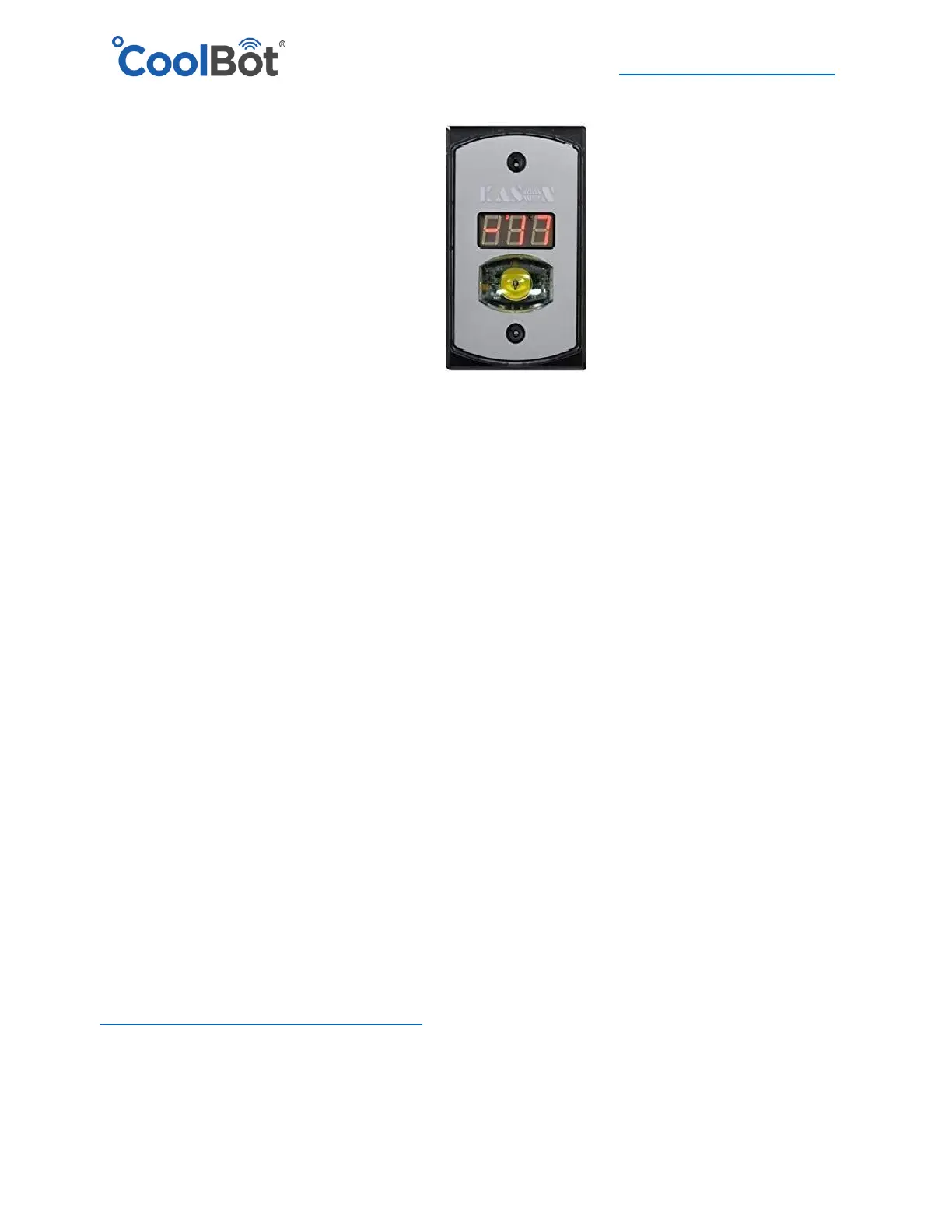
• Touch yellow button to turn light on or off
• Depending on temperature of room will read:
FrE or F1 / F2 [-40°F to 30°F] or [-40°C to -1°C]
CoL or C1 / C2 [32°F to 50°F] or [0°C to 10°C]
Hot or H1/ H2 [ 75 -104°F] or [24°C to 40°C]
• Temperature Units: Default °F, install small black jumper on the back of controller for °C
• Errors / Warnings:
"B": Low battery (battery not included) – battery not necessary for operation
"Hot / H1 / H2" room temperature is above 75°F
"OFF" temperature probe is not connected (install, re-check connection, or replace temp
probe on the back of the controller)
• Small dots on the display during normal operation:
Far left light above temperature is the battery indicator (if a 12V is installed).
The next two indicate either degrees F, or C in the order left to right.
COOLBOT PRO INSTALLATION
For CoolBot Pro controller installation instructions please follow your Quick Start Guide included in the
CoolBot Pro box. Please see our full CoolBot Pro Manual and App features at:
https://www.storeitcold.com/support-library/




 To Next Page