
 Need help?
Do you have a question about the STORZ POWER 10354 and is the answer not in the manual?
General warnings regarding electrical shock, injury, and damage due to improper use or installation.
Specific safety instructions for the cabinet, including installer certification and avoiding damage.
Storz Power's liability for damages arising from product use is limited.
Cabinet must be wall-mounted before battery installation to prevent damage or injury.
Lists the tools required for installing the Storz Wall Mount Battery Cabinet.
Lists personal protective equipment recommended for safe installation.
Lists all components included for the Storz Wall Mount Battery Cabinet.
Lists all components included with each Storz Power Battery.
Criteria for choosing a suitable wall location, including surface and environmental conditions.
Precautions for handling the heavy cabinet and ensuring secure mounting.
Verify all parts are present upon receiving the product.
Ensure installation on a flat, vertical, structurally sound surface with adequate clearance.
Determine and utilize approved knockout locations for conduit entry on the cabinet.
Use an appropriate drill bit (up to 1.5") to create knockouts at approved locations.
Instructions for mounting the wall bracket onto wood studs or concrete walls.
Securely attach the cabinet shell to the wall mount bracket using provided screws.
Prepare batteries by removing and re-inserting specific screws to secure flanges.
Attach white flat plates to the inside of the cabinet shell using provided screws.
Safely load batteries onto cabinet shelves, ensuring proper terminal orientation.
Securely attach black and red terminal blocks to the inside of the cabinet shell.
Instructions to repeat the installation process for multiple cabinets.
Connect battery cables and lug connectors to terminal blocks and batteries.
Reinstall plastic covers over battery terminals and terminal blocks after wiring.
Refer to setup guide for RS485 communication cable configuration and dip switch assignment.
Attach the ground wire to one of the side panels of the cabinet.
Securely attach the side panels to the cabinet shell using screws.
Follow instructions in the ESS manual for proper install configurations.
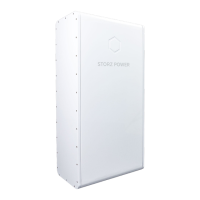
Details the cabinet's physical dimensions and weight.
States the cabinet's IP rating and maximum battery capacity.
 General
| Brand | STORZ POWER |
|---|---|
| Model | 10354 |
| Category | Battery Pack |
| Language | English |

 To Next Page